
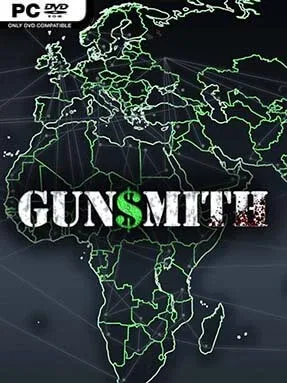
Game Overview
An inherited workshop and a handful of basic tools form the starting point for a slow-burn industrial empire built around arms production. Gunsmith is an indie management simulator focused on turning a modest factory into a serious military manufacturing operation, balancing ambition against regulations, reputation, and the practical limits of your production line. Its tone is less about battlefield spectacle than the machinery behind it: furnaces, fabrication equipment, contracts, and the constant pressure to make each expansion pay off. The premise carries a morally grey edge, since licensing rules exist, but the choice of how closely to follow them remains part of the business.
Daily play revolves around designing an efficient factory floor, purchasing machines, unlocking technologies, and converting raw industrial capability into increasingly advanced products. Early operations are deliberately constrained, forcing you to establish credibility before government approval opens the door to higher-grade military equipment. Machine selection matters because different production approaches affect throughput, scale, and how smoothly your operation handles larger orders. Progress comes from reinvesting earnings into better equipment and new capabilities, gradually replacing a shoestring operation with a specialized, high-output manufacturing network.
What makes Gunsmith appealing is its focus on the supply-side fantasy often ignored by strategy games: you are not commanding troops, but constructing the industrial system that equips them. The factory-building angle gives it a methodical, practical rhythm closer to games such as Factorio or Production Line than a conventional tycoon title, though its subject matter is considerably more grounded and contentious. Players who enjoy optimizing layouts, researching upgrades, and watching a small enterprise become a tightly run machine should find plenty to work toward. It best suits patient management fans who prefer planning and incremental growth over fast-paced action, while genre veterans can pursue more efficient production chains and larger-scale operations.
Installation
- Click the green button below to be redirected to UploadHaven.
- Wait 15 seconds, then hit “Free Download.” (Free downloads may be slower — upgrade to UploadHaven Pro for faster speeds.)
- Once downloaded, right-click the .zip file and choose “Extract to Gunsmith.” (You’ll need 7-Zip for this.)
- Open the extracted folder and run the game as administrator.
- Enjoy! 🎮 If you see missing DLL errors, check the <strong>_Redist</strong> folder inside and install what’s needed.
System Requirements
- Requires a 64-bit processor and operating system
- OS: 64-bit Windows 7, Windows 8.1, Windows 10
- Processor: Intel Core i3-4340 / AMD FX-6300
- Memory: 6 GB RAM GB RAM
- Graphics: nVidia GeForce GTX 660 2GB / AMD Radeon HD 7850 2GB
- DirectX: Version 11
- Storage: 5 GB available space
Setup Guide & Troubleshooting
How do I fix missing DLL errors for Gunsmith (v0.8b)?
After extracting Gunsmith (v0.8b), navigate to the _Redist or _CommonRedist folder inside the game directory and install DirectX, Vcredist, and any other dependencies included.
What should I do if the downloaded file is corrupted?
The full archive is 4.14 GB — make sure your download completed fully before extracting. Use 7-Zip to extract the files. If you still see a "file corrupted" error, re-download and try again.
Why should I run the game as administrator?
Right-click the game executable and select "Run as Administrator" to avoid save file issues and permission errors. This is especially important on the first launch.
How do I update my GPU drivers for this game?
Gunsmith (v0.8b) requires a nVidia GeForce GTX 660 2GB / AMD Radeon HD 7850 2GB or equivalent. Update your NVIDIA or AMD drivers to the latest version for the best performance.
The game won't launch — what should I try?
This game requires Version 11. Try running in compatibility mode, install the latest DirectX runtime, or install the All-in-One VC Redist Package.
My antivirus is blocking the game — is it safe?
Antivirus false positives are common with pre-installed games. Temporarily pause your antivirus during extraction to prevent it from quarantining game files. You can re-enable it after the extraction completes.