
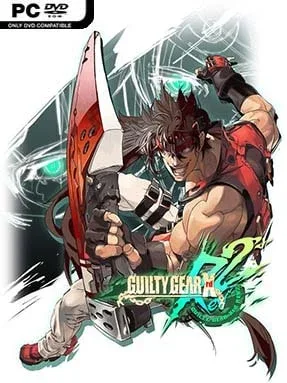
Game Overview
Guilty Gear Xrd REV 2 turns every round into a spectacular anime fight, pairing razor-sharp 2D combat with 3D models animated to look hand-drawn. Its heavy-metal fantasy setting is full of eccentric fighters, impossible weapons, and enough personality to make even a simple punch feel theatrical. Beneath the outrageous character designs sits a demanding, fast-moving fighting game where momentum can change in seconds. The tone is stylish and loud, but the systems reward serious study.
Matches revolve around reading an opponent, controlling space, converting openings into combos, and spending Tension for powerful Roman Cancels, Overdrives, and defensive options. REV 2 features 25 fighters, from approachable brawlers such as Sol Badguy and Ky Kiske to highly specialized picks like Zato-1, who fights alongside his shadow familiar, and Bedman?, whose attacks unfold through delayed traps. A generous tutorial, mission challenges, combo trials, replay tools, and a deeply configurable training mode make the mechanics far less intimidating than they first appear. Stylish controls provide simplified special moves for newcomers, while standard controls retain the precision and execution expected by competitive players; online play also benefits from rollback netcode for smoother long-distance matches.
What separates Guilty Gear Xrd REV 2 from most anime fighters is its visual direction: camera work, hit effects, facial animation, and round-winning supers regularly resemble scenes from a high-budget action series without sacrificing match clarity. Every character plays by noticeably different rules, so learning the roster feels like learning several related fighting games rather than minor variations on one template. Story, arcade, and challenge content give solo players meaningful material beyond versus mode, though the real longevity comes from mastering matchups and finding a main. Fans of Street Fighter’s fundamentals who want the freedom, aggression, and eccentricity of BlazBlue or later Guilty Gear entries should find plenty to love, while patient newcomers have unusually strong tools for building confidence.
Installation
- Click the green button below to be redirected to UploadHaven.
- Wait 15 seconds, then hit “Free Download.” (Free downloads may be slower — upgrade to UploadHaven Pro for faster speeds.)
- Once downloaded, right-click the .zip file and choose “Extract to Guilty Gear Xrd REV 2.” (You’ll need 7-Zip for this.)
- Open the extracted folder and run the game as administrator.
- Enjoy! 🎮 If you see missing DLL errors, check the <strong>_Redist</strong> folder inside and install what’s needed.
System Requirements
- OS: Windows 7 / 8.1 / 10 (32bit/64bit)
- Processor: Intel Core i5 @ 2.0 GHz
- Memory: 2 GB RAM
- Graphics: Nvidia GeForce GTX 560 / Radeon HD 7770
- DirectX: Version 9.0c
- Storage: 12 GB available space
Setup Guide & Troubleshooting
How do I fix missing DLL errors for Guilty Gear Xrd REV 2 (v2.02 & ALL DLC’s)?
After extracting Guilty Gear Xrd REV 2 (v2.02 & ALL DLC’s), navigate to the _Redist or _CommonRedist folder inside the game directory and install DirectX, Vcredist, and any other dependencies included.
What should I do if the downloaded file is corrupted?
The full archive is 11.75 GB — make sure your download completed fully before extracting. Use 7-Zip to extract the files. If you still see a "file corrupted" error, re-download and try again.
Why should I run the game as administrator?
Right-click the game executable and select "Run as Administrator" to avoid save file issues and permission errors. This is especially important on the first launch.
How do I update my GPU drivers for this game?
Guilty Gear Xrd REV 2 (v2.02 & ALL DLC’s) requires a Nvidia GeForce GTX 560 / Radeon HD 7770 or equivalent. Update your NVIDIA or AMD drivers to the latest version for the best performance.
The game won't launch — what should I try?
This game requires Version 9.0c. Try running in compatibility mode, install the latest DirectX runtime, or install the All-in-One VC Redist Package.
My antivirus is blocking the game — is it safe?
Antivirus false positives are common with pre-installed games. Temporarily pause your antivirus during extraction to prevent it from quarantining game files. You can re-enable it after the extraction completes.