
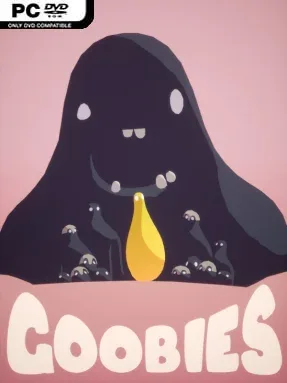
Goobies Cover Art

Goobies

INDIE 372.37 MB v1.1.2

Game Overview

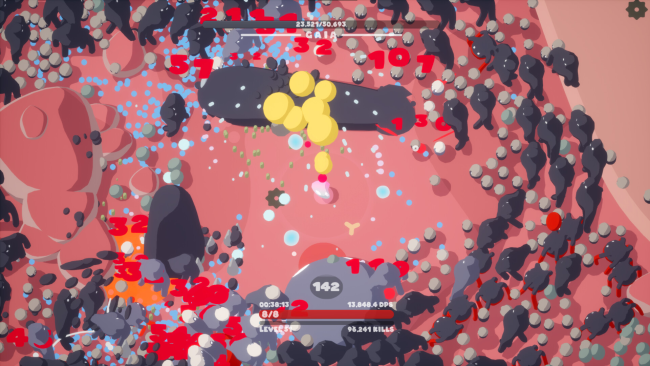
A bright, squishy battlefield becomes increasingly hostile as endless blobs close in from every direction. Goobies is a top-down auto-shooter built around fast survival runs, where your character fires automatically while you focus on movement, positioning, and staying alive through escalating enemy pressure. The tone is colorful and playful rather than grim, but the action can turn frantic quickly when elite enemies, dense swarms, and screen-filling bosses arrive together. Every attempt asks you to turn a modest little creature into an absurdly powerful build before the arena finally overwhelms you.

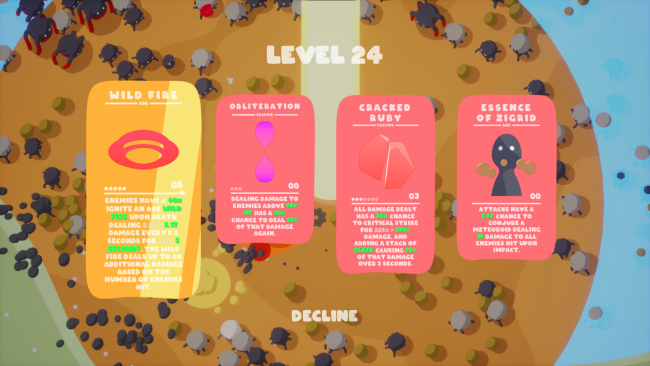
Runs revolve around clearing procedurally arranged stages, collecting experience and rewards, then choosing upgrades that shape how your attacks behave. Five playable Goobies provide different starting passive abilities, encouraging distinct approaches to speed, damage, defense, or crowd control. More than 30 items can appear during a run, and many offer their own upgrade paths, so a familiar pickup can serve a different role depending on the build around it. Artifacts add another layer of unpredictability by altering major rules and even changing the presentation, while growing difficulty ensures that simply standing still and letting the weapons work is rarely enough.

Its appeal comes from how accessible the controls are compared with how many build decisions sit beneath them. Auto-attacking keeps the focus on dodging and route planning, but item synergies, character selection, and artifact effects give repeat runs enough variation to reward experimentation. Coins earned between attempts unlock further power, while an in-game encyclopedia tracks discoveries and gradually fills in the setting’s lore. Fans of Vampire Survivors-style horde survival games who want a compact, colorful roguelike with a stronger emphasis on character passives and shifting rule sets should find plenty to chase here; genre newcomers can enjoy the immediate pick-up-and-play structure, while veterans can hunt for the wildest combinations.

Installation

  1. Click the green button below to be redirected to UploadHaven.
  2. Wait 15 seconds, then hit “Free Download.” (Free downloads may be slower — upgrade to UploadHaven Pro for faster speeds.)
  3. Once downloaded, right-click the .zip file and choose “Extract to Goobies.” (You’ll need 7-Zip for this.)
  4. Open the extracted folder and run the game as administrator.
  5. Enjoy! 🎮 If you see missing DLL errors, check the <strong>_Redist</strong> folder inside and install what’s needed.

System Requirements

  • Requires a 64-bit processor and operating system
  • OS: Microsoft Windows 10
  • Processor: Intel Core i5-6400 / AMD FX-8320
  • Memory: 4 GB RAM
  • Graphics: GTX 960 / R9 280
  • DirectX: Version 11
  • Storage: 1 GB available space

Setup Guide & Troubleshooting

How do I fix missing DLL errors for Goobies (v1.1.2)?

After extracting Goobies (v1.1.2), navigate to the _Redist or _CommonRedist folder inside the game directory and install DirectX, Vcredist, and any other dependencies included.

What should I do if the downloaded file is corrupted?

The full archive is 372.37 MB — make sure your download completed fully before extracting. Use 7-Zip to extract the files. If you still see a "file corrupted" error, re-download and try again.

Why should I run the game as administrator?

Right-click the game executable and select "Run as Administrator" to avoid save file issues and permission errors. This is especially important on the first launch.

How do I update my GPU drivers for this game?

Goobies (v1.1.2) requires a GTX 960 / R9 280 or equivalent. Update your NVIDIA or AMD drivers to the latest version for the best performance.

The game won't launch — what should I try?

This game requires Version 11. Try running in compatibility mode, install the latest DirectX runtime, or install the All-in-One VC Redist Package.

My antivirus is blocking the game — is it safe?

Antivirus false positives are common with pre-installed games. Temporarily pause your antivirus during extraction to prevent it from quarantining game files. You can re-enable it after the extraction completes.

Need more help? Browse our FAQ & Troubleshooting Guide for solutions to common issues.
Looking for something else? Explore all games on Steam Unlocked