
Game Overview
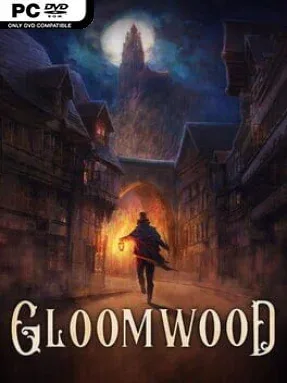
A fog-choked Victorian city becomes a lethal maze of mansions, rooftops, sewers, and decaying streets in this stealth-focused horror FPS. You awaken after a mysterious abduction with little certainty about who you are, why the city is changing, or what unnatural forces control its inhabitants. Gloomwood favors suspense over constant firefights, creating a tense, grimy atmosphere where every locked door, distant footstep, and patch of light can become a problem. Its retro presentation recalls late-1990s PC shooters, but the mood is closer to Thief and System Shock than an uncomplicated run-and-gun blast.
Survival revolves around reading spaces, staying unseen, and choosing your tools carefully. The canesword offers quiet, close-range kills, while a revolver, folding shotgun, harpoon gun, traps, and improvised thrown objects provide louder or more creative answers when stealth falls apart. Light exposure and sound matter: enemies notice footsteps, gunfire travels through the environment, and cautious players can lean around corners, listen through doors, climb ledges, and inspect weapons before committing to a fight. Open-ended levels encourage alternate routes, from sneaking across high balconies to finding hidden passages below the city, while limited ammunition makes direct combat a calculated risk rather than the default solution.
What separates Gloomwood from many retro shooters is its commitment to physical interaction and player-led problem solving. Objects can be carried, broken, stacked, tossed as distractions, or turned into useful cover, giving each area the feel of a compact immersive-sim sandbox instead of a linear shooting gallery. Its grotesque enemies, including clawed Crowmen and corpse-hunting horrors, make stealth feel urgent without sacrificing the pleasure of mastering a level’s layout. Fans of Thief, Dishonored, Deus Ex, and DUSK should find plenty to like, especially if they enjoy slow, methodical exploration and accept that experimentation often brings the best results.
Installation
- Click the green button below to be redirected to UploadHaven.
- Wait 15 seconds, then hit “Free Download.” (Free downloads may be slower — upgrade to UploadHaven Pro for faster speeds.)
- Once downloaded, right-click the .zip file and choose “Extract to Gloomwood.” (You’ll need 7-Zip for this.)
- Open the extracted folder and run the game as administrator.
- Enjoy! 🎮 If you see missing DLL errors, check the <strong>_Redist</strong> folder inside and install what’s needed.
System Requirements
- OS: Windows 7 Or Later
- Processor: 2.4 GHz Dual Core Processor Or Higher
- Memory: 4 GB RAM
- Graphics: GeForce GTX 660 Or Equivalent
- DirectX: Version 9.0
- Storage: 1 GB available space
- Sound Card: A gloomy one
- Additional Notes: Why’d ya spill yer beans?
Setup Guide & Troubleshooting
How do I fix missing DLL errors for Gloomwood (v0.1.315.14)?
After extracting Gloomwood (v0.1.315.14), navigate to the _Redist or _CommonRedist folder inside the game directory and install DirectX, Vcredist, and any other dependencies included.
What should I do if the downloaded file is corrupted?
The full archive is 2.82 GB — make sure your download completed fully before extracting. Use 7-Zip to extract the files. If you still see a "file corrupted" error, re-download and try again.
Why should I run the game as administrator?
Right-click the game executable and select "Run as Administrator" to avoid save file issues and permission errors. This is especially important on the first launch.
How do I update my GPU drivers for this game?
Gloomwood (v0.1.315.14) requires a GeForce GTX 660 Or Equivalent or equivalent. Update your NVIDIA or AMD drivers to the latest version for the best performance.
The game won't launch — what should I try?
This game requires Version 9.0. Try running in compatibility mode, install the latest DirectX runtime, or install the All-in-One VC Redist Package.
My antivirus is blocking the game — is it safe?
Antivirus false positives are common with pre-installed games. Temporarily pause your antivirus during extraction to prevent it from quarantining game files. You can re-enable it after the extraction completes.