
Game Overview
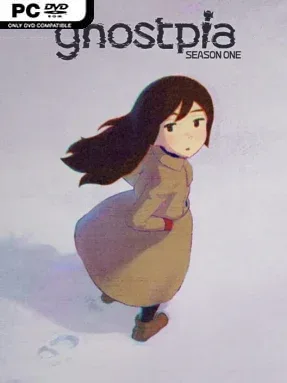
Snow buries a lonely station town where the people call themselves ghosts, not because they are dead, but because death no longer takes them. ghostpia Season One is a kinetic visual novel that treats its strange immortal community less like a fantasy paradise and more like a place where loneliness has had centuries to settle in. Its heroine, Sayako, feels painfully out of place among residents who seem to have accepted this frozen existence, even as she dreams of crossing the endless white wasteland and finding the home she barely remembers. The mood balances cute, stylized character presentation with melancholy, mystery, and the uneasy sense that utopia has rules nobody wants to say aloud.
Reading is the entire experience here, and that focus is deliberate. There are no dialogue routes to map out, relationship meters to manage, or reflex-based interruptions; the story moves forward at a carefully controlled pace, supported by expressive character art, cinematic framing, music, and sound. Players follow Sayako’s daily life and her developing connection with Yoru, a mysterious roommate whose arrival adds another layer to the town’s secrets. Rather than asking you to solve its plot through mechanics, the game asks you to pay attention to its words, emotional shifts, and clues about what immortality has done to its inhabitants.
What separates ghostpia Season One from a conventional branching visual novel is its commitment to a single authored narrative. The lack of choices may disappoint players who want multiple endings, but it allows the presentation to feel closer to an animated film or a carefully edited novella than a dating sim. Its snowy setting, immortal “ghost” concept, and heroine’s aching desire to belong give the story a distinct identity beyond its bright anime-inspired surface. Fans of linear, character-driven visual novels such as Planetarian or the more reflective stretches of VA-11 Hall-A should find plenty to appreciate, while newcomers can jump in without worrying about making wrong decisions.
Installation
- Click the green button below to be redirected to UploadHaven.
- Wait 15 seconds, then hit “Free Download.” (Free downloads may be slower — upgrade to UploadHaven Pro for faster speeds.)
- Once downloaded, right-click the .zip file and choose “Extract to ghostpia Season One.” (You’ll need 7-Zip for this.)
- Open the extracted folder and run the game as administrator.
- Enjoy! 🎮 If you see missing DLL errors, check the <strong>_Redist</strong> folder inside and install what’s needed.
System Requirements
- OS: macOS 11.7.4
- Processor: 1.6GHz デュアルコア Intel Core i5
- Memory: 8 GB RAM
- Graphics: Intel UHD Graphics 617 1536MB
- Storage: 4 GB available space
Setup Guide & Troubleshooting
How do I fix missing DLL errors for ghostpia Season One (v1.1.1)?
After extracting ghostpia Season One (v1.1.1), navigate to the _Redist or _CommonRedist folder inside the game directory and install DirectX, Vcredist, and any other dependencies included.
What should I do if the downloaded file is corrupted?
The full archive is 3.48 GB — make sure your download completed fully before extracting. Use 7-Zip to extract the files. If you still see a "file corrupted" error, re-download and try again.
Why should I run the game as administrator?
Right-click the game executable and select "Run as Administrator" to avoid save file issues and permission errors. This is especially important on the first launch.
How do I update my GPU drivers for this game?
ghostpia Season One (v1.1.1) requires a Intel UHD Graphics 617 1536MB or equivalent. Update your NVIDIA or AMD drivers to the latest version for the best performance.
The game won't launch — what should I try?
Try running in compatibility mode, install the latest DirectX runtime, or install the All-in-One VC Redist Package.
My antivirus is blocking the game — is it safe?
Antivirus false positives are common with pre-installed games. Temporarily pause your antivirus during extraction to prevent it from quarantining game files. You can re-enable it after the extraction completes.