
Game Overview
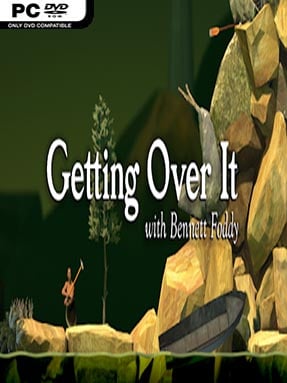
A man trapped in a metal cauldron, armed only with a sledgehammer, faces a towering junk-strewn mountain that turns every small gain into a test of nerve. Getting Over It with Bennett Foddy is a deliberately severe physics-climbing game built around momentum, precision, and the constant threat of catastrophe. Its atmosphere balances absurd imagery with genuine tension, while Bennett Foddy’s dry, reflective narration comments on failure, persistence, and the strange appeal of difficult games. Reaching the summit feels less like completing a level and more like surviving a personal grudge match.
Control is deceptively simple: players move the hammer with the mouse, hooking it onto rocks, furniture, pipes, and other unlikely footholds to pull, push, swing, or launch the pot upward. Every movement relies on understanding the hammer’s weight and the game’s slippery physics, so frantic clicking usually sends you backward while measured motions create real progress. The mountain is one continuous climb with no conventional checkpoints, meaning a missed swing can erase an hour of careful work in seconds. Improvement comes entirely through muscle memory and composure, as players gradually learn routes, recover from bad landings, and turn the hammer into a surprisingly versatile climbing tool.
What makes the experience memorable is its commitment to consequences: failure is not softened, skipped, or disguised behind upgrades and collectibles. The bizarre vertical landscape, assembled from disconnected objects and surreal obstacles, gives each difficult section a distinct identity, from cramped rock passages to long aerial launches where one mistake is devastating. Foddy’s narration helps transform irritation into a broader meditation on games, expectations, and why players keep trying after a crushing loss. Fans of precision platformers such as Jump King, rage games, or punishing challenge runs find a uniquely focused test here, while newcomers should only arrive ready to accept that patience matters far more than reflexes.
Installation
- Click the green button below to be redirected to UploadHaven.
- Wait 15 seconds, then hit “Free Download.” (Free downloads may be slower — upgrade to UploadHaven Pro for faster speeds.)
- Once downloaded, right-click the .zip file and choose “Extract to Getting Over It with Bennett Foddy.” (You’ll need 7-Zip for this.)
- Open the extracted folder and run the game as administrator.
- Enjoy! 🎮 If you see missing DLL errors, check the <strong>_Redist</strong> folder inside and install what’s needed.
System Requirements
- OS: Windows Vista
- Processor: 2 GHz Dual Core CPU
- Memory: 2 GB RAM
- Graphics: Intel HD Graphics 4000 or better
- DirectX: Version 11
- Network: Broadband Internet connection
- Storage: 2 GB available space
Setup Guide & Troubleshooting
How do I fix missing DLL errors for Getting Over It with Bennett Foddy (v1.7)?
After extracting Getting Over It with Bennett Foddy (v1.7), navigate to the _Redist or _CommonRedist folder inside the game directory and install DirectX, Vcredist, and any other dependencies included.
What should I do if the downloaded file is corrupted?
The full archive is 786.76 MB — make sure your download completed fully before extracting. Use 7-Zip to extract the files. If you still see a "file corrupted" error, re-download and try again.
Why should I run the game as administrator?
Right-click the game executable and select "Run as Administrator" to avoid save file issues and permission errors. This is especially important on the first launch.
How do I update my GPU drivers for this game?
Getting Over It with Bennett Foddy (v1.7) requires a Intel HD Graphics 4000 or better or equivalent. Update your NVIDIA or AMD drivers to the latest version for the best performance.
The game won't launch — what should I try?
This game requires Version 11. Try running in compatibility mode, install the latest DirectX runtime, or install the All-in-One VC Redist Package.
My antivirus is blocking the game — is it safe?
Antivirus false positives are common with pre-installed games. Temporarily pause your antivirus during extraction to prevent it from quarantining game files. You can re-enable it after the extraction completes.