
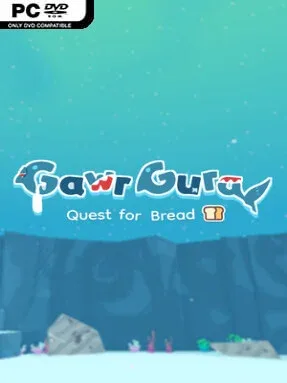
Game Overview
A missing loaf turns into a brisk, cheerful platforming adventure built around sharp movement and playful chaos. Gawr Gura: Quest for Bread casts Hololive’s shark-themed idol as a compact action hero crossing strange stages in pursuit of her stolen snack, with an intentionally silly premise that never takes itself too seriously. Its colorful fan-game energy comes through in the jokes, expressive presentation, and frequent references, yet the central appeal is straightforward: moving cleanly through demanding obstacle courses and smacking anything that blocks the route. The tone stays lighthearted even when the platforming starts asking for real precision.
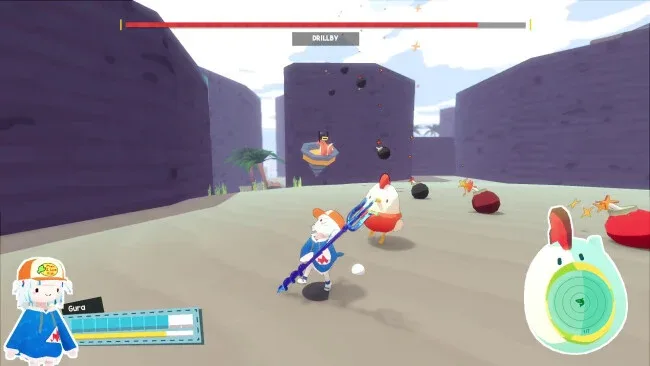
Gura runs, jumps, spins, and fights her way through a roughly two-hour campaign of hazards, enemies, and themed boss encounters. Platforming is the main event, rewarding careful timing, momentum, and confident use of her acrobatic moves rather than slow exploration or complicated RPG systems. Combat remains simple, but it gives encounters enough punch to break up the traversal and makes boss fights feel like tests of both evasion and attack timing. A dedicated speedrun mode gives skilled players a reason to revisit levels, refine routes, and chase cleaner clears after completing the main quest.
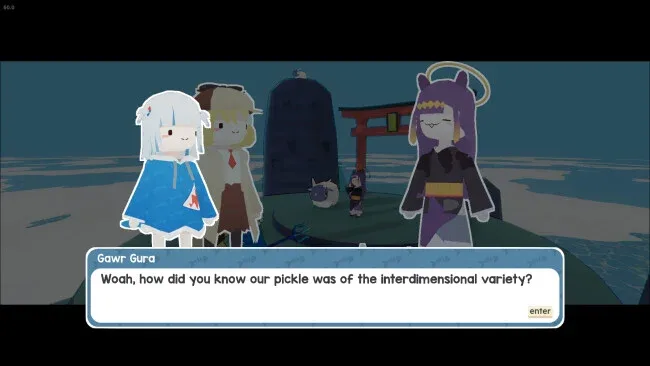
What separates it from a typical small retro-inspired platformer is its commitment to a specific comedy-driven identity without making fandom knowledge a requirement. Hololive viewers get extra value from stream callbacks and in-jokes, while newcomers can treat them as background flavor and still enjoy the polished fundamentals. The campaign is short, so players looking for a huge Metroidvania or a long-form action epic may finish it quickly, but its focused structure works well for an afternoon playthrough. Fans of tight indie platformers in the vein of Super Meat Boy’s precision challenges, but with gentler stakes and more cartoon humor, are the ideal audience; speedrunners and Gura fans get the most replay value.
Screenshots
Installation
- Click the green button below to be redirected to UploadHaven.
- Wait 15 seconds, then hit “Free Download.” (Free downloads may be slower — upgrade to UploadHaven Pro for faster speeds.)
- Once downloaded, right-click the .zip file and choose “Extract to Gawr Gura: Quest for Bread.” (You’ll need 7-Zip for this.)
- Open the extracted folder and run the game as administrator.
- Enjoy! 🎮 If you see missing DLL errors, check the <strong>_Redist</strong> folder inside and install what’s needed.
System Requirements
- OS *: Windows 7/8/10/11
- Processor: Intel i3-370M
- Memory: 4 GB RAM
- Graphics: GeForce MX 150
- Sound Card: what is a sound card
Setup Guide & Troubleshooting
How do I fix missing DLL errors for Gawr Gura: Quest for Bread (v26.08.30)?
After extracting Gawr Gura: Quest for Bread (v26.08.30), navigate to the _Redist or _CommonRedist folder inside the game directory and install DirectX, Vcredist, and any other dependencies included.
What should I do if the downloaded file is corrupted?
The full archive is 338.29 MB — make sure your download completed fully before extracting. Use 7-Zip to extract the files. If you still see a "file corrupted" error, re-download and try again.
Why should I run the game as administrator?
Right-click the game executable and select "Run as Administrator" to avoid save file issues and permission errors. This is especially important on the first launch.
How do I update my GPU drivers for this game?
Gawr Gura: Quest for Bread (v26.08.30) requires a GeForce MX 150 or equivalent. Update your NVIDIA or AMD drivers to the latest version for the best performance.
The game won't launch — what should I try?
Try running in compatibility mode, install the latest DirectX runtime, or install the All-in-One VC Redist Package.
My antivirus is blocking the game — is it safe?
Antivirus false positives are common with pre-installed games. Temporarily pause your antivirus during extraction to prevent it from quarantining game files. You can re-enable it after the extraction completes.