
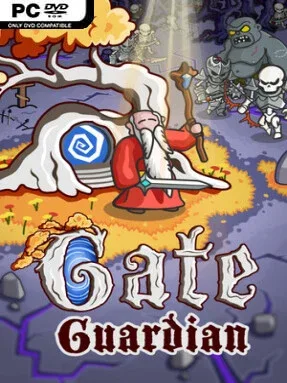
Game Overview
An undead apocalypse presses against a single defensive gate, and survival depends on turning improvised magic into overwhelming firepower. Gate Guardian is an indie roguelite built around the “bullet heaven” formula: enemies flood the arena in huge numbers while your attacks fill the screen with projectiles, blasts, and chained effects. Its mood is frantic rather than grim, with the pleasure coming from watching a fragile early run become an absurdly destructive spectacle. Every attempt asks the same urgent question: can your evolving spell build keep the horde away for a few more minutes?
Runs revolve around selecting active spells, gathering upgrades, and pairing them with passive bonuses that reinforce a preferred style. A basic firebolt need not remain basic; its evolution paths can reshape its firing pattern, multiply its shots, introduce recurring detonations, or turn it into a crowd-clearing area attack. Each spell can be altered several times, so the important decisions are not merely which attack to take, but how its effects combine with your wider arsenal. Enemy pressure steadily rises through successive waves, forcing movement, positioning, and rapid build adjustments as tougher undead and bosses arrive.
The spell evolution system gives Gate Guardian a stronger sense of authorship than survival roguelites that limit players to predefined weapon upgrades. Rather than chasing one fixed “best” loadout, you can aim for focused missile storms, explosive zones, or a broad mix of effects designed to erase every corner of the battlefield. Combat is visually busy and intentionally over-the-top, making it best suited to players who enjoy reading chaos at a glance and refining powerful synergies between runs. Fans of Vampire Survivors, Brotato, and other horde survival games should find the loop immediately familiar, while the deeper spell modification angle offers a worthwhile hook for veterans who want more control over how their build takes shape.
Installation
- Click the green button below to be redirected to UploadHaven.
- Wait 15 seconds, then hit “Free Download.” (Free downloads may be slower — upgrade to UploadHaven Pro for faster speeds.)
- Once downloaded, right-click the .zip file and choose “Extract to Gate Guardian.” (You’ll need 7-Zip for this.)
- Open the extracted folder and run the game as administrator.
- Enjoy! 🎮 If you see missing DLL errors, check the <strong>_Redist</strong> folder inside and install what’s needed.
System Requirements
- OS: Windows 10 or above
- Processor: Dual Core CPU
- Memory: 500 MB RAM
- Graphics: Integrated graphics with full OpenGL 3.3 support
- Storage: 1 GB available space
Setup Guide & Troubleshooting
How do I fix missing DLL errors for Gate Guardian (v2026.06.04)?
After extracting Gate Guardian (v2026.06.04), navigate to the _Redist or _CommonRedist folder inside the game directory and install DirectX, Vcredist, and any other dependencies included.
What should I do if the downloaded file is corrupted?
The full archive is 300.57 MB — make sure your download completed fully before extracting. Use 7-Zip to extract the files. If you still see a "file corrupted" error, re-download and try again.
Why should I run the game as administrator?
Right-click the game executable and select "Run as Administrator" to avoid save file issues and permission errors. This is especially important on the first launch.
How do I update my GPU drivers for this game?
Gate Guardian (v2026.06.04) requires a Integrated graphics with full OpenGL 3.3 support or equivalent. Update your NVIDIA or AMD drivers to the latest version for the best performance.
The game won't launch — what should I try?
Try running in compatibility mode, install the latest DirectX runtime, or install the All-in-One VC Redist Package.
My antivirus is blocking the game — is it safe?
Antivirus false positives are common with pre-installed games. Temporarily pause your antivirus during extraction to prevent it from quarantining game files. You can re-enable it after the extraction completes.