
Game Overview
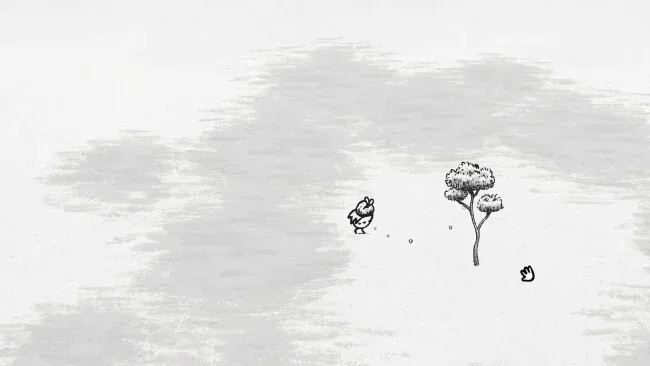
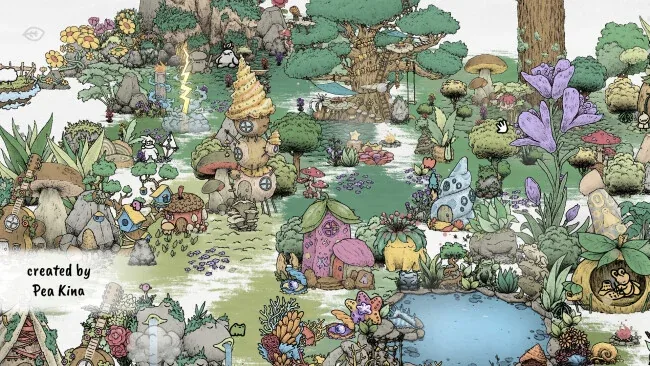
A quiet, colorless garden waits for a personal touch, turning a simple blank space into a soothing creativity sandbox. Garden Ink is a cozy puzzle and decorating game built around discovery rather than pressure, asking players to populate an empty world with plants, ornaments, colors, and endearing little creatures. Its mood stays gentle throughout, with soft audio and playful visual feedback making every new addition feel rewarding. There are no looming threats or demanding timers; the appeal comes from watching an improvised garden slowly become a place that feels genuinely yours.
Progress revolves around combining items to produce new objects, with more than 150 possible recipes encouraging experimentation. Players test pairings, uncover unexpected results, and use their discoveries to expand the available set of decorations, creatures, palettes, and activities. Coloring is more than a finishing touch, since unlocked palettes let you repaint the environment and give each garden a distinct mood, from bright storybook warmth to something more subdued. Small minigames and compact puzzles break up the merging loop, while also serving as gateways to further colors, secrets, and collectible content.
What makes Garden Ink appealing is its commitment to a low-stakes, tactile sense of play: nearly every action contributes to a more expressive, lived-in space. The game has the collectible-combination satisfaction of merge puzzlers, but its focus on freely shaping a peaceful environment makes it feel closer in spirit to a digital coloring book or a relaxed town-builder than a score-chasing mobile game. Hidden interactions and surprise creations give curious players reasons to keep trying unusual combinations long after the basics are clear. It suits newcomers, younger players, and anyone wanting a calm palate cleanser between larger games, while dedicated completionists can enjoy tracking down every recipe and secret.
Screenshots
Installation
- Select the <strong>Download</strong> button at the top of this page to open UploadHaven.
- On UploadHaven, wait for any countdown, then select <strong>Free Download</strong>. Optional: UploadHaven Pro for faster downloads.
- When complete, extract the archive to a <strong>Garden Ink</strong> folder using 7-Zip.
- Open the extracted folder and start the game normally.
- For errors, check <strong>Setup Guide & Troubleshooting</strong> below. Keep your security software enabled.
System Requirements
- Requires a 64-bit processor and operating system
- OS: Windows 10
- Processor: Intel Core i3-2100 or AMD A8-5600K
- Memory: 4 GB RAM
- Graphics: GeForce GTX 650 / Radeon HD 7770
- Storage: 5 GB available space
Setup Guide & Troubleshooting
Is Garden Ink (Latest Full Build) free to download on Steam Unlocked?
Yes, Garden Ink (Latest Full Build) is available as a full-version direct download on Steam Unlocked with verified mirror links and complete release files.
How do I install Garden Ink without errors?
Download the complete archive from the mirror links, extract using 7-Zip or WinRAR into a path without special characters, install any required runtime redistributables, and launch the main executable.
Does this release of Garden Ink include the latest updates?
This listing provides build Latest Full Build of Garden Ink, tested for offline play and compatibility with modern operating systems and emulators.
What should I do if Garden Ink crashes on startup?
Verify that your GPU drivers and Visual C++ / DirectX runtimes are updated, run the executable as administrator, and ensure your antivirus did not block any extracted game files.