

Game Overview
A grounded romance drama gradually gives way to a supernatural struggle for power, desire, and identity. You play a protagonist who can hear the private thoughts and emotions of the people around him, a gift that makes ordinary relationships feel loaded with secrets from the start. That ability also points toward a far more dangerous inheritance: demonic blood and a connection to a hidden society locked in a violent succession conflict. The tone leans melodramatic and sensual, but its appeal comes from balancing intimate character tension with the larger threat of rival dark forces.
Most of the experience follows visual-novel storytelling, with conversations, revelations, and relationship developments carrying the momentum rather than traditional action gameplay. Reading people’s hidden feelings gives scenes an extra layer, letting you see the gap between what characters say and what they truly want. Romantic pursuits and shifting loyalties sit at the center of the plot as the protagonist gathers allies, seduces potential followers, and learns how to use his growing influence within the supernatural hierarchy. Cinematic still images support the dialogue-heavy sections, while animated adult scenes punctuate major romantic encounters and story turns.
What separates Game of Hearts from a more straightforward adult visual novel is its effort to frame erotic material inside a continuing fantasy mystery. The demon lineage, political infighting, and secret world provide reasons to care about more than individual romances, even when the narrative embraces harem-focused wish fulfillment. Its presentation favors polished renders and animation over abstract text-only storytelling, giving key scenes a more cinematic feel. Players who enjoy supernatural romance visual novels such as Being a DIK or Leap of Faith, but want a darker fantasy angle and more overt power dynamics, are likely to find its mix of drama and adult content appealing.
Screenshots

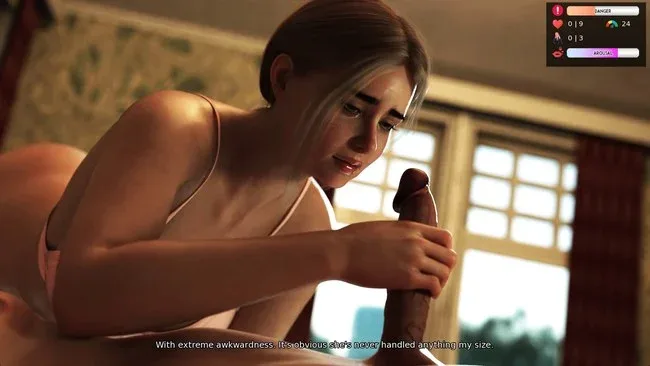
Installation
- Select the <strong>Download</strong> button at the top of this page to open UploadHaven.
- On UploadHaven, wait for any countdown, then select <strong>Free Download</strong>. Optional: UploadHaven Pro for faster downloads.
- When complete, extract the archive to a <strong>Game of Hearts</strong> folder using 7-Zip.
- Open the extracted folder and start the game normally.
- For errors, check <strong>Setup Guide & Troubleshooting</strong> below. Keep your security software enabled.
System Requirements
- OS: Windows 11
- Processor: 1.2 GHz or faster processor
- Memory: 4 GB RAM
- Graphics: DirectX 11 & Shader Model 5.0 compatible — GeForce 400 / Radeon HD 5000 / Intel HD 4000
- Storage: 8 GB available space
Setup Guide & Troubleshooting
How do I fix missing DLL errors for Game of Hearts (Uncensored)?
After extracting Game of Hearts (Uncensored), navigate to the _Redist or _CommonRedist folder inside the game directory and install DirectX, Vcredist, and any other dependencies included.
What should I do if the downloaded file is corrupted?
The full archive is 7.72 GB — make sure your download completed fully before extracting. Use 7-Zip to extract the files. If you still see a "file corrupted" error, re-download and try again.
Why should I run the game as administrator?
Right-click the game executable and select "Run as Administrator" to avoid save file issues and permission errors. This is especially important on the first launch.
How do I update my GPU drivers for this game?
Game of Hearts (Uncensored) requires a DirectX 11 & Shader Model 5.0 compatible — GeForce 400 / Radeon HD 5000 / Intel HD 4000 or equivalent. Update your NVIDIA or AMD drivers to the latest version for the best performance.
The game won't launch — what should I try?
Try running in compatibility mode, install the latest DirectX runtime, or install the All-in-One VC Redist Package.
My antivirus is blocking the game — is it safe?
Antivirus false positives are common with pre-installed games. Temporarily pause your antivirus during extraction to prevent it from quarantining game files. You can re-enable it after the extraction completes.