
Game Overview
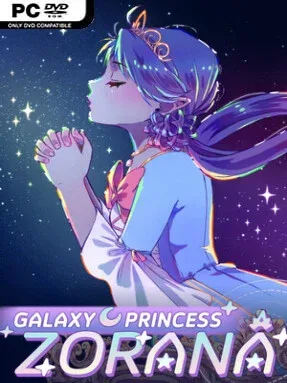
A royal succession crisis drives Galaxy Princess Zorana, a strategic life-sim where learning the right skill can matter as much as winning the right ally. Zorana begins as an indulged younger princess, but betrayal, disappearance, and a sudden imperial vacancy force her into a race for a throne she never expects to claim. Set in the same broader universe as Long Live The Queen, the campaign trades a single court for a sprawling Celestial Empire full of alien nobles, contested territories, and lethal political grudges. The tone is colorful and playful on the surface, with extravagant fashion and strange species, but failure can arrive abruptly when a poorly prepared princess walks into the wrong crisis.
Each turn revolves around deciding how Zorana spends her time, building practical talents such as diplomacy, etiquette, military leadership, swordplay, infiltration, and piloting. Those statistics unlock solutions during story events, while insufficient preparation can turn negotiations, travel, and court appearances into disasters. A strategic galaxy map lets her visit Electors across their territories, pursue local problems, make bargains, appoint supporters to offices, and sometimes offer marriage to secure votes. Winning the Imperial Election requires balancing the demands of more than thirty potential backers, since earning one faction’s trust may provoke another and territorial unrest can become just as dangerous as a rival candidate.
What makes the game compelling is the way character training and grand strategy constantly feed into each other: Zorana is not merely selecting dialogue, but developing into the kind of ruler capable of surviving her own promises. Dark elves, feline humanoids, fungal creatures, and other eccentric inhabitants give its political drama a distinctly space-fantasy identity rather than a standard medieval court backdrop. Branching events, competing alliances, and numerous fatal outcomes encourage repeated runs with different priorities, whether you aim for a compassionate reformer, a calculating diplomat, or a hardened military monarch. Fans of Long Live The Queen and Crusader Kings-style relationship management should feel at home, while newcomers need patience for its unforgiving trial-and-error structure.
Installation
- Click the green button below to be redirected to UploadHaven.
- Wait 15 seconds, then hit “Free Download.” (Free downloads may be slower — upgrade to UploadHaven Pro for faster speeds.)
- Once downloaded, right-click the .zip file and choose “Extract to Galaxy Princess Zorana.” (You’ll need 7-Zip for this.)
- Open the extracted folder and run the game as administrator.
- Enjoy! 🎮 If you see missing DLL errors, check the <strong>_Redist</strong> folder inside and install what’s needed.
System Requirements
- Requires a 64-bit processor and operating system
- OS *: Windows 7+
- Graphics: DirectX or OpenGL compatible card
- Storage: 600 MB available space
Setup Guide & Troubleshooting
How do I fix missing DLL errors for Galaxy Princess Zorana (v1.0.5.1)?
After extracting Galaxy Princess Zorana (v1.0.5.1), navigate to the _Redist or _CommonRedist folder inside the game directory and install DirectX, Vcredist, and any other dependencies included.
What should I do if the downloaded file is corrupted?
The full archive is 237.08 MB — make sure your download completed fully before extracting. Use 7-Zip to extract the files. If you still see a "file corrupted" error, re-download and try again.
Why should I run the game as administrator?
Right-click the game executable and select "Run as Administrator" to avoid save file issues and permission errors. This is especially important on the first launch.
How do I update my GPU drivers for this game?
Galaxy Princess Zorana (v1.0.5.1) requires a DirectX or OpenGL compatible card or equivalent. Update your NVIDIA or AMD drivers to the latest version for the best performance.
The game won't launch — what should I try?
Try running in compatibility mode, install the latest DirectX runtime, or install the All-in-One VC Redist Package.
My antivirus is blocking the game — is it safe?
Antivirus false positives are common with pre-installed games. Temporarily pause your antivirus during extraction to prevent it from quarantining game files. You can re-enable it after the extraction completes.