
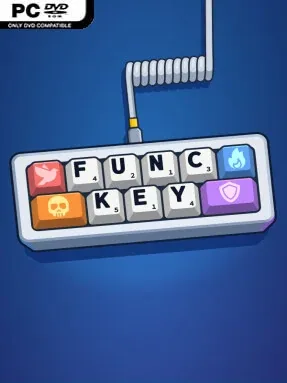
Game Overview
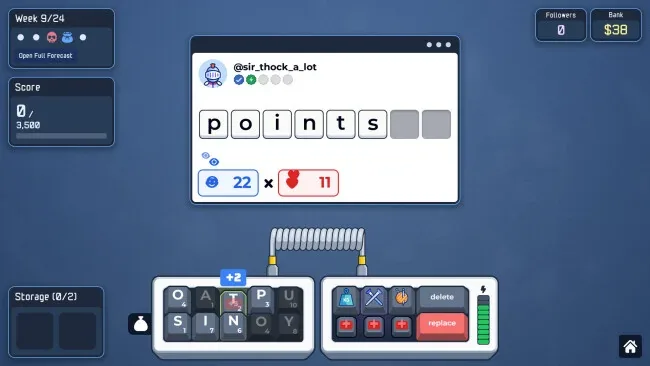
Every word becomes a tactical decision in this compact, keyboard-themed roguelike, where spelling skill matters as much as smart build planning. Func Key turns a familiar QWERTY layout into a customizable combat engine, pairing word puzzles with the escalating pressure of a run-based strategy game. Its colorful presentation and satisfying mechanical-keyboard sound design keep the mood cozy, even when a bad draw or punishing boss threatens to end a promising run.
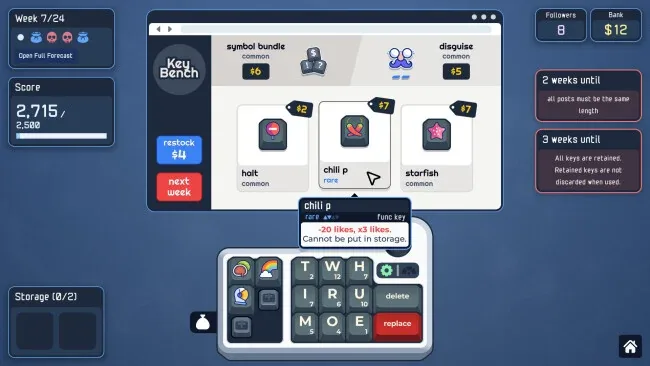
Players spell words to deal with encounters, earn resources, and improve the board one key at a time. Function keys supply powerful passive effects that can reward short words, generate money, or reshape the value of an otherwise weak vocabulary, while keycaps enhance individual letters and nearby keys for placement-driven combo chains. Limited-use tools add flexible tricks, including combining letters into a single key, moving keys around the layout, or shielding them from harmful effects, and rare mods can alter fundamental rules such as spellchecking and resource management. Six distinct keyboard types serve as genuine starting archetypes rather than cosmetic reskins, giving each run different mechanics, synergies, and priorities across five difficulty levels, boss battles, endless play, and daily challenges.
What makes Func Key stand out is how naturally it blends deckbuilder-style build crafting with an actual physical keyboard layout. Arranging upgrades for adjacency effects gives every board a puzzle-game dimension, while the broad pool of function keys, consumables, and rule-changing mods supports plenty of experimentation. More than 30 visual and audio customization options also let players make the board feel personal without affecting the challenge. Fans of Balatro-like run construction, word games, and roguelikes that reward creative rule-breaking should find plenty to enjoy, while newcomers can begin with straightforward word-focused setups before tackling stranger keyboard builds.
Screenshots
Installation
- Select the <strong>Download</strong> button at the top of this page to open UploadHaven.
- On UploadHaven, wait for any countdown, then select <strong>Free Download</strong>. Optional: UploadHaven Pro for faster downloads.
- When complete, extract the archive to a <strong>Func Key</strong> folder using 7-Zip.
- Open the extracted folder and start the game normally.
- For errors, check <strong>Setup Guide & Troubleshooting</strong> below. Keep your security software enabled.
System Requirements
- Requires a 64-bit processor and operating system
- OS: Windows 10
- Processor: Intel Core i3
- Memory: 2 GB RAM
- Graphics: Integrated graphics
- Storage: 300 MB available space