
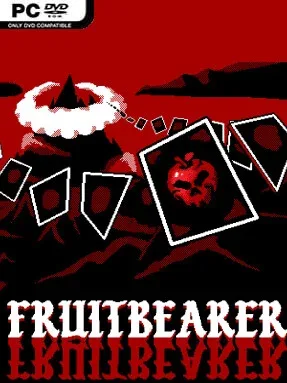
Game Overview
Fruitbearer turns the familiar falling-fruit puzzle into a grim, wonderfully messy roguelike about restoring a land that has rotted under corruption. You play a forgotten deity called back to cultivate power from fruit, turning humble merges into explosive juice-fuelled displays of destruction. Its mood is far removed from the cheerful arcade energy of Suika Game: high-contrast imagery, strange gods, and uneasy fantasy encounters give every run a darker edge. Beneath the chaos sits a satisfying score-chasing rhythm, where each successful chain makes the next ambitious play feel possible.
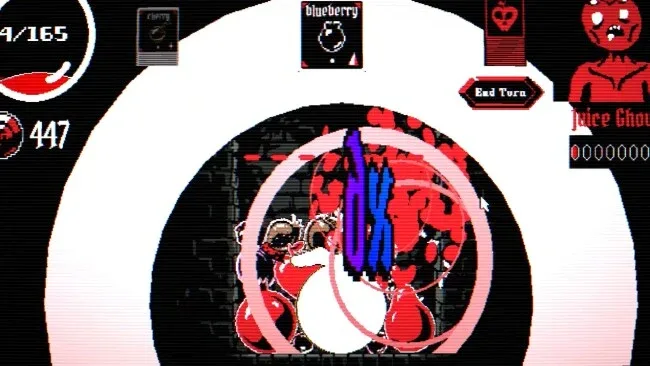
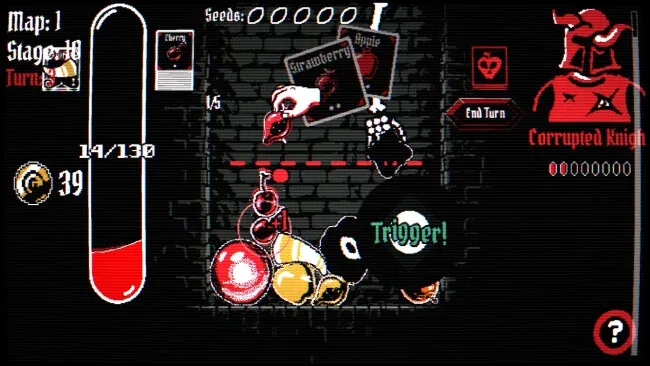
Each encounter asks you to drop, position, and combine matching fruit until they evolve into larger forms, all while keeping the container from overflowing. Merges generate the force needed to meet escalating goals and overcome hostile challenges, so careless physics can ruin a promising run as quickly as they can produce a miraculous cascade. Tactical cards add far more control than a standard fruit puzzler allows, letting you influence placements, merging behavior, resources, and the way fruit appears on the board. Between battles, you travel across a branching map, choose events and risks, draft new cards, and alter your build through merchants and unsettling characters who may trade, reshape, or destroy parts of your deck.
The best part is how naturally Fruitbearer connects tactile puzzle chaos with the greedy build-crafting of a deckbuilder. Relics and card modifications can dramatically alter physics and spawning rules, making runs increasingly focused on huge fruit, carefully engineered combos, or reckless screen-clearing reactions. Its quota-driven escalation recalls Balatro’s “one more hand” pressure, while the dropping-and-merging foundation remains immediately readable even when builds become elaborate. Players wanting a gentler endless puzzle mode can enjoy the pure fruit-stacking loop, but roguelike veterans who like testing strange synergies will get the most from its demanding, moody campaigns.
Screenshots
Installation
- Select the <strong>Download</strong> button at the top of this page to open UploadHaven.
- On UploadHaven, wait for any countdown, then select <strong>Free Download</strong>. Optional: UploadHaven Pro for faster downloads.
- When complete, extract the archive to a <strong>Fruitbearer</strong> folder using 7-Zip.
- Open the extracted folder and start the game normally.
- For errors, check <strong>Setup Guide & Troubleshooting</strong> below. Keep your security software enabled.
System Requirements
- OS: Windows 10 or higher
- Processor: Requires a 64-bit processor and operating system
- Memory: 1 MB RAM
- Graphics: Any
- Storage: 100 MB available space