
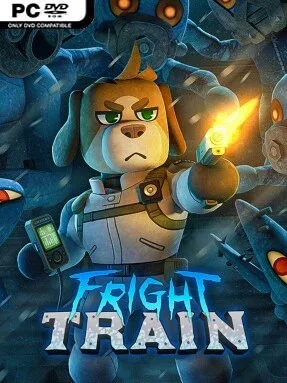
Game Overview
Fright Train is a Action game for Windows. This tested release features Latest Release with an estimated download size of 655.43 MB. Pre-installed, DRM-free, verified clean, and ready to play offline with full gamepad support.
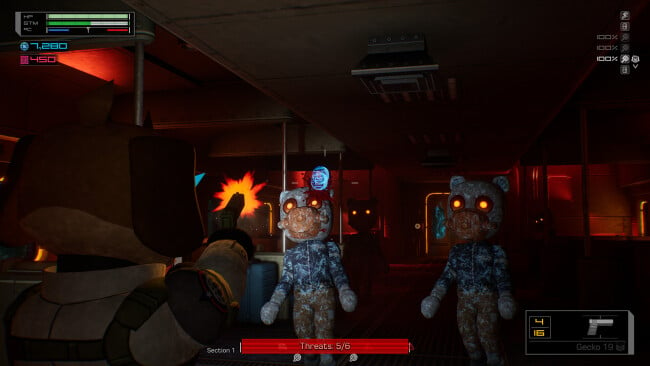
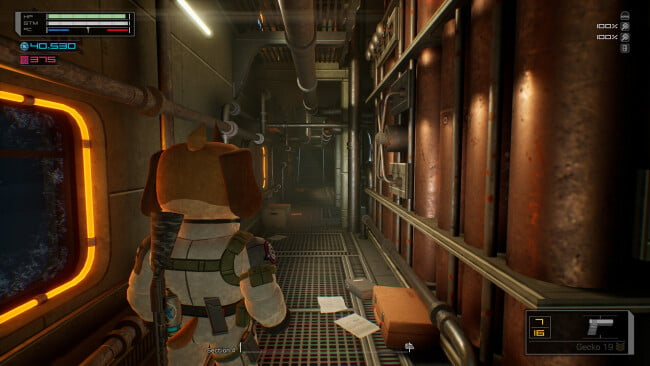
A research locomotive tears across Antarctica while something unnatural stalks its carriages, creating a survival-horror setup with more pressure than a typical haunted-house crawl. You play a paranormal field agent answering an emergency call from the L.R.S. Great White, a mobile facility operated by the suspicious SHARK corporation. The train is both refuge and prison: its machinery keeps the cold and the worst creatures at bay, yet every corridor can contain monsters, supplies, survivors, or another sign that the mission has gone catastrophically wrong. Its semi-realistic, stylized presentation and deliberately pulpy story give the nightmare a grim B-movie flavor rather than straight-faced military horror.
Runs revolve around pushing through an ever-changing train layout, scavenging equipment and credits, opening access to additional cars, and working toward the locomotive’s rooftop extraction point. Keeping the engine systems functional matters as much as shooting, since mechanical failures leave you exposed during lethal storms and force you to make quick choices about repairs, ammunition, healing, and escape routes. Inventory management has a physical angle: gear carried on the chest is faster to reach than something strapped farther back, making loadout placement important when enemies close in. Credits feed vending machines and weapon improvements, while objectives and successful escapes reward cosmetics for continued runs.
Combat is built around enemy interactions instead of disposable targets, with different creatures able to interfere with or assist one another in a fight. Armored threats and exposed weak points encourage observation, accurate shooting, and adapting to the particular nightmare occupying a car rather than relying on one safe tactic. Interactive details—including repair terminals, locked doors, breakable containers, and monitors—help the train feel like a functioning workplace collapsing under supernatural stress, while the reactive soundtrack escalates the tension at the right moments. Fright Train suits players who enjoy roguelite repetition filtered through survival-horror resource management, especially fans of Dead Space-style industrial dread who want shorter, more variable runs instead of a linear campaign.
Recommended For You: If you enjoy this game, also check out A-Train: All Aboard! Tourism Free Download and All Aboard! The Train Defense Express Free Download and Apex Aim Trainer for more top-rated gameplay.
Screenshots
Installation
- Select the <strong>Download</strong> button at the top of this page to open UploadHaven.
- On UploadHaven, wait for any countdown, then select <strong>Free Download</strong>. Optional: UploadHaven Pro for faster downloads.
- When complete, extract the archive to a <strong>Fright Train</strong> folder using 7-Zip.
- Open the extracted folder and start the game normally.
- For errors, check <strong>Setup Guide & Troubleshooting</strong> below. Keep your security software enabled.
System Requirements
- Requires a 64-bit processor and operating system
- OS: Windows 10
- Processor: Intel Core i5-6500
- Memory: 4 GB RAM
- Graphics: NVIDIA GTX 980
- DirectX: Version 11
- Storage: 2 GB available space
- VR Support: None
Setup Guide & Troubleshooting
How do I fix missing DLL errors for Fright Train?
After extracting Fright Train, navigate to the _Redist or _CommonRedist folder inside the game directory and install DirectX, Vcredist, and any other dependencies included.
What should I do if the downloaded file is corrupted?
The full archive is 655.43 MB — make sure your download completed fully before extracting. Use 7-Zip to extract the files. If you still see a "file corrupted" error, re-download and try again.
Do I need to run the game as administrator?
Usually, no. Start the game normally from the extracted folder. If you see a permissions or save error, check that the folder is writable and follow the game's documented fix. Only grant administrator access when a trusted game's specific setup requires it.
How do I update my GPU drivers for this game?
Fright Train requires a NVIDIA GTX 980 or equivalent. Update your NVIDIA or AMD drivers to the latest version for the best performance.
The game won't launch — what should I try?
Check that extraction completed and your PC meets the system requirements, including Version 11. Note any error message before choosing a fix. If it identifies a missing runtime, install the required DirectX components or Microsoft Visual C++ Redistributable from Microsoft.
My antivirus is blocking the game — is it safe?
A warning needs to be investigated; the download source alone cannot confirm that a file is safe. Keep your security software enabled and review the detection details. Do not run or restore a flagged file unless you have verified that it is a false positive. If you are unsure, leave it quarantined.