
Game Overview
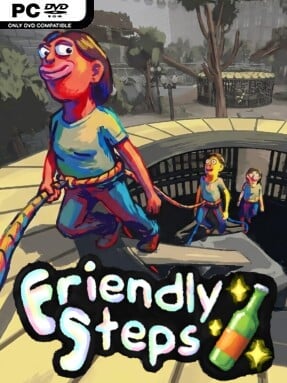
A routine walk home becomes a slapstick survival challenge when every leg refuses to cooperate. Friendly Steps is a physics-driven party game about staggering through a hostile city after a few drinks too many, balancing clumsy movement with the constant threat of a humiliating face-plant. Its tone is gleefully chaotic rather than grim: pavements, bridges, playgrounds, and construction zones become ridiculous obstacle courses, while bizarre detours and questionable locals turn a simple trip into a night-long misadventure. The central joke never wears out because the struggle to place one foot in front of the other is genuinely demanding.
Movement requires direct control over each leg, so walking is less about holding forward and more about carefully shifting weight, lifting a foot, and recovering when momentum sends your character sideways. Solo players can crawl, wobble, and improvise their way through varied routes, but the real mayhem arrives in online co-op for up to four people. Friends are linked by a rope, meaning one careless stumble can pull everyone off a ledge or leave the group tangled on a staircase. Routes hide alternate paths, collectibles, and small objectives, while a speedrun mode encourages players to learn terrain layouts and find the least disastrous shortcut home. Character outfits and emotes add personality, and built-in voice chat suits the inevitable panicked shouting.
Unlike more polished physics platformers, Friendly Steps embraces awkwardness as its entire skill ceiling; failure is funny, but improvement comes from learning how its unruly limbs respond. The city’s changing elevation and environmental hazards keep the walking mechanics from feeling like a one-note novelty, especially when a supposedly safe route turns into a rope-management disaster. Its colorful customization and social focus give it the same pick-up-and-play appeal as Human: Fall Flat or Gang Beasts, though the independent-leg controls make it more deliberately awkward. It is best for groups who enjoy laughing at disasters and mastering strange controls together, while solo players with patience for precision physics can find a surprisingly satisfying challenge.
Installation
- Click the green button below to be redirected to UploadHaven.
- Wait 15 seconds, then hit “Free Download.” (Free downloads may be slower — upgrade to UploadHaven Pro for faster speeds.)
- Once downloaded, right-click the .zip file and choose “Extract to Friendly Steps.” (You’ll need 7-Zip for this.)
- Open the extracted folder and run the game as administrator.
- Enjoy! 🎮 If you see missing DLL errors, check the <strong>_Redist</strong> folder inside and install what’s needed.
System Requirements
- Requires a 64-bit processor and operating system
- OS: Windows 10 (64-bit)
- Processor: Intel Core i5-4460 or AMD FX-8320 / Ryzen 3 1200
- Memory: 8 GB RAM
- Graphics: NVIDIA GeForce GTX 750 Ti / GTX 950 or AMD Radeon R7 260X / RX 550
- DirectX: Version 11
- Network: Broadband Internet connection
- Storage: 1.5 GB available space
- Sound Card: there is no audio gambling (yet)
Setup Guide & Troubleshooting
How do I fix missing DLL errors for Friendly Steps (v1.7.0)?
After extracting Friendly Steps (v1.7.0), navigate to the _Redist or _CommonRedist folder inside the game directory and install DirectX, Vcredist, and any other dependencies included.
What should I do if the downloaded file is corrupted?
The full archive is 787.80 MB — make sure your download completed fully before extracting. Use 7-Zip to extract the files. If you still see a "file corrupted" error, re-download and try again.
Why should I run the game as administrator?
Right-click the game executable and select "Run as Administrator" to avoid save file issues and permission errors. This is especially important on the first launch.
How do I update my GPU drivers for this game?
Friendly Steps (v1.7.0) requires a NVIDIA GeForce GTX 750 Ti / GTX 950 or AMD Radeon R7 260X / RX 550 or equivalent. Update your NVIDIA or AMD drivers to the latest version for the best performance.
The game won't launch — what should I try?
This game requires Version 11. Try running in compatibility mode, install the latest DirectX runtime, or install the All-in-One VC Redist Package.
My antivirus is blocking the game — is it safe?
Antivirus false positives are common with pre-installed games. Temporarily pause your antivirus during extraction to prevent it from quarantining game files. You can re-enable it after the extraction completes.