

Game Overview
A skeletal knight serves a ruthless queen with no memory of the body, identity, or past that has been lost. For The Queen turns that grim setup into a fantasy roguelike auto battler where each campaign sends you through shifting lands to destroy human and elven settlements in her name. The mood is darkly comic and deliberately cruel, mixing undead monsters, royal ceremonies, and mature scenarios involving defeated foes. Beneath the queen’s orders sits an important narrative question: once every memory returns, loyalty may no longer be so simple.
Runs revolve around navigating procedurally arranged routes, choosing battles and rewards, then assembling a squad capable of surviving the next encounter. Combat plays out automatically after placement and preparation, so the tactical work happens beforehand: recruit creatures, combine duplicates to evolve them, equip useful items, and assign skills that create stronger synergies. Unit composition matters more than reflexes, with different monsters filling frontline, damage, and support roles while gear can push a promising build into something devastating. Random maps, enemy groups, loot, and branching choices keep campaigns unpredictable, while queen-granted ceremonies provide milestones and further rewards after missions.
Its strongest feature is the uneasy blend of Auto Chess-style team building with a narrative about obedience, recovery, and revenge. Rather than presenting every run as a purely abstract ladder of fights, it uses prisoner interactions and boss scenes to add personality—and adult-themed material—to the campaign’s victories. The cartoonish fantasy presentation softens the bleak premise without removing its nastier edge, making the tone feel closer to an irreverent monster tale than a straight heroic adventure. Players who enjoy experimenting with synergies in games like Teamfight Tactics, Backpack Battles, or compact roguelike deckbuilders should find plenty to test, especially if they want an auto battler with a darker story hook.
Screenshots
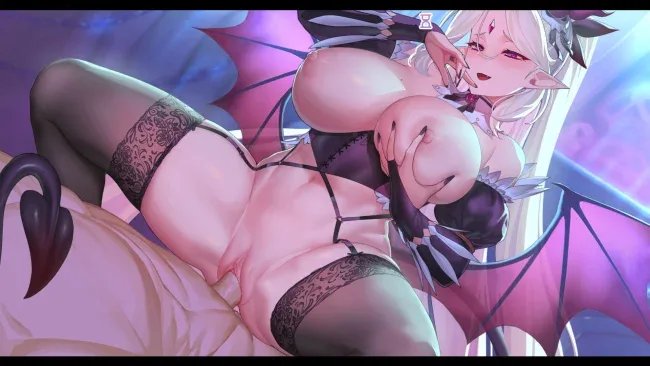
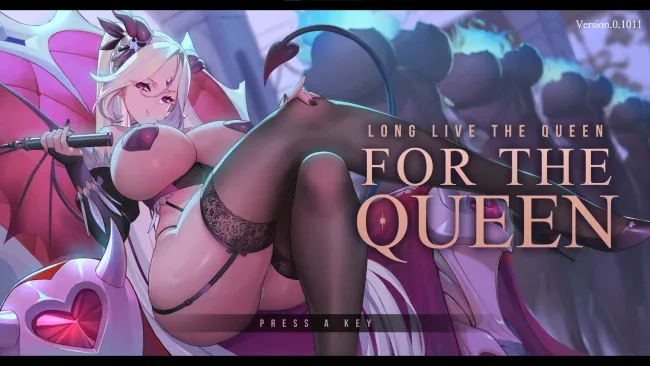
Installation
- Select the <strong>Download</strong> button at the top of this page to open UploadHaven.
- On UploadHaven, wait for any countdown, then select <strong>Free Download</strong>. Optional: UploadHaven Pro for faster downloads.
- When complete, extract the archive to a <strong>For The Queen</strong> folder using 7-Zip.
- Open the extracted folder and start the game normally.
- For errors, check <strong>Setup Guide & Troubleshooting</strong> below. Keep your security software enabled.
System Requirements
- OS: Windows 7 SP1+, 8, 10 (64bit)
- Processor: 1.2+ GHz & SSE2 support
- Graphics: DX10 (shader model 4.0) capabilities.
- Storage: 6 GB available space
Setup Guide & Troubleshooting
How do I fix missing DLL errors for For The Queen (v1.3193 & Uncensored)?
After extracting For The Queen (v1.3193 & Uncensored), navigate to the _Redist or _CommonRedist folder inside the game directory and install DirectX, Vcredist, and any other dependencies included.
What should I do if the downloaded file is corrupted?
The full archive is 1.21 GB — make sure your download completed fully before extracting. Use 7-Zip to extract the files. If you still see a "file corrupted" error, re-download and try again.
Why should I run the game as administrator?
Right-click the game executable and select "Run as Administrator" to avoid save file issues and permission errors. This is especially important on the first launch.
How do I update my GPU drivers for this game?
For The Queen (v1.3193 & Uncensored) requires a DX10 (shader model 4.0) capabilities. or equivalent. Update your NVIDIA or AMD drivers to the latest version for the best performance.
The game won't launch — what should I try?
Try running in compatibility mode, install the latest DirectX runtime, or install the All-in-One VC Redist Package.
My antivirus is blocking the game — is it safe?
Antivirus false positives are common with pre-installed games. Temporarily pause your antivirus during extraction to prevent it from quarantining game files. You can re-enable it after the extraction completes.