
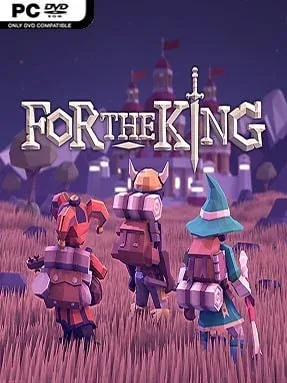
Game Overview
Fahrul is a cheerful-looking fantasy kingdom that hides a surprisingly merciless adventure beneath its tabletop-inspired presentation. After its ruler is murdered, Chaos spreads across the land, and a small band of ordinary citizens answers the queen’s call to restore order. For The King blends roguelike uncertainty, overworld strategy, dungeon crawling, and tactical RPG combat into an expedition where bad luck can be as dangerous as any monster. The mood shifts neatly between colorful storybook charm and real tension, especially when dwindling supplies, cursed weather, and a long road stand between the party and safety.
Each journey begins by assembling a party from several character classes, then moving across a procedurally generated map filled with towns, side quests, enemy camps, boats, caves, and unpredictable encounters. Travel consumes turns, and the spreading Chaos meter forces decisions: chase valuable loot, stop to heal, or push toward the main objective before the realm becomes too dangerous. Battles use a turn-based system built around timing and luck, with weapon attacks relying on a row of success slots that makes equipment choice, focus points, status effects, and positioning matter. Herbs, pipes, camping gear, gold, and consumable items become vital tools for surviving attrition, while permadeath means fallen heroes are not easily replaced.
Its greatest strength is how effectively it turns cooperative planning into a survival test. Friends can travel together for protection or split apart to investigate distant threats, creating great stories when one player finds treasure while another gets trapped in a deadly fight. Local and online co-op both suit the design, though solo players can control a full party and still enjoy the measured pace. Fans of Slay the Spire’s run-based risk, classic JRPG battles, and board-game-like decision making should feel at home, but newcomers should expect punishing defeats before they learn Fahrul’s rhythms.
Installation
- Click the green button below to be redirected to UploadHaven.
- Wait 15 seconds, then hit “Free Download.” (Free downloads may be slower — upgrade to UploadHaven Pro for faster speeds.)
- Once downloaded, right-click the .zip file and choose “Extract to For The King.” (You’ll need 7-Zip for this.)
- Open the extracted folder and run the game as administrator.
- Enjoy! 🎮 If you see missing DLL errors, check the <strong>_Redist</strong> folder inside and install what’s needed.
System Requirements
- Requires a 64-bit processor and operating system
- OS: Windows 7 / 8 / 8.1 / 10 x64
- Processor: Intel Core2 Duo E4300 (2 * 1800) / AMD Athlon Dual Core 4450e (2 * 2300) or equivalent
- Memory: 4096 MB RAM
- Graphics: GeForce 8800 GTX (768 MB) / Intel HD 4600 / Radeon HD 3850 (512 MB)
- DirectX: Version 9.0c
- Storage: 3 GB available space
Setup Guide & Troubleshooting
How do I fix missing DLL errors for For The King (v1.1.00.11357 & ALL DLC’s)?
After extracting For The King (v1.1.00.11357 & ALL DLC’s), navigate to the _Redist or _CommonRedist folder inside the game directory and install DirectX, Vcredist, and any other dependencies included.
What should I do if the downloaded file is corrupted?
The full archive is 1.33 GB — make sure your download completed fully before extracting. Use 7-Zip to extract the files. If you still see a "file corrupted" error, re-download and try again.
Why should I run the game as administrator?
Right-click the game executable and select "Run as Administrator" to avoid save file issues and permission errors. This is especially important on the first launch.
How do I update my GPU drivers for this game?
For The King (v1.1.00.11357 & ALL DLC’s) requires a GeForce 8800 GTX (768 MB) / Intel HD 4600 / Radeon HD 3850 (512 MB) or equivalent. Update your NVIDIA or AMD drivers to the latest version for the best performance.
The game won't launch — what should I try?
This game requires Version 9.0c. Try running in compatibility mode, install the latest DirectX runtime, or install the All-in-One VC Redist Package.
My antivirus is blocking the game — is it safe?
Antivirus false positives are common with pre-installed games. Temporarily pause your antivirus during extraction to prevent it from quarantining game files. You can re-enable it after the extraction completes.