
Game Overview
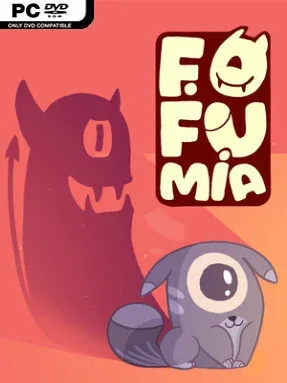
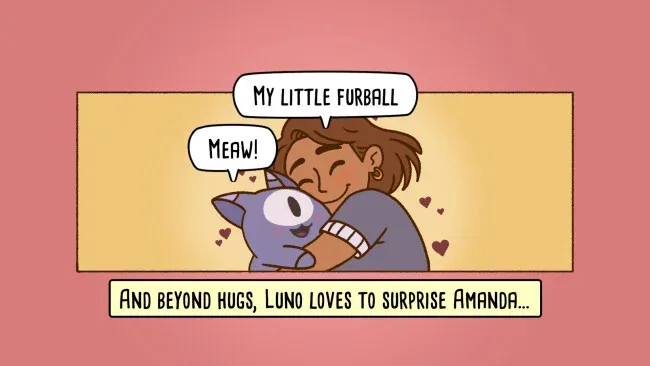
Tidying up becomes a gentle adventure in a world where every misplaced object shares space with an adorable potential disaster. Fofumia follows Amanda and Luno as they travel through hand-drawn locations, meeting the Fofunos: one-eyed, extra-dimensional kitten creatures with endless curiosity and very little respect for a neatly arranged room. The mood stays warm, colorful, and playful, even when these tiny troublemakers turn a simple organizing task into controlled chaos. Rather than pushing high-stakes drama, it offers short, cozy stories built around the satisfaction of putting a space back in order.
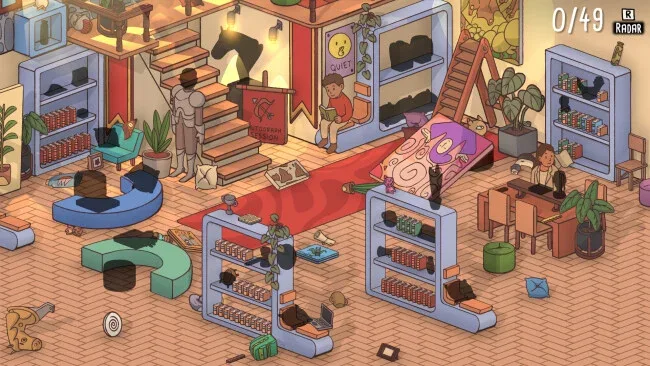
Each of the campaign’s 13 levels presents a new environment filled with items that need to be sorted and returned to their correct places. Players inspect rooms, recognize where hundreds of individual objects belong, move them into position, and solve light environmental challenges that break up the cleaning. Fofunos complicate the routine by demanding attention, acting affectionate, racing around excitedly, and physically getting in the way at inconvenient moments. Progress comes from clearing each location while also interacting with and caring for the creatures, so the game balances observational puzzle-solving with small moments of pet-like companionship. Its approachable structure makes it easy to play in short sessions, with no indication that fast reflexes or punishing failure are the focus.
What separates Fofumia from a straightforward hidden-object or cleaning simulator is its mischievous living furniture of sorts: the Fofunos make every room feel reactive and unpredictable. The hand-drawn presentation gives its international settings the character of an illustrated children’s book, while the large item count creates enough visual detail to make completion genuinely rewarding. Fans of Unpacking will recognize the relaxing appeal of arranging possessions, though Fofumia adds more overt puzzle elements and creature management to the formula. It suits newcomers looking for a calm, cute game as much as seasoned cozy-game players who want a lighter, sillier organizing challenge.
Screenshots
Installation
- Click the green button below to be redirected to UploadHaven.
- Wait 15 seconds, then hit “Free Download.” (Free downloads may be slower — upgrade to UploadHaven Pro for faster speeds.)
- Once downloaded, right-click the .zip file and choose “Extract to Fofumia.” (You’ll need 7-Zip for this.)
- Open the extracted folder and run the game as administrator.
- Enjoy! 🎮 If you see missing DLL errors, check the <strong>_Redist</strong> folder inside and install what’s needed.
System Requirements
- Requires a 64-bit processor and operating system
- OS *: Windows 7 or later
- Processor: 2.0 GHz CPU (Dual Core recommended)
- Memory: 1 GB RAM
- Graphics: DirectX 11 compatible with 256 MB
- DirectX: Version 11
- Storage: 900 MB available space
Setup Guide & Troubleshooting
How do I fix missing DLL errors for Fofumia?
After extracting Fofumia, navigate to the _Redist or _CommonRedist folder inside the game directory and install DirectX, Vcredist, and any other dependencies included.
What should I do if the downloaded file is corrupted?
The full archive is 280.76 MB — make sure your download completed fully before extracting. Use 7-Zip to extract the files. If you still see a "file corrupted" error, re-download and try again.
Why should I run the game as administrator?
Right-click the game executable and select "Run as Administrator" to avoid save file issues and permission errors. This is especially important on the first launch.
How do I update my GPU drivers for this game?
Fofumia requires a DirectX 11 compatible with 256 MB or equivalent. Update your NVIDIA or AMD drivers to the latest version for the best performance.
The game won't launch — what should I try?
This game requires Version 11. Try running in compatibility mode, install the latest DirectX runtime, or install the All-in-One VC Redist Package.
My antivirus is blocking the game — is it safe?
Antivirus false positives are common with pre-installed games. Temporarily pause your antivirus during extraction to prevent it from quarantining game files. You can re-enable it after the extraction completes.