
Game Overview
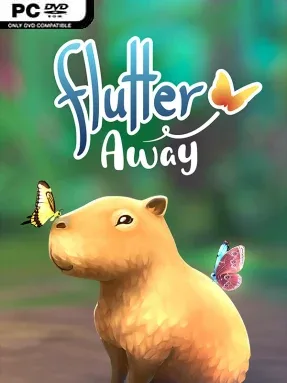
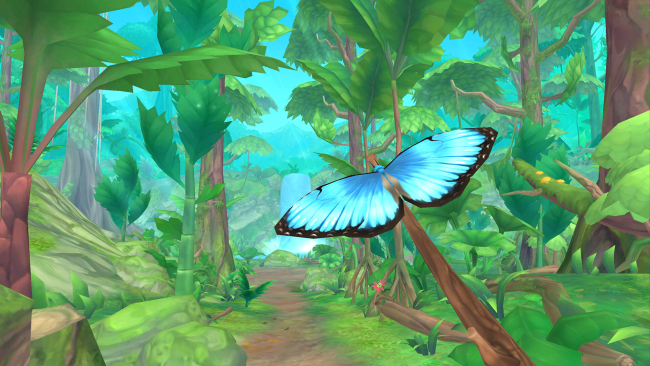
A quiet rainforest becomes the entire adventure in Flutter Away, a compact nature-focused indie experience built around observation rather than danger. You arrive as a butterfly researcher, pitch a small camp beside the trails, and spend several peaceful days documenting the life that thrives around it. The mood is gentle and unhurried, with waterfalls, changing light, birdsong, and a star-filled night sky creating the feeling of a short wilderness retreat. There are no battles, survival meters, or demanding objectives pushing you forward; curiosity is the real reason to keep walking.
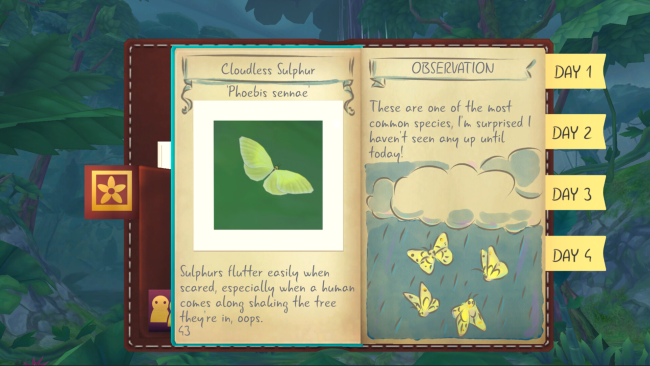
Most of your time goes into following forest paths, spotting insects, fungi, flowers, frogs, and other wildlife, then taking well-framed photographs of each find. Successful pictures add entries to a detailed journal, giving exploration a satisfying collectible structure while encouraging closer attention to the environment. The game steadily opens up more discoveries as you investigate the area, and a timid capybara becomes an especially memorable companion through a small story thread. Controls and progression stay approachable, making it easy to play in short sessions or settle in for a slow evening of methodical catalogue-building.
Its strongest feature is the commitment to stillness: Flutter Away understands that identifying a creature, waiting for the right angle, and watching the forest shift from afternoon to sunset can be rewarding on their own. The colorful, stylized presentation avoids photorealism but gives every plant and animal enough personality to make the journal feel worth completing. It resembles the low-pressure photo exploration of Pokémon Snap more than a traditional adventure game, though its focus remains firmly on real-world-inspired rainforest life and solitary atmosphere. Players looking for a calm, wholesome palate cleanser, especially fans of wildlife photography, cozy exploration, or games such as Alba: A Wildlife Adventure, find much to enjoy; anyone wanting deep systems or a lengthy campaign should expect a brief, deliberately intimate outing.
Installation
- Click the green button below to be redirected to UploadHaven.
- Wait 15 seconds, then hit “Free Download.” (Free downloads may be slower — upgrade to UploadHaven Pro for faster speeds.)
- Once downloaded, right-click the .zip file and choose “Extract to Flutter Away.” (You’ll need 7-Zip for this.)
- Open the extracted folder and run the game as administrator.
- Enjoy! 🎮 If you see missing DLL errors, check the <strong>_Redist</strong> folder inside and install what’s needed.
System Requirements
- Requires a 64-bit processor and operating system
- OS: Windows 10
- Processor: 2.3 GHz Intel Core 2 Duo or better
- Memory: 8 GB RAM
- Graphics: NVIDIA 1050 GTX / AMD RX 560 or better
- DirectX: Version 11
- Storage: 1 GB available space
- Sound Card: DirectX compatible
Setup Guide & Troubleshooting
How do I fix missing DLL errors for Flutter Away (v1.04.37)?
After extracting Flutter Away (v1.04.37), navigate to the _Redist or _CommonRedist folder inside the game directory and install DirectX, Vcredist, and any other dependencies included.
What should I do if the downloaded file is corrupted?
The full archive is 291.38 MB — make sure your download completed fully before extracting. Use 7-Zip to extract the files. If you still see a "file corrupted" error, re-download and try again.
Why should I run the game as administrator?
Right-click the game executable and select "Run as Administrator" to avoid save file issues and permission errors. This is especially important on the first launch.
How do I update my GPU drivers for this game?
Flutter Away (v1.04.37) requires a NVIDIA 1050 GTX / AMD RX 560 or better or equivalent. Update your NVIDIA or AMD drivers to the latest version for the best performance.
The game won't launch — what should I try?
This game requires Version 11. Try running in compatibility mode, install the latest DirectX runtime, or install the All-in-One VC Redist Package.
My antivirus is blocking the game — is it safe?
Antivirus false positives are common with pre-installed games. Temporarily pause your antivirus during extraction to prevent it from quarantining game files. You can re-enable it after the extraction completes.