
Game Overview
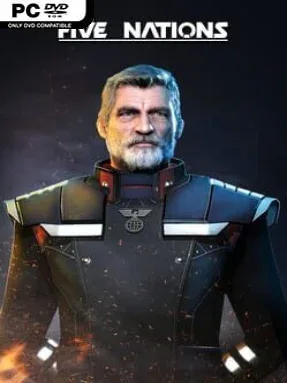
A dispute surrounding a distant scientific mission ignites a full-scale interstellar war, placing five rival civilizations on a collision course across the stars. Five Nations is a traditional real-time strategy game built around the satisfying pressure of expanding a base while watching enemy fleets gather beyond the edge of the map. Its tone is firmly old-school sci-fi: practical space stations, resource fields, research programs, and increasingly intimidating armadas all matter as much as a commander’s reflexes. Rather than reducing battles to spectacle, it asks players to earn every ship through a functioning economy and deploy it with purpose.
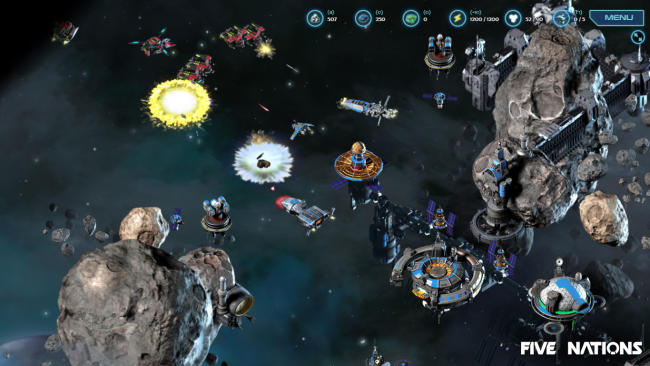
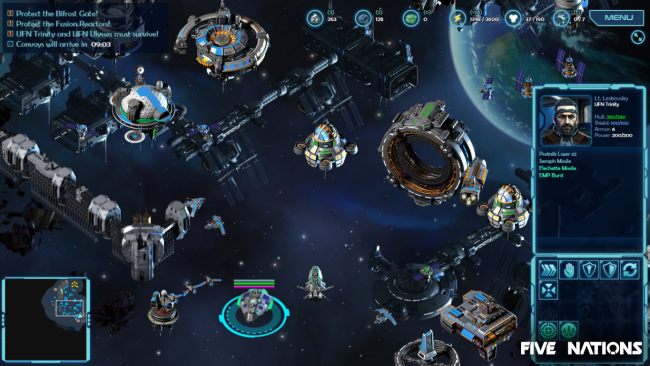
Matches revolve around establishing a Foundation station, securing resources, and building the industrial chain needed to support advanced vessels. Mining operations feed factories, power plants, research centers, and defensive structures, while production queues turn a stable economy into a fleet capable of controlling the map. Combat demands familiar RTS multitasking: players select units, issue formations and attack orders, reinforce vulnerable positions, and react quickly when an opponent targets key infrastructure. The 56-mission voiced campaign supplies the main narrative path, while skirmish matches on more than 20 maps let players customize AI opposition and difficulty, including stripped-down starts that make early expansion especially important.
What separates Five Nations from many modern strategy releases is its commitment to both macro-scale planning and hands-on unit control, without abandoning the dense build orders that genre veterans enjoy. Its space setting gives familiar RTS rules a different rhythm, as factories and mining sites float in open sectors and fleets must be positioned carefully around vital installations. Built-in editing and modding tools also give dedicated players room to create maps and experiment with their own scenarios beyond the campaign. Fans of classic base-building RTS games such as StarCraft, especially those who prefer economy management alongside fleet tactics, are the natural audience, though adjustable skirmish settings make it approachable for newcomers willing to learn its systems.
Installation
- Click the green button below to be redirected to UploadHaven.
- Wait 15 seconds, then hit “Free Download.” (Free downloads may be slower — upgrade to UploadHaven Pro for faster speeds.)
- Once downloaded, right-click the .zip file and choose “Extract to Five Nations.” (You’ll need 7-Zip for this.)
- Open the extracted folder and run the game as administrator.
- Enjoy! 🎮 If you see missing DLL errors, check the <strong>_Redist</strong> folder inside and install what’s needed.
System Requirements
- Requires a 64-bit processor and operating system
- OS: Windows 10
- Processor: Intel Core i5 Processzor
- Memory: 4 GB RAM
- Graphics: Built-in graphics card
- Storage: 1.5 GB available space
Setup Guide & Troubleshooting
How do I fix missing DLL errors for Five Nations (v1.2.6.0 & ALL DLC)?
After extracting Five Nations (v1.2.6.0 & ALL DLC), navigate to the _Redist or _CommonRedist folder inside the game directory and install DirectX, Vcredist, and any other dependencies included.
What should I do if the downloaded file is corrupted?
The full archive is 1.00 GB — make sure your download completed fully before extracting. Use 7-Zip to extract the files. If you still see a "file corrupted" error, re-download and try again.
Why should I run the game as administrator?
Right-click the game executable and select "Run as Administrator" to avoid save file issues and permission errors. This is especially important on the first launch.
How do I update my GPU drivers for this game?
Five Nations (v1.2.6.0 & ALL DLC) requires a Built-in graphics card or equivalent. Update your NVIDIA or AMD drivers to the latest version for the best performance.
The game won't launch — what should I try?
Try running in compatibility mode, install the latest DirectX runtime, or install the All-in-One VC Redist Package.
My antivirus is blocking the game — is it safe?
Antivirus false positives are common with pre-installed games. Temporarily pause your antivirus during extraction to prevent it from quarantining game files. You can re-enable it after the extraction completes.