
Game Overview
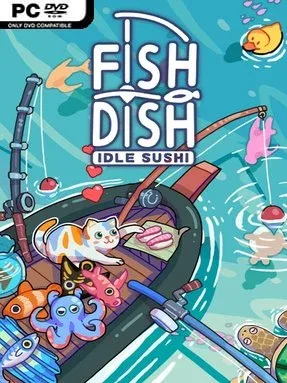
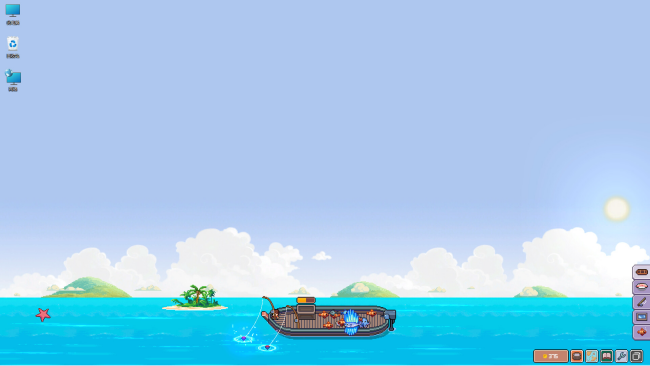
A tiny fishing boat bobs along the edge of your desktop while a sushi business quietly grows from the day’s catch. Fish to Dish: Idle Sushi turns the familiar idle-game loop into a gentle seaside routine, mixing passive fishing with a collection-driven restaurant theme. Its mood stays warm and unhurried: waves roll by, odd creatures drift past, and every new catch has the potential to become both a menu item and a bestiary entry. It is built for players who want something pleasant to check between other tasks rather than a game that demands constant attention.
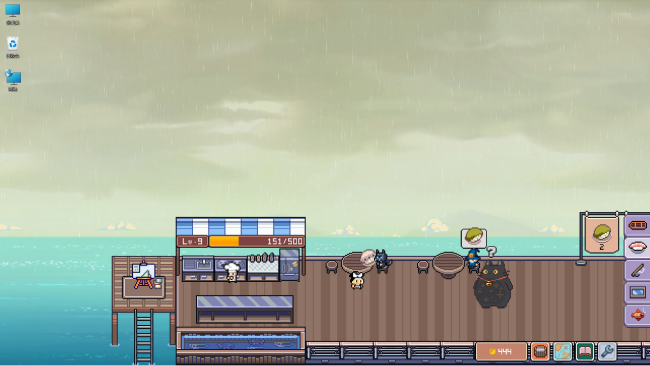
Fishing forms the central loop, with your vessel automatically waiting for bites while mouse clicks or keyboard taps speed up the hook and reel-in process. Catches range from ordinary fish to unusual deep-sea finds, while floating surprises such as turtles, walruses, starfish, and even rubber ducks add a playful scavenger-hunt feel to each voyage. Progress comes through stronger rods, new bait, and additional locations, letting you reach different bays and islands with their own pools of sea life. The fish you collect feed into the sushi bar, expanding its menu as hungry customers arrive, while an aquarium gives you another personalized way to display your discoveries.
What stands out is the desktop-companion format: instead of occupying the entire screen, the game can sit at the bottom or in another convenient spot, making it easy to enjoy alongside work, videos, or more demanding games. The appeal lies less in mechanical complexity than in the steady satisfaction of filling out collections, unlocking upgrades, and watching a modest operation become more productive. Its colorful creature roster and low-pressure tapping recall the soothing side of games like Rusty’s Retirement or other cozy incremental titles, though the fishing-and-sushi pairing gives it a distinct identity. Casual idle fans, collectors, and anyone looking for a cheerful background game will find the most to enjoy here, while players seeking deep simulation or active challenge may want something more involved.
Installation
- Click the green button below to be redirected to UploadHaven.
- Wait 15 seconds, then hit “Free Download.” (Free downloads may be slower — upgrade to UploadHaven Pro for faster speeds.)
- Once downloaded, right-click the .zip file and choose “Extract to Fish to Dish: Idle Sushi.” (You’ll need 7-Zip for this.)
- Open the extracted folder and run the game as administrator.
- Enjoy! 🎮 If you see missing DLL errors, check the <strong>_Redist</strong> folder inside and install what’s needed.
System Requirements
- Requires a 64-bit processor and operating system
- OS: Windows 10
- Processor: Intel i3 Dual Core
- Memory: 4 GB RAM
- Graphics: Intel HD 3000
- DirectX: Version 11
- Storage: 500 MB available space
Setup Guide & Troubleshooting
How do I fix missing DLL errors for Fish to Dish: Idle Sushi (v2.01.41)?
After extracting Fish to Dish: Idle Sushi (v2.01.41), navigate to the _Redist or _CommonRedist folder inside the game directory and install DirectX, Vcredist, and any other dependencies included.
What should I do if the downloaded file is corrupted?
The full archive is 3.27 GB — make sure your download completed fully before extracting. Use 7-Zip to extract the files. If you still see a "file corrupted" error, re-download and try again.
Why should I run the game as administrator?
Right-click the game executable and select "Run as Administrator" to avoid save file issues and permission errors. This is especially important on the first launch.
How do I update my GPU drivers for this game?
Fish to Dish: Idle Sushi (v2.01.41) requires a Intel HD 3000 or equivalent. Update your NVIDIA or AMD drivers to the latest version for the best performance.
The game won't launch — what should I try?
This game requires Version 11. Try running in compatibility mode, install the latest DirectX runtime, or install the All-in-One VC Redist Package.
My antivirus is blocking the game — is it safe?
Antivirus false positives are common with pre-installed games. Temporarily pause your antivirus during extraction to prevent it from quarantining game files. You can re-enable it after the extraction completes.