
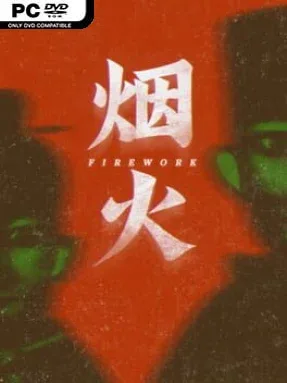
Firework Cover Art

Firework

HORROR 0.94 GB v1.0.4

Game Overview

A funeral blaze in an isolated Chinese mountain village reopens a massacre case that everyone thought was settled. You play Lin Lixun, an inexperienced police officer drawn into an investigation where grieving families, buried memories, and contradictory evidence turn a seemingly straightforward tragedy into something far more unsettling. Firework is a slow-burning psychological horror mystery, favoring dread, melancholy, and suspicion over shocks. Its rural setting feels lived-in and culturally specific, with funeral customs, old homes, village gossip, and reminders of a changing China giving the case unusual weight.

Investigation drives the experience as Lin searches locations, examines objects, speaks with witnesses, and follows clues that gradually reshape his understanding of each victim. Puzzles are generally tied to the story rather than existing as detached brainteasers, asking players to connect evidence, read the environment, and notice what people leave unsaid. The structure is largely linear, keeping the focus on narrative momentum and carefully staged reveals instead of open-ended exploration or combat. There are no weapons, chase-heavy survival mechanics, or constant jump scares; tension comes from ominous imagery, disquieting sound design, and the fear that a rational explanation may not be enough.

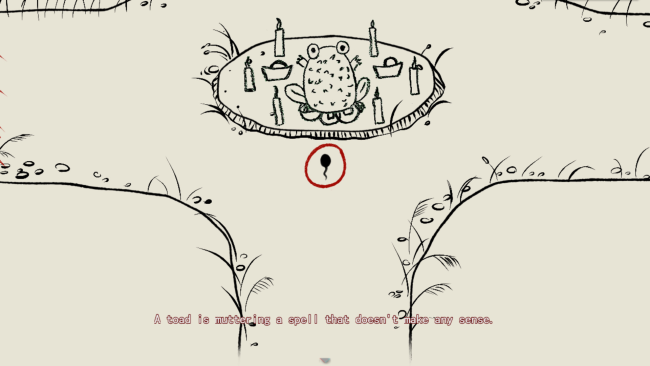
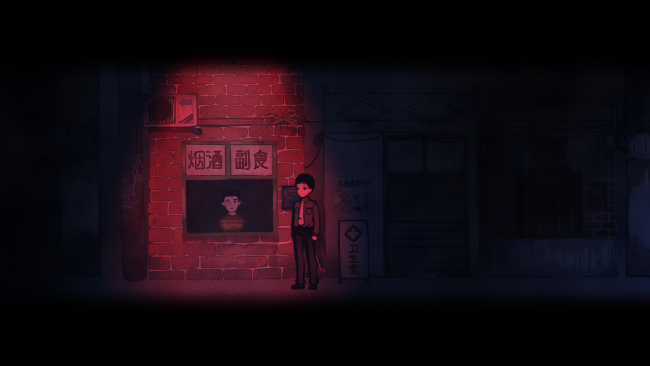
Its hand-painted watercolor presentation is the standout, making ordinary village rooms and rain-soaked paths look nostalgic while still carrying an eerie, half-remembered quality. References to everyday life from a particular Chinese era give the world personality beyond its horror premise, especially for players interested in stories grounded in regional culture rather than generic haunted-house clichés. Firework suits fans of narrative mysteries such as Detention, The Cat Lady, or classic point-and-click adventures, though its restrained pacing rewards patience more than puzzle mastery. Horror veterans looking for gore or relentless scares may find it quiet, but anyone who enjoys emotionally charged detective stories and lingering unease should find its final revelations memorable.

Installation

  1. Click the green button below to be redirected to UploadHaven.
  2. Wait 15 seconds, then hit “Free Download.” (Free downloads may be slower — upgrade to UploadHaven Pro for faster speeds.)
  3. Once downloaded, right-click the .zip file and choose “Extract to Firework.” (You’ll need 7-Zip for this.)
  4. Open the extracted folder and run the game as administrator.
  5. Enjoy! 🎮 If you see missing DLL errors, check the <strong>_Redist</strong> folder inside and install what’s needed.

System Requirements

  • OS: Windows 7 or greater
  • Processor: Intel i5 Quad-Core
  • Memory: 4 GB RAM
  • Graphics: NVIDIA GeForce GTX 750 Ti
  • Storage: 2 GB available space

Setup Guide & Troubleshooting

How do I fix missing DLL errors for Firework (v1.0.4)?

After extracting Firework (v1.0.4), navigate to the _Redist or _CommonRedist folder inside the game directory and install DirectX, Vcredist, and any other dependencies included.

What should I do if the downloaded file is corrupted?

The full archive is 0.94 GB — make sure your download completed fully before extracting. Use 7-Zip to extract the files. If you still see a "file corrupted" error, re-download and try again.

Why should I run the game as administrator?

Right-click the game executable and select "Run as Administrator" to avoid save file issues and permission errors. This is especially important on the first launch.

How do I update my GPU drivers for this game?

Firework (v1.0.4) requires a NVIDIA GeForce GTX 750 Ti or equivalent. Update your NVIDIA or AMD drivers to the latest version for the best performance.

The game won't launch — what should I try?

Try running in compatibility mode, install the latest DirectX runtime, or install the All-in-One VC Redist Package.

My antivirus is blocking the game — is it safe?

Antivirus false positives are common with pre-installed games. Temporarily pause your antivirus during extraction to prevent it from quarantining game files. You can re-enable it after the extraction completes.

Need more help? Browse our FAQ & Troubleshooting Guide for solutions to common issues.
Looking for something else? Explore all games on Steam Unlocked