
Game Overview
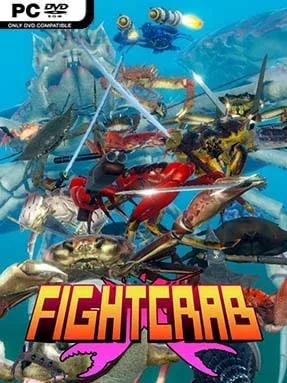
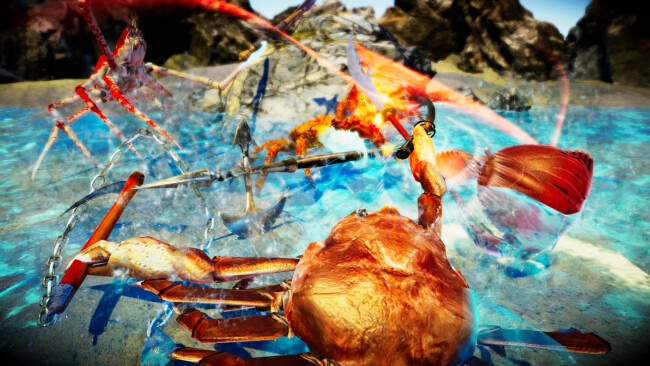
A gigantic crab wielding a sword is already a strong pitch, but the real appeal lies in how seriously this absurd arena fighter treats its chaos. Fight Crab turns duels between armored crustaceans into physics-heavy wrestling matches where victory comes from one brutally simple objective: knock an opponent onto its back and keep it there. Battles take place across oversized arenas filled with platforms, slopes, walls, and hazards, giving every match the feel of a ridiculous kaiju sports event. The tone is gleefully silly, yet the controls demand enough timing and positional awareness to make a hard-fought flip feel genuinely earned.
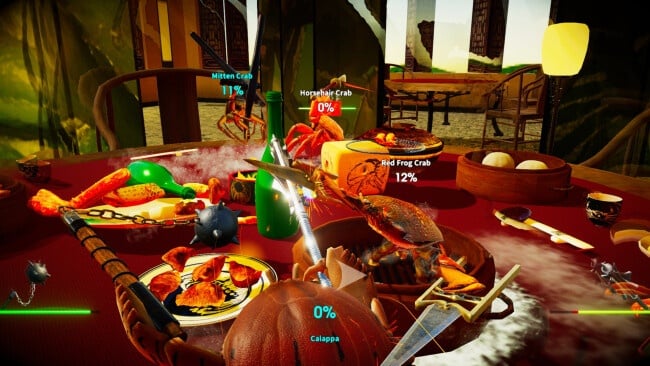
Players steer a crab’s body and individually manipulate its pincers, using them to grab weapons, block attacks, shove rivals, or scramble back upright after a bad fall. The enormous arsenal ranges from natural claws and shields to swords, chainsaws, firearms, armor, and even jet propulsion, with each item changing the reach, weight, and rhythm of a fight. A single-player campaign gradually introduces new crabs, equipment, and increasingly demanding opponents, while local and online multiplayer let friends turn the arenas into loud, unpredictable brawls. Movement is intentionally unconventional: crabs can cling to surfaces, scuttle sideways around obstacles, and use momentum as a weapon, so learning to control the awkwardness becomes part of the fun.
What separates Fight Crab from standard fighting games is its commitment to simulated physical comedy rather than strict combo strings or frame-perfect dueling. Weapons can be knocked loose, limbs can tangle, and a match can swing from tactical fencing to frantic grappling in seconds, all supported by lively procedural animation. Its strange premise recalls the joyful nonsense of Octodad and the physics-driven clashes of Gang Beasts, but it offers more mechanical depth for players willing to master its controls. Anyone looking for polished competitive precision may find the handling unruly, while players who enjoy inventive party fighters, bizarre weapons, and emergent multiplayer stories should find plenty to love.
Installation
- Click the green button below to be redirected to UploadHaven.
- Wait 15 seconds, then hit “Free Download.” (Free downloads may be slower — upgrade to UploadHaven Pro for faster speeds.)
- Once downloaded, right-click the .zip file and choose “Extract to Fight Crab.” (You’ll need 7-Zip for this.)
- Open the extracted folder and run the game as administrator.
- Enjoy! 🎮 If you see missing DLL errors, check the <strong>_Redist</strong> folder inside and install what’s needed.
System Requirements
- OS: Windows 8.1 or 10
- Processor: Intel Core i3
- Memory: 4 GB RAM
- Graphics: NVIDIA GeForce GT 630
- DirectX: Version 11
- Storage: 1 GB available space
Setup Guide & Troubleshooting
How do I fix missing DLL errors for Fight Crab (v1.1.2.5)?
After extracting Fight Crab (v1.1.2.5), navigate to the _Redist or _CommonRedist folder inside the game directory and install DirectX, Vcredist, and any other dependencies included.
What should I do if the downloaded file is corrupted?
The full archive is 573.00 MB — make sure your download completed fully before extracting. Use 7-Zip to extract the files. If you still see a "file corrupted" error, re-download and try again.
Why should I run the game as administrator?
Right-click the game executable and select "Run as Administrator" to avoid save file issues and permission errors. This is especially important on the first launch.
How do I update my GPU drivers for this game?
Fight Crab (v1.1.2.5) requires a NVIDIA GeForce GT 630 or equivalent. Update your NVIDIA or AMD drivers to the latest version for the best performance.
The game won't launch — what should I try?
This game requires Version 11. Try running in compatibility mode, install the latest DirectX runtime, or install the All-in-One VC Redist Package.
My antivirus is blocking the game — is it safe?
Antivirus false positives are common with pre-installed games. Temporarily pause your antivirus during extraction to prevent it from quarantining game files. You can re-enable it after the extraction completes.