
Game Overview
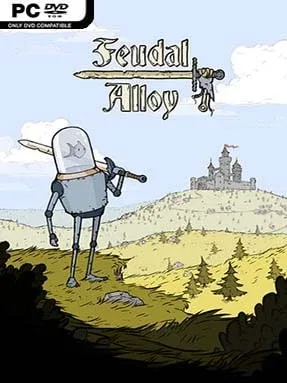
A fish piloting a battered medieval robot gives Feudal Alloy its immediately memorable hook, but the adventure beneath that odd premise is a familiar, satisfying 2D action-platformer. You play Attu, a peaceful farmer whose home and village are destroyed by raiders seeking precious oil, leaving him with an old sword and a reason to cross a hostile mechanical kingdom. The tone sits between melancholy and whimsical: ruined villages, dark forests, and dangerous fortresses share space with expressive hand-drawn art and the charming absurdity of aquatic robot pilots. Its world feels like a fairy tale viewed through rusted armor plates and oil-stained machinery.
Attu fights through interconnected regions using sword strikes, dodges, aerial attacks, grenades, and unlockable combat techniques. Enemies range from basic clockwork soldiers to more demanding boss encounters, and success depends on learning attack patterns rather than simply trading hits. Exploration drives the loop, as branching paths hide equipment, collectibles, upgrades, and secret rooms behind hazards or enemies that may be too strong on a first visit. Gear changes Attu’s appearance as well as his stats, encouraging players to experiment with weapons and armor while steadily building a tougher, more flexible fighter.
What separates Feudal Alloy from the average indie Metroidvania is its visual personality and its loot-focused approach to character customization. Rather than relying entirely on tightly scripted upgrades, it regularly rewards detours with new pieces of equipment and gives players some control over how they tackle its winding map. Combat can feel deliberately weighty, and the experience is more about methodical exploration than breakneck platforming, so players expecting the precision intensity of Hollow Knight may need to adjust. Fans of Shovel Knight, early Castlevania-style adventures, and exploratory action RPGs will find a compact, attractive quest with enough secrets and build variety to make thorough map-clearing worthwhile.
Installation
- Click the green button below to be redirected to UploadHaven.
- Wait 15 seconds, then hit “Free Download.” (Free downloads may be slower — upgrade to UploadHaven Pro for faster speeds.)
- Once downloaded, right-click the .zip file and choose “Extract to Feudal Alloy.” (You’ll need 7-Zip for this.)
- Open the extracted folder and run the game as administrator.
- Enjoy! 🎮 If you see missing DLL errors, check the <strong>_Redist</strong> folder inside and install what’s needed.
System Requirements
- OS: Windows 7
- Processor: Intel Core 2 Duo E5200
- Memory: 4 GB RAM
- Graphics: GeForce 9800GTX+ (1GB)
- DirectX: Version 10
- Storage: 500 MB available space
- Additional Notes: 16:9 recommended
Setup Guide & Troubleshooting
How do I fix missing DLL errors for Feudal Alloy (v1.02)?
After extracting Feudal Alloy (v1.02), navigate to the _Redist or _CommonRedist folder inside the game directory and install DirectX, Vcredist, and any other dependencies included.
What should I do if the downloaded file is corrupted?
The full archive is 272.02 MB — make sure your download completed fully before extracting. Use 7-Zip to extract the files. If you still see a "file corrupted" error, re-download and try again.
Why should I run the game as administrator?
Right-click the game executable and select "Run as Administrator" to avoid save file issues and permission errors. This is especially important on the first launch.
How do I update my GPU drivers for this game?
Feudal Alloy (v1.02) requires a GeForce 9800GTX+ (1GB) or equivalent. Update your NVIDIA or AMD drivers to the latest version for the best performance.
The game won't launch — what should I try?
This game requires Version 10. Try running in compatibility mode, install the latest DirectX runtime, or install the All-in-One VC Redist Package.
My antivirus is blocking the game — is it safe?
Antivirus false positives are common with pre-installed games. Temporarily pause your antivirus during extraction to prevent it from quarantining game files. You can re-enable it after the extraction completes.