
Game Overview
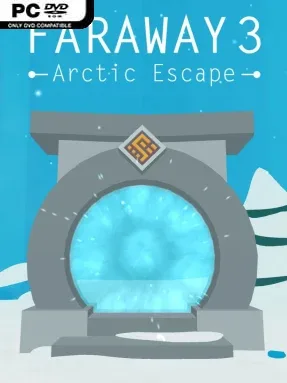
An icy chain of forgotten temples turns the familiar escape-room formula into a quiet archaeological mystery. Faraway: Arctic Escape continues a long-running search for a missing father, sending you through a frozen continent where each ancient structure hides another piece of his trail. The mood is contemplative rather than frightening, built around snowy vistas, strange mechanisms, and the satisfying click of a locked path finally opening. It plays like a portable first-person puzzle adventure, with the story delivered through environmental clues and notes left behind.
Each of the 18 temple areas works as a self-contained maze of doors, panels, symbols, levers, and concealed compartments. You inspect the environment from a freely rotating 3D viewpoint, gather useful objects, and work out how individual devices connect to one another before advancing to the next chamber. Puzzles lean on observation, pattern recognition, spatial logic, and careful use of collected items instead of reflexes or combat, so progress comes from paying attention to visual details. The interface is deliberately accessible, making movement and interaction straightforward even when a puzzle itself asks for some patient experimentation.
The arctic setting gives the sequel more identity than a generic series of locked rooms, combining chilly ruins and wide exterior views with clean, readable puzzle spaces. Its low-pressure pace and ambient score make it well suited to relaxed solo sessions, though players who want dense narrative choices or demanding adventure-game inventory logic may find it light. Fans of The Room, Myst-style environmental puzzles, or earlier Faraway entries get the most from its methodical temple-by-temple structure. Newcomers can jump in without much trouble, while returning players receive a continuation that expands the mystery with a fresh visual theme and a generous run of tactile brainteasers.
Installation
- Click the green button below to be redirected to UploadHaven.
- Wait 15 seconds, then hit “Free Download.” (Free downloads may be slower — upgrade to UploadHaven Pro for faster speeds.)
- Once downloaded, right-click the .zip file and choose “Extract to Faraway: Arctic Escape.” (You’ll need 7-Zip for this.)
- Open the extracted folder and run the game as administrator.
- Enjoy! 🎮 If you see missing DLL errors, check the <strong>_Redist</strong> folder inside and install what’s needed.
System Requirements
- OS: Windows 10
- Processor: 2 Ghz
- Memory: 4 GB RAM
- Graphics: 2GB, Shader Model 2.0
- Storage: 2 GB available space
- Sound Card: yes
Setup Guide & Troubleshooting
How do I fix missing DLL errors for Faraway: Arctic Escape?
After extracting Faraway: Arctic Escape, navigate to the _Redist or _CommonRedist folder inside the game directory and install DirectX, Vcredist, and any other dependencies included.
What should I do if the downloaded file is corrupted?
The full archive is 206.37 MB — make sure your download completed fully before extracting. Use 7-Zip to extract the files. If you still see a "file corrupted" error, re-download and try again.
Why should I run the game as administrator?
Right-click the game executable and select "Run as Administrator" to avoid save file issues and permission errors. This is especially important on the first launch.
How do I update my GPU drivers for this game?
Faraway: Arctic Escape requires a 2GB, Shader Model 2.0 or equivalent. Update your NVIDIA or AMD drivers to the latest version for the best performance.
The game won't launch — what should I try?
Try running in compatibility mode, install the latest DirectX runtime, or install the All-in-One VC Redist Package.
My antivirus is blocking the game — is it safe?
Antivirus false positives are common with pre-installed games. Temporarily pause your antivirus during extraction to prevent it from quarantining game files. You can re-enable it after the extraction completes.