
Game Overview
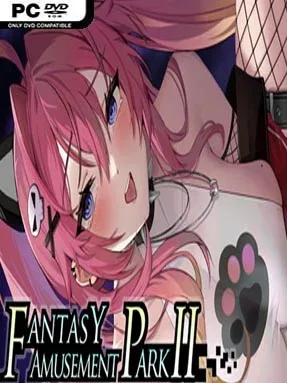
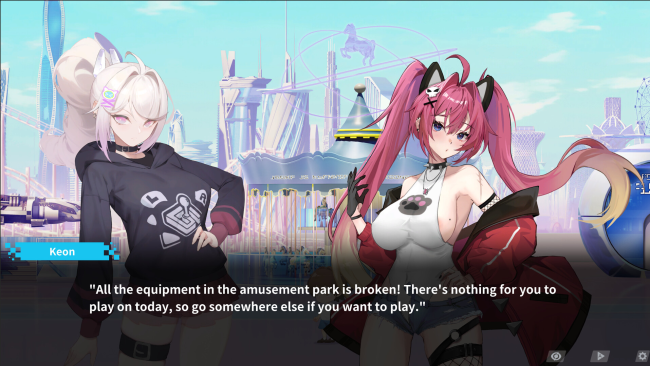
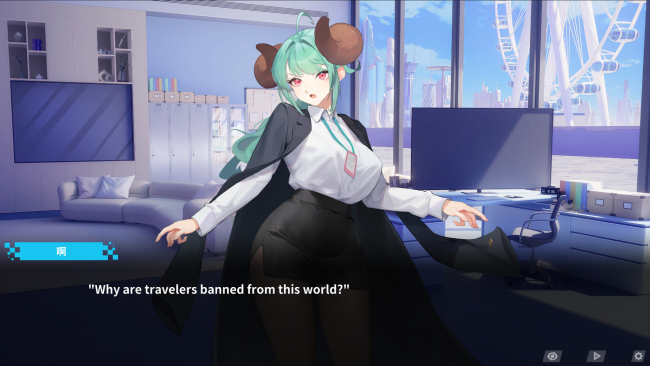
A bizarre wrong-button mishap strands an unlucky protagonist in another world, where a failing amusement park becomes both his workplace and his best chance of finding a route home. Fantasy Amusement Park II mixes irreverent comedy, portal-fantasy confusion, and mature visual-novel storytelling rather than treating its premise with straight-faced seriousness. Its opening leans into awkward misunderstandings before expanding into a story about restoring a neglected attraction alongside Keon, a gifted young inventor, Dee, a sharply dressed secretary, and several other adult heroines. The overall mood is playful and knowingly ridiculous, with romance and adult material forming a major part of the appeal.
Most of your time revolves around reading voiced story scenes, making progress through character-focused events, and managing the park’s recovery. Management sections ask you to improve the business and keep its operations moving, while a side-scrolling shooting mode breaks up the dialogue with more active, arcade-like challenges. Character outfits and Live2D interactions add another layer to the relationship systems, letting the cast feel more animated than static visual-novel portraits. The interface supports simple one-handed play and touchscreen controls, including Steam Deck use, making it an easy title to pick up for short sessions as well as longer story runs.
What separates Fantasy Amusement Park II from a standard adult visual novel is its willingness to pile several genres into one deliberately chaotic package. Dynamic 4K CG artwork, Japanese voice work for five central women, and a mix of story CGs give the romance scenes a polished presentation, while the management and shooting segments provide variety beyond dialogue choices. Players looking for a serious theme-park simulator may find the systems too light, and anyone wanting a pure action game should temper expectations. It fits best for adult visual-novel fans who enjoy eccentric isekai setups, light simulation elements, and a cast-driven story with occasional arcade detours.
Installation
- Click the green button below to be redirected to UploadHaven.
- Wait 15 seconds, then hit “Free Download.” (Free downloads may be slower — upgrade to UploadHaven Pro for faster speeds.)
- Once downloaded, right-click the .zip file and choose “Extract to Fantasy Amusement Park II.” (You’ll need 7-Zip for this.)
- Open the extracted folder and run the game as administrator.
- Enjoy! 🎮 If you see missing DLL errors, check the <strong>_Redist</strong> folder inside and install what’s needed.
System Requirements
- OS *: Windows7/8/10
- Processor: Intel Core i3
- Memory: 4 GB RAM
- Graphics: OpenGL 4.5 or better
- Storage: 8 GB available space
- Sound Card: Built In
Setup Guide & Troubleshooting
How do I fix missing DLL errors for Fantasy Amusement Park II (v1.0.9 & Uncensored)?
After extracting Fantasy Amusement Park II (v1.0.9 & Uncensored), navigate to the _Redist or _CommonRedist folder inside the game directory and install DirectX, Vcredist, and any other dependencies included.
What should I do if the downloaded file is corrupted?
The full archive is 4.19 GB — make sure your download completed fully before extracting. Use 7-Zip to extract the files. If you still see a "file corrupted" error, re-download and try again.
Why should I run the game as administrator?
Right-click the game executable and select "Run as Administrator" to avoid save file issues and permission errors. This is especially important on the first launch.
How do I update my GPU drivers for this game?
Fantasy Amusement Park II (v1.0.9 & Uncensored) requires a OpenGL 4.5 or better or equivalent. Update your NVIDIA or AMD drivers to the latest version for the best performance.
The game won't launch — what should I try?
Try running in compatibility mode, install the latest DirectX runtime, or install the All-in-One VC Redist Package.
My antivirus is blocking the game — is it safe?
Antivirus false positives are common with pre-installed games. Temporarily pause your antivirus during extraction to prevent it from quarantining game files. You can re-enable it after the extraction completes.