
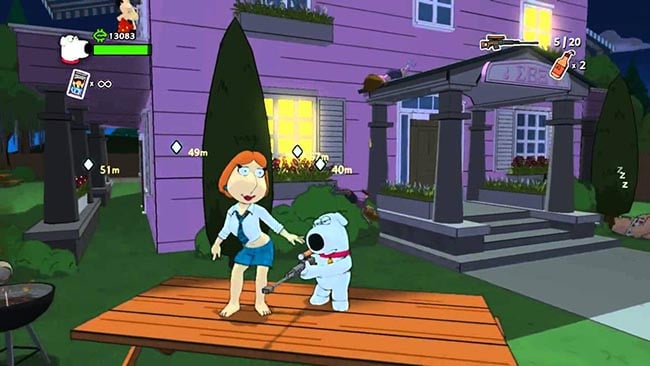
Screenshots

Installation
- Click the download button at the top or bottom of this page to open UploadHaven, wait for any countdown, then select Free Download. The full archive is 3.51 GB.
- Confirm the file finished downloading completely before moving on — a partial archive causes 'file corrupted' errors during extraction.
- Use 7-Zip to extract the archive into a folder named Family Guy: Back to the Multiverse.
- Open the extracted folder and start the game normally. No installer is needed because the package is pre-installed.
- If you see DLL or launch errors, open the _Redist or _CommonRedist folder inside the game directory and install DirectX and the Visual C++ redistributables.
System Requirements
- OS: Windows
- Storage: 3.51 GB available space
- License: Free
Setup Guide & Troubleshooting
Is Family Guy: Back to the Multiverse completely free?
The pre-installed package on this page is offered free of charge at 3.51 GB. Note that this is a third-party package, not an official store release, so keep your security software enabled and review any detection warnings before running anything.
How do I install Family Guy: Back to the Multiverse?
Download the 3.51 GB archive, verify it finished completely, then extract it to a folder using 7-Zip. Open the extracted folder and start the game normally — no installer is required because it's pre-installed. If you hit missing DLL errors, install DirectX and the Visual C++ redistributables from the _Redist or _CommonRedist folder inside the game directory.
Does Family Guy: Back to the Multiverse support co-op?
Yes. The story campaign supports two-player co-op, with one player controlling Stewie and the other controlling Brian. There are also competitive multiplayer modes, including team-based and free-for-all shooting.
What are the system requirements?
The game needs Windows XP 32-bit or newer, an Intel Core 2 Duo E4300 1.8GHz or AMD Athlon 64 X2 Dual Core 3600+, 4 GB RAM, an AMD Radeon HD 2600 Pro or NVIDIA GeForce 7900 GS, DirectX 9, and 4 GB of available storage.
Why is my download showing as corrupted?
A partial download is the usual culprit. The archive is 3.51 GB, so confirm it completed fully before extracting with 7-Zip. If the error persists, delete the file and download it again.