
Game Overview
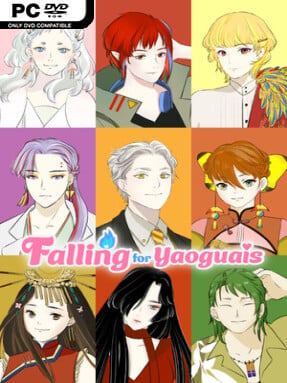
A routine job application becomes a supernatural survival act inside a Taiwanese folklore-inspired amusement park. Falling for Yaoguais is a romance-driven fantasy visual novel where a customizable heroine discovers that the park’s staff are yaoguais and humans may be on the menu. Forced to hide her identity while investigating a larger scheme, she navigates danger, shifting alliances, and an unusually charming collection of monsters. The tone mixes ominous secrets and human-versus-yaoguai tension with light workplace humor, teasing romance, and a heroine who refuses to be helpless.
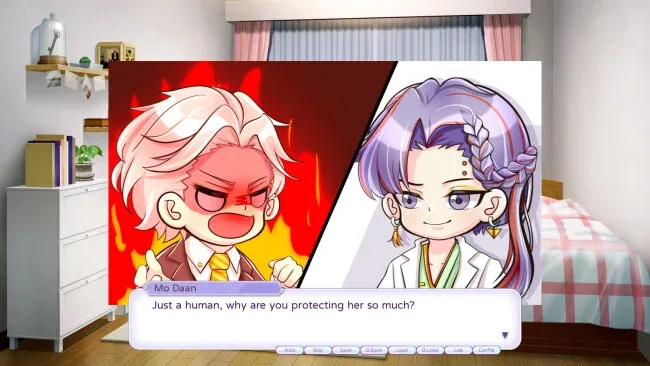
Play revolves around reading a lengthy branching narrative, choosing how boldly to respond during crises, and building relationships with four very different love interests. Bai Ruomu is a protective ancient tree deity, Mo Daan is a brilliant and abrasive serpent-descended scientist, Specter Jin is a gentle former terror tied to old sacrificial customs, and Yan Xingmang is a flirtatious trickster with a celebrity shine. More than 150 decisions influence relationship paths and the direction of major scenes across a script exceeding 300,000 words. Wrong turn anxiety stays low thanks to a convenient rollback feature that lets players scroll back and revise a choice rather than restarting an entire route.
Taiwanese yaoguai traditions give the cast and setting a welcome identity beyond the usual vampires, demons, and fae found in many dating sims. The amusement park is an effective central setting because it supports both everyday staff problems and stranger supernatural incidents while keeping the story intimate. Five endings, including dedicated conclusions for each romance and a bad ending, give repeat runs purpose, while the option to pursue every love interest at once encourages a less restrictive approach to route hunting. Fans of choice-heavy visual novels such as Mystic Messenger or Collar x Malice who want more folklore flavor and a less relentlessly grim atmosphere should find plenty to enjoy here, especially if they prefer character chemistry over action-focused gameplay.
Screenshots

Installation
- Click the green button below to be redirected to UploadHaven.
- Wait 15 seconds, then hit “Free Download.” (Free downloads may be slower — upgrade to UploadHaven Pro for faster speeds.)
- Once downloaded, right-click the .zip file and choose “Extract to Falling for Yaoguais.” (You’ll need 7-Zip for this.)
- Open the extracted folder and run the game as administrator.
- Enjoy! 🎮 If you see missing DLL errors, check the <strong>_Redist</strong> folder inside and install what’s needed.
System Requirements
- Requires a 64-bit processor and operating system
- OS: Windows 10
- Processor: 2.0 GHz Core 2 Duo
- Memory: 2 GB RAM
- Graphics: OpenGL 3.0
- DirectX: Version 11
Setup Guide & Troubleshooting
How do I fix missing DLL errors for Falling for Yaoguais?
After extracting Falling for Yaoguais, navigate to the _Redist or _CommonRedist folder inside the game directory and install DirectX, Vcredist, and any other dependencies included.
What should I do if the downloaded file is corrupted?
The full archive is 0.97 GB — make sure your download completed fully before extracting. Use 7-Zip to extract the files. If you still see a "file corrupted" error, re-download and try again.
Why should I run the game as administrator?
Right-click the game executable and select "Run as Administrator" to avoid save file issues and permission errors. This is especially important on the first launch.
How do I update my GPU drivers for this game?
Falling for Yaoguais requires a OpenGL 3.0 or equivalent. Update your NVIDIA or AMD drivers to the latest version for the best performance.
The game won't launch — what should I try?
This game requires Version 11. Try running in compatibility mode, install the latest DirectX runtime, or install the All-in-One VC Redist Package.
My antivirus is blocking the game — is it safe?
Antivirus false positives are common with pre-installed games. Temporarily pause your antivirus during extraction to prevent it from quarantining game files. You can re-enable it after the extraction completes.