
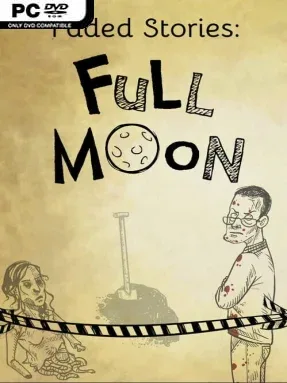
Game Overview
Full Moon turns Greenberg into a city where the dead are not merely remembered, but allowed to walk. Once a century, the unburied victims of accidents, violence, and disappearance gather for a final procession toward catacombs opened by civic decree, creating a macabre ritual that feels as bureaucratic as it is supernatural. Faded Stories: Full Moon is a surreal indie adventure built around that unnerving premise, following ordinary residents as they navigate a place governed by strange customs, hidden rules, and the uneasy coexistence of everyday life with the impossible.
Players move through a collection of compact, story-driven chapters rather than one huge open world, investigating unusual situations and learning how Greenberg functions from the inside. Progress comes through environmental observation, item use, conversations, and creative puzzles that ask players to understand the logic of each bizarre scenario instead of simply hunting for obvious answers. Mechanics and presentation shift between chapters, keeping the experience deliberately unpredictable; one sequence may play like a traditional point-and-click mystery, while another leans into a different visual or interactive idea. Secrets reward careful inspection, and the short-story structure makes it easy to absorb the city’s mythology in distinct pieces without requiring a massive time commitment.
Greenberg is the real attraction: a melancholy, absurdist setting where civic institutions calmly accommodate ghosts, corpses, and century-old ceremonies. Its changing art styles give each tale its own identity, while the connected lore encourages players to look for recurring details, laws, and implications beneath the surface. The game suits fans of strange narrative adventures such as Rusty Lake, The Dark Eye: Chains of Satinav, or experimental point-and-click anthologies, especially players who value atmosphere and imaginative puzzle design over action. Newcomers can enjoy the accessible episodic format, while genre veterans are likely to appreciate its willingness to keep changing the rules.
Installation
- Click the green button below to be redirected to UploadHaven.
- Wait 15 seconds, then hit “Free Download.” (Free downloads may be slower — upgrade to UploadHaven Pro for faster speeds.)
- Once downloaded, right-click the .zip file and choose “Extract to Faded Stories: Full Moon.” (You’ll need 7-Zip for this.)
- Open the extracted folder and run the game as administrator.
- Enjoy! 🎮 If you see missing DLL errors, check the <strong>_Redist</strong> folder inside and install what’s needed.
System Requirements
- OS: Windows XP, Vista, 7/8/10
- Processor: 2 GHz
- Memory: 4 GB RAM
- DirectX: Version 9.0
- Storage: 2 GB available space
Setup Guide & Troubleshooting
How do I fix missing DLL errors for Faded Stories: Full Moon?
After extracting Faded Stories: Full Moon, navigate to the _Redist or _CommonRedist folder inside the game directory and install DirectX, Vcredist, and any other dependencies included.
What should I do if the downloaded file is corrupted?
The full archive is 772.24 MB — make sure your download completed fully before extracting. Use 7-Zip to extract the files. If you still see a "file corrupted" error, re-download and try again.
Why should I run the game as administrator?
Right-click the game executable and select "Run as Administrator" to avoid save file issues and permission errors. This is especially important on the first launch.
How do I update my GPU drivers for this game?
Update your NVIDIA or AMD drivers to the latest version for the best performance and compatibility.
The game won't launch — what should I try?
This game requires Version 9.0. Try running in compatibility mode, install the latest DirectX runtime, or install the All-in-One VC Redist Package.
My antivirus is blocking the game — is it safe?
Antivirus false positives are common with pre-installed games. Temporarily pause your antivirus during extraction to prevent it from quarantining game files. You can re-enable it after the extraction completes.