
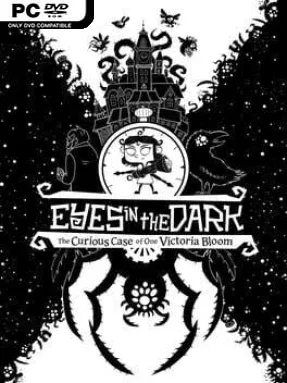
Game Overview
Bloom Manor becomes a shifting, monster-filled labyrinth when darkness swallows its halls and kidnaps Victoria Bloom’s grandfather. Eyes in the Dark is a fast, stylized roguelite platformer built around an appealingly unusual idea: light is both your weapon and your lifeline. Victoria fights with a customizable flashlight and slingshot, turning every room into a frantic battle against creatures that thrive beyond the beam. Its hand-drawn, high-contrast presentation gives the mansion a storybook charm, even as the action grows hectic and dangerous.
Runs send you through procedurally arranged rooms, where you jump, dodge, search for upgrades, and keep hostile swarms at bay. The flashlight provides direct damage and illumination, while the slingshot fires ammunition with varied effects; a burning match, for example, plays very differently from a projectile that leaps between nearby enemies. Gadgets such as extra jumps or time-slowing tools alter mobility and survival options, while weapon modules and tinkering let players stack effects into stronger, stranger combinations. Progression is not simply about collecting benefits: powerful perks often demand a matching drawback, forcing meaningful decisions as enemy numbers, size, and aggression increase deeper inside the manor.
That risk-versus-reward structure is where the game earns its “roguelight” label, making builds feel personal without requiring the punishing precision of the genre’s harshest entries. Boss-like Guardians provide major skill checks, and family quests gradually reveal more about Victoria, Victor, and the manor’s oddball inventions. Rather than relying on melee combos or guns, it captures some of the build experimentation of Hades and the room-clearing pressure of Enter the Gungeon through its distinctive light-based toolkit. It suits roguelite regulars who enjoy theorycrafting item synergies, but its readable controls, charming heroine, and clear visual feedback also make it approachable for newcomers.
Installation
- Click the green button below to be redirected to UploadHaven.
- Wait 15 seconds, then hit “Free Download.” (Free downloads may be slower — upgrade to UploadHaven Pro for faster speeds.)
- Once downloaded, right-click the .zip file and choose “Extract to Eyes in the Dark.” (You’ll need 7-Zip for this.)
- Open the extracted folder and run the game as administrator.
- Enjoy! 🎮 If you see missing DLL errors, check the <strong>_Redist</strong> folder inside and install what’s needed.
System Requirements
- OS: Windows 7
- Processor: Interl Core2 Quad Q9500 or AMD Phenom II X4 840
- Memory: 4 GB RAM
- Graphics: NVIDIA GeForce GT 520, 1 GB or AMD Radeon HD 5570, 1 GB or Intel HD Graphics 4400
- Storage: 800 MB available space
- Sound Card: Yes
Setup Guide & Troubleshooting
How do I fix missing DLL errors for Eyes in the Dark (v1.0.5)?
After extracting Eyes in the Dark (v1.0.5), navigate to the _Redist or _CommonRedist folder inside the game directory and install DirectX, Vcredist, and any other dependencies included.
What should I do if the downloaded file is corrupted?
The full archive is 602.53 MB — make sure your download completed fully before extracting. Use 7-Zip to extract the files. If you still see a "file corrupted" error, re-download and try again.
Why should I run the game as administrator?
Right-click the game executable and select "Run as Administrator" to avoid save file issues and permission errors. This is especially important on the first launch.
How do I update my GPU drivers for this game?
Eyes in the Dark (v1.0.5) requires a NVIDIA GeForce GT 520, 1 GB or AMD Radeon HD 5570, 1 GB or Intel HD Graphics 4400 or equivalent. Update your NVIDIA or AMD drivers to the latest version for the best performance.
The game won't launch — what should I try?
Try running in compatibility mode, install the latest DirectX runtime, or install the All-in-One VC Redist Package.
My antivirus is blocking the game — is it safe?
Antivirus false positives are common with pre-installed games. Temporarily pause your antivirus during extraction to prevent it from quarantining game files. You can re-enable it after the extraction completes.