
Game Overview
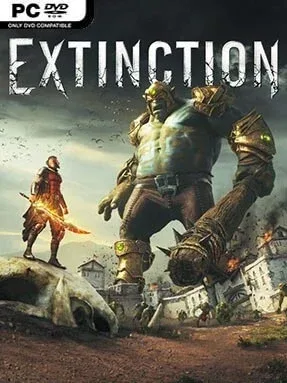
A collapsing medieval-fantasy world provides the backdrop for a fast, surprisingly agile monster-hunting action game. Extinction Deluxe Edition casts you as Avil, one of humanity’s last Sentinels, as towering Ravenii ogres march across the countryside and reduce entire settlements to rubble. The central fantasy is clear: race through ruined towns, save civilians, and bring down creatures that stand several stories above the battlefield. Its tone sits somewhere between a desperate last stand and an arcade spectacle, with constant alarms, airborne enemies, and giant limbs crashing through the scenery.
Avil moves with acrobatic speed, sprinting across rooftops, wall-running, using a whip-like grappling tool, and gliding over danger to reach the next crisis. Regular monster troops demand quick sword combos, evasive maneuvers, counters, and aerial strikes, but the huge Ravenii are the real objective: you identify armor and weak points, slice away limbs to expose their neck, then line up a decisive finishing blow before they destroy the city. Missions reward smart prioritization, since rescuing scattered refugees, defending buildings, and stopping a giant rarely happen in one convenient location. Story missions are joined by challenge-oriented modes that remix battlefield objectives, while the Deluxe Edition adds the extra content associated with the game’s expanded package.
What separates Extinction from other giant-monster games is its emphasis on mobility and surgical takedowns rather than simply chipping away at oversized health bars. Each encounter turns into a time-sensitive traversal problem, asking whether you can reach a threatened district, manage lesser enemies, and dismantle a Ravenii efficiently enough to preserve the population. The environments can feel repetitive over a long session, and the campaign is more focused than sprawling, but the movement system gives the action a satisfying flow. Players who enjoy the boss-climbing tension of Shadow of the Colossus mixed with the rapid traversal and combat rhythms of character-action games will find its best moments compelling, especially if they value score-chasing challenges over a huge open world.
Installation
- Click the green button below to be redirected to UploadHaven.
- Wait 15 seconds, then hit “Free Download.” (Free downloads may be slower — upgrade to UploadHaven Pro for faster speeds.)
- Once downloaded, right-click the .zip file and choose “Extract to Extinction Deluxe Edition.” (You’ll need 7-Zip for this.)
- Open the extracted folder and run the game as administrator.
- Enjoy! 🎮 If you see missing DLL errors, check the <strong>_Redist</strong> folder inside and install what’s needed.
System Requirements
- Requires a 64-bit processor and operating system
- OS: Windows 7/8.1/10 (64-bit Required)
- Processor: Intel Core i5-760 2.8 GHz / AMD Athlon X4 740 3.2 GHz
- Memory: 8 GB RAM
- Graphics: NVIDIA GeForce GTX 660 (2 GB VRAM) / AMD Radeon HD 7870 (2 GB VRAM)
- DirectX: Version 11
- Storage: 3 GB available space
Setup Guide & Troubleshooting
How do I fix missing DLL errors for Extinction Deluxe Edition?
After extracting Extinction Deluxe Edition, navigate to the _Redist or _CommonRedist folder inside the game directory and install DirectX, Vcredist, and any other dependencies included.
What should I do if the downloaded file is corrupted?
The full archive is 2.12 GB — make sure your download completed fully before extracting. Use 7-Zip to extract the files. If you still see a "file corrupted" error, re-download and try again.
Why should I run the game as administrator?
Right-click the game executable and select "Run as Administrator" to avoid save file issues and permission errors. This is especially important on the first launch.
How do I update my GPU drivers for this game?
Extinction Deluxe Edition requires a NVIDIA GeForce GTX 660 (2 GB VRAM) / AMD Radeon HD 7870 (2 GB VRAM) or equivalent. Update your NVIDIA or AMD drivers to the latest version for the best performance.
The game won't launch — what should I try?
This game requires Version 11. Try running in compatibility mode, install the latest DirectX runtime, or install the All-in-One VC Redist Package.
My antivirus is blocking the game — is it safe?
Antivirus false positives are common with pre-installed games. Temporarily pause your antivirus during extraction to prevent it from quarantining game files. You can re-enable it after the extraction completes.