
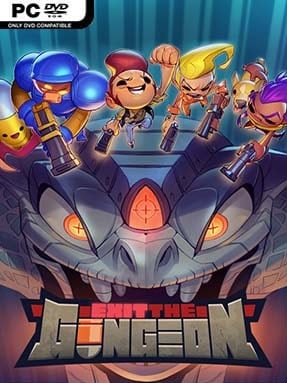
Game Overview
The collapsing Gungeon turns its familiar labyrinth into a frantic vertical escape route, trading Enter the Gungeon’s room-by-room descent for a fast-moving bullet-hell climb. Exit the Gungeon follows the surviving Gungeoneers as they ride precarious elevators toward the surface, dodging a final barrage from the Gundead and the fortress’s increasingly unstable architecture. Its tone remains gleefully absurd despite the apocalyptic premise: enemies are living ammunition, weapons are ridiculous, and a stylish hat can matter as much as a clean dodge. The result is a compact roguelite shooter built around pressure, improvisation, and split-second survival.
Each run sends a chosen hero through shifting combat chambers filled with dense projectile patterns, platforming hazards, elite enemies, shops, familiar NPCs, and boss encounters. The essential dodge roll returns, but the defining twist is the Blessed Gun: your weapon changes constantly, forcing you to adapt from powerful laser rifles to awkward novelty firearms without warning. Staying alive and maintaining momentum can improve your arsenal, while damage, bad positioning, and chaotic rooms quickly turn a promising climb into a scramble. Randomized layouts, item drops, enemy combinations, and weapon rotations ensure that learning attack tells and mastering movement matters more than memorizing a single ideal build.
Unlike its predecessor’s slower, exploration-heavy dungeon crawling, Exit the Gungeon feels closer to an arcade score-chaser crossed with a roguelite run. Its side-view perspective makes aerial movement, elevator positioning, and incoming fire easier to read while still demanding the same sharp reflexes associated with the series. Returning characters, goofy gun-themed humor, unlockables, and varied routes give longtime fans plenty of callbacks, but newcomers can enjoy the action without knowing the earlier story. Players who like Enter the Gungeon, Nuclear Throne, or quick roguelite runs with demanding dodge mechanics find a leaner, faster companion here—especially if they enjoy adapting rather than relying on one favorite weapon.
Installation
- Click the green button below to be redirected to UploadHaven.
- Wait 15 seconds, then hit “Free Download.” (Free downloads may be slower — upgrade to UploadHaven Pro for faster speeds.)
- Once downloaded, right-click the .zip file and choose “Extract to Exit the Gungeon.” (You’ll need 7-Zip for this.)
- Open the extracted folder and run the game as administrator.
- Enjoy! 🎮 If you see missing DLL errors, check the <strong>_Redist</strong> folder inside and install what’s needed.
System Requirements
- OS: Windows 7, 8, 8.1, 10 x64
- Processor: Intel Core2 Duo E4500 (2 * 2200)
- Memory: 4 GB RAM
- Graphics: GeForce 9600 GT (512 MB)
- Storage: 500 MB available space
- Additional Notes: Gamepad Recommended
Setup Guide & Troubleshooting
How do I fix missing DLL errors for Exit the Gungeon (v2.1.3)?
After extracting Exit the Gungeon (v2.1.3), navigate to the _Redist or _CommonRedist folder inside the game directory and install DirectX, Vcredist, and any other dependencies included.
What should I do if the downloaded file is corrupted?
The full archive is 314.98 MB — make sure your download completed fully before extracting. Use 7-Zip to extract the files. If you still see a "file corrupted" error, re-download and try again.
Why should I run the game as administrator?
Right-click the game executable and select "Run as Administrator" to avoid save file issues and permission errors. This is especially important on the first launch.
How do I update my GPU drivers for this game?
Exit the Gungeon (v2.1.3) requires a GeForce 9600 GT (512 MB) or equivalent. Update your NVIDIA or AMD drivers to the latest version for the best performance.
The game won't launch — what should I try?
Try running in compatibility mode, install the latest DirectX runtime, or install the All-in-One VC Redist Package.
My antivirus is blocking the game — is it safe?
Antivirus false positives are common with pre-installed games. Temporarily pause your antivirus during extraction to prevent it from quarantining game files. You can re-enable it after the extraction completes.