
Game Overview
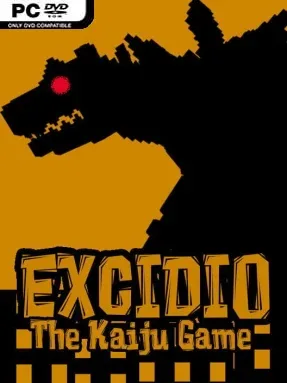
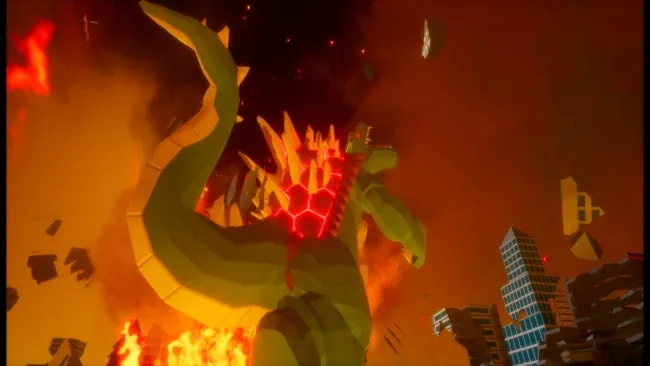
A towering monster turns city streets into a personal demolition ground, delivering a compact kaiju fantasy built around scale, weight, and spectacle. Excidio The Kaiju Simulator casts you as Excidio, an enormous creature free to stomp through environments inspired by recognizable real-world locations. Its mood is less survival horror than destructive sandbox: the appeal lies in watching concrete, glass, vehicles, and landmarks give way under a creature that feels vastly larger than everything around it. Military forces provide resistance, but the main attraction is the satisfying chaos of being the disaster rather than escaping it.
Each map encourages you to roam, select targets, and reduce the scenery to debris through physics-driven destruction. Buildings do not simply vanish after a hit; they collapse, scatter rubble, and leave behind a changed battlefield as Excidio moves through them. Armed forces attempt to interrupt your rampage, giving the action a simple adversarial edge and ensuring that indiscriminate destruction is not entirely consequence-free. The gameplay loop stays direct—pick a location, cause as much havoc as possible, confront the military presence, then admire the wreckage—making it easy to jump into without the dense systems of a management sim or a traditional action campaign.
What separates it from many monster games is its focus on environmental interaction over complicated combat combos or narrative progression. The physics emphasis gives destruction a tactile quality, especially when larger structures buckle instead of behaving like static set dressing. Several camera and photo-mode options let you frame the aftermath from dramatic angles, whether you want a cinematic shot of a ruined skyline or an absurd close-up of Excidio looming over traffic. Players who enjoy the freeform destruction of Rampage, the scale of classic kaiju movies, or sandbox titles built around breaking things should find its focused premise appealing, while veterans seeking deep missions, character builds, or strategic warfare may want a more elaborate monster simulator.
Screenshots

Installation
- Select the <strong>Download</strong> button at the top of this page to open UploadHaven.
- On UploadHaven, wait for any countdown, then select <strong>Free Download</strong>. Optional: UploadHaven Pro for faster downloads.
- When complete, extract the archive to a <strong>Excidio The Kaiju Simulator</strong> folder using 7-Zip.
- Open the extracted folder and start the game normally.
- For errors, check <strong>Setup Guide & Troubleshooting</strong> below. Keep your security software enabled.
System Requirements
- Requires a 64-bit processor and operating system
- OS: Windows 10 or newer
- Processor: AMD FX-8350 or Intel Core i5-4460 – 3204
- Memory: 8 GB RAM
- Graphics: AMD RX 480 or Nvidia GeForce GTX 1060
- DirectX: Version 11
- Storage: 5 GB available space
Setup Guide & Troubleshooting
How do I fix missing DLL errors for Excidio The Kaiju Simulator?
After extracting Excidio The Kaiju Simulator, navigate to the _Redist or _CommonRedist folder inside the game directory and install DirectX, Vcredist, and any other dependencies included.
What should I do if the downloaded file is corrupted?
The full archive is 610.58 MB — make sure your download completed fully before extracting. Use 7-Zip to extract the files. If you still see a "file corrupted" error, re-download and try again.
Why should I run the game as administrator?
Right-click the game executable and select "Run as Administrator" to avoid save file issues and permission errors. This is especially important on the first launch.
How do I update my GPU drivers for this game?
Excidio The Kaiju Simulator requires a AMD RX 480 or Nvidia GeForce GTX 1060 or equivalent. Update your NVIDIA or AMD drivers to the latest version for the best performance.
The game won't launch — what should I try?
This game requires Version 11. Try running in compatibility mode, install the latest DirectX runtime, or install the All-in-One VC Redist Package.
My antivirus is blocking the game — is it safe?
Antivirus false positives are common with pre-installed games. Temporarily pause your antivirus during extraction to prevent it from quarantining game files. You can re-enable it after the extraction completes.