
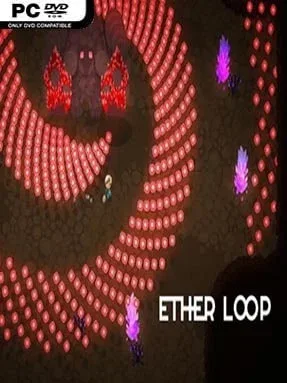
Game Overview
A cursed descent through hostile, shifting depths turns every run into a test of reflexes, nerve, and improvisation. Ether Loop is a fast-paced bullet-hell roguelike built around escaping an apparently inescapable cycle, with its protagonist repeatedly pushed back into danger as the truth behind the curse slowly emerges. The tone is tense and mysterious rather than whimsical: rooms fill with projectiles, creatures attack according to distinct rhythms, and a single bad dodge can end a promising attempt. Its central appeal lies in turning failure into another chance to learn enemy behavior, uncover a new event, and assemble a stronger answer to the dungeon’s threats.
Combat demands constant movement, sharp positioning, and careful decisions about when to attack, retreat, or commit to a risky pickup. Players descend through procedurally arranged stages containing battles, hazards, special challenges, traps, and stranger encounters that can reshape the direction of a run. Weapons, active abilities, and collectible items combine into build-defining synergies, allowing one attempt to favor relentless damage, safer ranged pressure, rapid mobility, or unusual effects that transform familiar tools. Progress comes from mastering patterns and adapting to the options each randomized run offers, so success depends less on memorizing a fixed route than on making smart choices under pressure.
What separates Ether Loop from a standard dungeon crawler is the emphasis on build experimentation inside a demanding bullet-hell framework. Enemies are not merely targets with larger health bars; their different attack patterns force players to read the arena and alter their movement style from fight to fight. Dynamic rooms and random scenarios help prevent the descent from becoming routine, while leaderboards give skilled players a reason to optimize routes and compare results with friends. Fans of The Binding of Isaac-style item combinations and the disciplined dodging of Enter the Gungeon should find plenty to enjoy, though newcomers should expect a steep learning curve rather than a forgiving introduction to roguelikes.
Installation
- Click the green button below to be redirected to UploadHaven.
- Wait 15 seconds, then hit “Free Download.” (Free downloads may be slower — upgrade to UploadHaven Pro for faster speeds.)
- Once downloaded, right-click the .zip file and choose “Extract to Ether Loop.” (You’ll need 7-Zip for this.)
- Open the extracted folder and run the game as administrator.
- Enjoy! 🎮 If you see missing DLL errors, check the <strong>_Redist</strong> folder inside and install what’s needed.
System Requirements
- OS: Windows 7 or later
- Processor: intel core i3 or equivalent
- Memory: 4 GB RAM
- Graphics: GeForce 7600 GS (512 MB) or equivalent
- Storage: 300 MB available space
Setup Guide & Troubleshooting
How do I fix missing DLL errors for Ether Loop?
After extracting Ether Loop, navigate to the _Redist or _CommonRedist folder inside the game directory and install DirectX, Vcredist, and any other dependencies included.
What should I do if the downloaded file is corrupted?
The full archive is 183.24 MB — make sure your download completed fully before extracting. Use 7-Zip to extract the files. If you still see a "file corrupted" error, re-download and try again.
Why should I run the game as administrator?
Right-click the game executable and select "Run as Administrator" to avoid save file issues and permission errors. This is especially important on the first launch.
How do I update my GPU drivers for this game?
Ether Loop requires a GeForce 7600 GS (512 MB) or equivalent or equivalent. Update your NVIDIA or AMD drivers to the latest version for the best performance.
The game won't launch — what should I try?
Try running in compatibility mode, install the latest DirectX runtime, or install the All-in-One VC Redist Package.
My antivirus is blocking the game — is it safe?
Antivirus false positives are common with pre-installed games. Temporarily pause your antivirus during extraction to prevent it from quarantining game files. You can re-enable it after the extraction completes.