
Game Overview
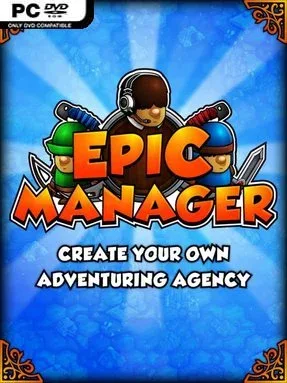
Running an adventuring agency in Astraeus feels less like saving the realm and more like keeping a dangerous fantasy startup afloat. Epic Manager – Create Your Own Adventuring Agency! blends tycoon strategy, RPG party building, and branching story events into a campaign about turning hired swords, mages, and rogues into a profitable operation. Every promising quest carries risk: heroes can return with treasure, fame, and valuable experience, or leave you with a broken roster and an expensive problem. The mood is playful and often witty, but the business side asks for careful planning rather than reckless heroics.
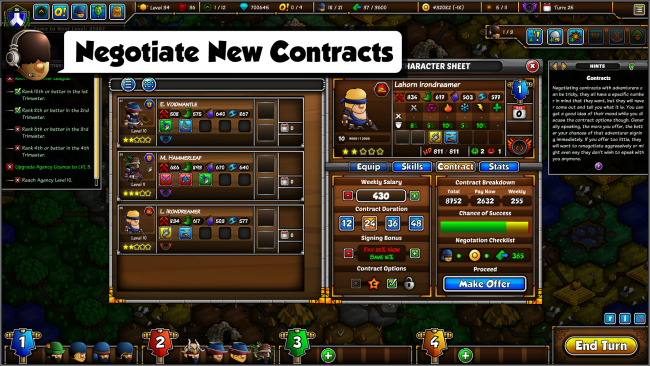
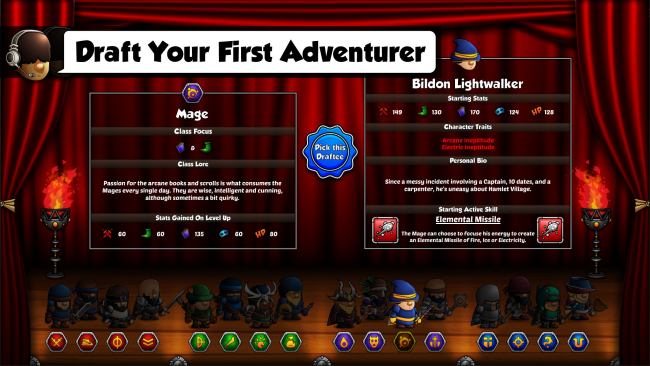
Most of your time goes into scouting opportunities, launching recruitment drives, negotiating contracts, and arranging adventurers into teams suited to the work ahead. Characters bring distinct talents, traits, equipment needs, and room to grow, so building a party is about balancing personalities and capabilities as much as raw levels. Completed jobs raise your agency’s reputation on the League Ladder, unlocking broader influence across the realm while competitors fight for the same prestige. Between expeditions, you hire staff, improve headquarters facilities, research upgrades, trade with merchants, and use diplomacy or underhanded intrigue to gain an edge. Equipment can be enhanced through enchantment and item crafting, giving even a modest recruit a chance to become a key asset.
Its strongest idea is treating fantasy adventurers as employees with contracts, expectations, and market value rather than disposable units in a conventional RPG. Random encounters, world events, unusual bosses, and narrative decisions keep campaigns from becoming a simple checklist of quests, while hidden advanced classes reward investment in long-term recruits. Community-created adventurers, items, encounters, and missions add welcome variety for players who exhaust the base pool. Anyone who enjoys Football Manager-style roster decisions, the party development of Final Fantasy Tactics, or lighter fantasy management games will find a lot to like here; newcomers can learn its systems gradually, while strategy veterans can chase a cleaner, more ruthless agency machine.
Installation
- Click the green button below to be redirected to UploadHaven.
- Wait 15 seconds, then hit “Free Download.” (Free downloads may be slower — upgrade to UploadHaven Pro for faster speeds.)
- Once downloaded, right-click the .zip file and choose “Extract to Epic Manager - Create Your Own Adventuring Agency!.” (You’ll need 7-Zip for this.)
- Open the extracted folder and run the game as administrator.
- Enjoy! 🎮 If you see missing DLL errors, check the <strong>_Redist</strong> folder inside and install what’s needed.
System Requirements
- OS *: Windows XP
- Processor: Dual Core Processor
- Memory: 4 GB RAM
- Graphics: 720p Capable Display and Resolution
- DirectX: Version 9.0
- Storage: 4 GB available space
Setup Guide & Troubleshooting
How do I fix missing DLL errors for Epic Manager – Create Your Own Adventuring Agency! (v1.2)?
After extracting Epic Manager – Create Your Own Adventuring Agency! (v1.2), navigate to the _Redist or _CommonRedist folder inside the game directory and install DirectX, Vcredist, and any other dependencies included.
What should I do if the downloaded file is corrupted?
The full archive is 456.50 MB — make sure your download completed fully before extracting. Use 7-Zip to extract the files. If you still see a "file corrupted" error, re-download and try again.
Why should I run the game as administrator?
Right-click the game executable and select "Run as Administrator" to avoid save file issues and permission errors. This is especially important on the first launch.
How do I update my GPU drivers for this game?
Epic Manager – Create Your Own Adventuring Agency! (v1.2) requires a 720p Capable Display and Resolution or equivalent. Update your NVIDIA or AMD drivers to the latest version for the best performance.
The game won't launch — what should I try?
This game requires Version 9.0. Try running in compatibility mode, install the latest DirectX runtime, or install the All-in-One VC Redist Package.
My antivirus is blocking the game — is it safe?
Antivirus false positives are common with pre-installed games. Temporarily pause your antivirus during extraction to prevent it from quarantining game files. You can re-enable it after the extraction completes.