
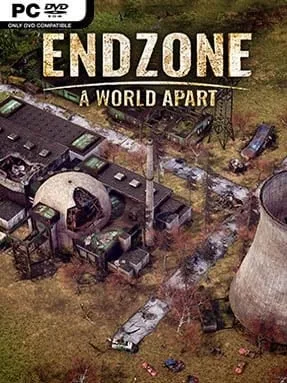
Game Overview
A shattered Earth becomes the setting for a demanding settlement builder where survival depends on planning several disasters ahead. Endzone – A World Apart places humanity’s remaining communities on a poisoned surface 150 years after nuclear catastrophe, turning every farm, water source, and shelter into a hard-earned necessity. Its mood is bleak but not hopeless: survivors can gradually transform barren ground into a functioning town, provided their leader can keep radiation, weather, and shortages under control. Rather than simply expanding outward, you constantly weigh the safety of the land against the needs of a growing population.
Construction, resource chains, and citizen management form the core loop. You assign workers to collect scrap, wood, food, and water, then establish homes, storage areas, roads, production sites, schools, and trading infrastructure to make the settlement self-sufficient. Clean water is especially important, while food production demands attention to soil conditions, crop protection, and changing weather patterns. Rainfall can restore moisture to parched fields, but toxic storms also contaminate the terrain; filters, protective clothing, covered farms, and land-clearing measures help prevent radiation sickness. Droughts, sandstorms, and unpredictable climate events force players to maintain reserves rather than assuming an efficient economy is automatically a safe one.
The standout feature is its environmental simulation, which tracks radiation and humidity across individual sections of the map instead of treating terrain as a static backdrop. That gives town placement real consequences and makes farming feel closer to managing an ecosystem than filling a standard city-builder grid. Endzone favors deliberate, reactive play over rapid expansion, with enough interconnected systems to reward players who enjoy optimizing supply routes and preparing for worst-case scenarios. Fans of Banished, Frostpunk, or Surviving Mars who want a slower, more systems-driven post-apocalyptic builder should feel at home, although newcomers need patience while learning how quickly a single contaminated water supply can unravel an entire settlement.
Installation
- Click the green button below to be redirected to UploadHaven.
- Wait 15 seconds, then hit “Free Download.” (Free downloads may be slower — upgrade to UploadHaven Pro for faster speeds.)
- Once downloaded, right-click the .zip file and choose “Extract to Endzone – A World Apart.” (You’ll need 7-Zip for this.)
- Open the extracted folder and run the game as administrator.
- Enjoy! 🎮 If you see missing DLL errors, check the <strong>_Redist</strong> folder inside and install what’s needed.
System Requirements
- Requires a 64-bit processor and operating system
- OS: Windows 10 64-Bit
- Processor: I5-2500K, 4-Cores @3.30 GHz
- Memory: 8 GB RAM
- Graphics: GeForce GTX 760
- DirectX: Version 11
- Storage: 6 GB available space
Setup Guide & Troubleshooting
How do I fix missing DLL errors for Endzone – A World Apart (v1.2.8334.16234 & ALL DLC)?
After extracting Endzone – A World Apart (v1.2.8334.16234 & ALL DLC), navigate to the _Redist or _CommonRedist folder inside the game directory and install DirectX, Vcredist, and any other dependencies included.
What should I do if the downloaded file is corrupted?
The full archive is 5.11 GB — make sure your download completed fully before extracting. Use 7-Zip to extract the files. If you still see a "file corrupted" error, re-download and try again.
Why should I run the game as administrator?
Right-click the game executable and select "Run as Administrator" to avoid save file issues and permission errors. This is especially important on the first launch.
How do I update my GPU drivers for this game?
Endzone – A World Apart (v1.2.8334.16234 & ALL DLC) requires a GeForce GTX 760 or equivalent. Update your NVIDIA or AMD drivers to the latest version for the best performance.
The game won't launch — what should I try?
This game requires Version 11. Try running in compatibility mode, install the latest DirectX runtime, or install the All-in-One VC Redist Package.
My antivirus is blocking the game — is it safe?
Antivirus false positives are common with pre-installed games. Temporarily pause your antivirus during extraction to prevent it from quarantining game files. You can re-enable it after the extraction completes.