
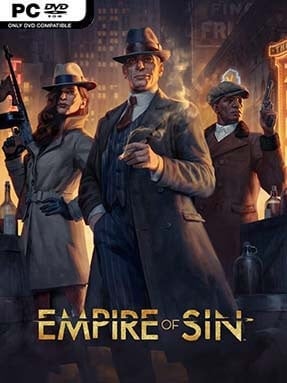
Game Overview
Prohibition-era Chicago becomes a volatile board of opportunity in Empire of Sin, a crime-management strategy game that mixes empire building with turn-based gunfights. You choose from a roster of fictional and historically inspired bosses, including Al Capone and Stephanie St. Clair, then carve out a criminal organization one neighborhood at a time. The mood is stylish, smoky, and ruthless, with jazz-age presentation masking a constant struggle over money, loyalty, and territory. Every deal, insult, and bullet can shift the balance between the city’s competing syndicates.
Most of your time goes into establishing and improving rackets such as speakeasies, breweries, casinos, and brothels, then using their income to fund expansion. Gangsters are recruited from a rotating pool, each bringing distinct combat abilities, traits, equipment preferences, and personal relationships that can strengthen—or destabilize—your crew. When negotiations fail, combat switches to small-scale, turn-based battles where positioning, cover, overwatch, status effects, and character skills matter more than raw firepower. Diplomacy also plays a major role: you can trade, form temporary alliances, threaten rivals, arrange marriages, or simply send a crew to take what you want, while a citywide police pressure system keeps unchecked aggression risky.
Its best idea is the combination of grand criminal-business decisions and intimate squad management, making every neighborhood takeover feel tied to the people doing the dirty work. Bosses have individual traits and starting conditions, while randomized maps and shifting gang relationships give later campaigns a different rhythm. The tactical layer is less demanding than XCOM, and the economic systems are not as intricate as a dedicated tycoon sim, but the blend gives the game a character few strategy titles match. Empire of Sin suits players who enjoy the political maneuvering of Crusader Kings, the territory battles of Mafia stories, and accessible turn-based combat, especially if they can tolerate occasional uneven balance and a somewhat scrappy presentation.
Installation
- Click the green button below to be redirected to UploadHaven.
- Wait 15 seconds, then hit “Free Download.” (Free downloads may be slower — upgrade to UploadHaven Pro for faster speeds.)
- Once downloaded, right-click the .zip file and choose “Extract to Empire of Sin.” (You’ll need 7-Zip for this.)
- Open the extracted folder and run the game as administrator.
- Enjoy! 🎮 If you see missing DLL errors, check the <strong>_Redist</strong> folder inside and install what’s needed.
System Requirements
- OS: Windows® 8.1 64 bit or Windows® 10 Home 64 bit
- Processor: Intel® Core™ i3-530 or AMD® Phenom™ II X3 720
- Memory: 4 GB RAM
- Graphics: Nvidia® GeForce™ GTX 460 (1GB) or AMD® Radeon™ R7 250 (2GB), AMD® Radeon™ Vega 11
- DirectX: Version 11
- Storage: 10 GB available space
Setup Guide & Troubleshooting
How do I fix missing DLL errors for Empire of Sin (v2025.10.07 & ALL DLC)?
After extracting Empire of Sin (v2025.10.07 & ALL DLC), navigate to the _Redist or _CommonRedist folder inside the game directory and install DirectX, Vcredist, and any other dependencies included.
What should I do if the downloaded file is corrupted?
The full archive is 6.35 GB — make sure your download completed fully before extracting. Use 7-Zip to extract the files. If you still see a "file corrupted" error, re-download and try again.
Why should I run the game as administrator?
Right-click the game executable and select "Run as Administrator" to avoid save file issues and permission errors. This is especially important on the first launch.
How do I update my GPU drivers for this game?
Empire of Sin (v2025.10.07 & ALL DLC) requires a Nvidia® GeForce™ GTX 460 (1GB) or AMD® Radeon™ R7 250 (2GB), AMD® Radeon™ Vega 11 or equivalent. Update your NVIDIA or AMD drivers to the latest version for the best performance.
The game won't launch — what should I try?
This game requires Version 11. Try running in compatibility mode, install the latest DirectX runtime, or install the All-in-One VC Redist Package.
My antivirus is blocking the game — is it safe?
Antivirus false positives are common with pre-installed games. Temporarily pause your antivirus during extraction to prevent it from quarantining game files. You can re-enable it after the extraction completes.