
Game Overview
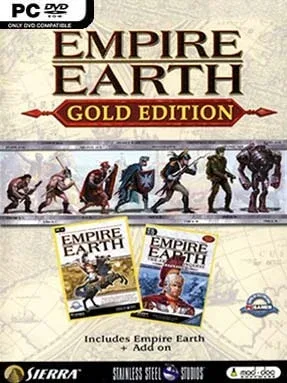
Human history becomes a sprawling real-time strategy battlefield, stretching from primitive tribes to a speculative future ruled by nanotechnology. Empire Earth Gold Edition combines the original 2001 RTS with The Art of Conquest expansion, giving players an enormous historical sandbox built around conquest, survival, and technological ambition. Its tone is grand rather than intimate: one match can begin with stone tools and hunting parties, then end with missile silos, bombers, and futuristic armies. Few classic strategy games sell the feeling of guiding a nation across so many radically different eras with such unapologetic scale.
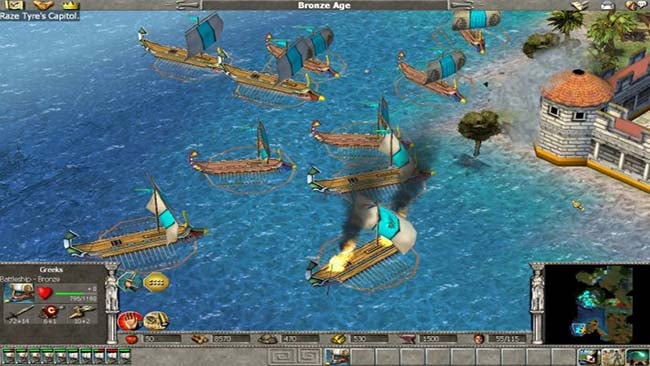
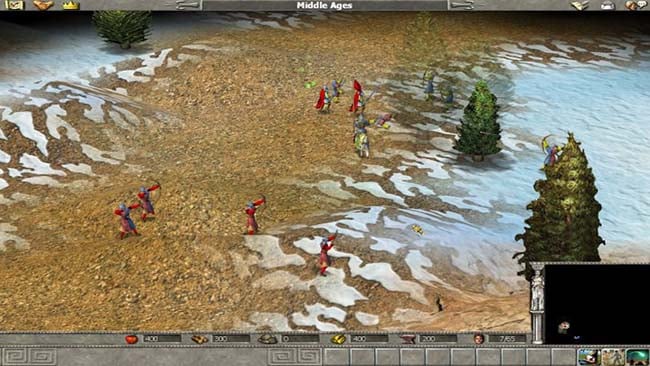
Players gather resources, train workers, erect towns and military infrastructure, research advances, and lead armies against rival civilizations in real time. Progression moves through 14 epochs, with each age unlocking new units, buildings, upgrades, and battlefield options, so a successful early-game economy has to evolve into a capable medieval, industrial, and modern war machine. Battles reward traditional RTS fundamentals such as scouting, terrain awareness, counter-units, defensive construction, and controlling production, while heroes, formations, and a huge assortment of land, sea, and air forces add tactical flavor. Single-player campaigns and custom skirmishes provide the main draw, while multiplayer supports the kind of lengthy competitive matches where a small early advantage can snowball across centuries.
What separates Empire Earth from Age of Empires is its extraordinary timeline and willingness to let ancient infantry eventually share a faction’s history with tanks, nuclear weapons, and science-fiction technology. The Art of Conquest expands the package with additional campaigns, civilizations, units, and maps, making Gold Edition the version to choose for players who want the fullest classic experience. Its interface, pathfinding, and balance show their age, and newcomers may find the scale initially overwhelming, but the core loop remains compelling. Strategy veterans who enjoy Age of Empires, Rise of Nations, or Civilization’s historical sweep will find a dense, ambitious RTS that rewards long-term planning and experimentation.
Installation
- Click the green button below to be redirected to UploadHaven.
- Wait 15 seconds, then hit “Free Download.” (Free downloads may be slower — upgrade to UploadHaven Pro for faster speeds.)
- Once downloaded, right-click the .zip file and choose “Extract to Empire Earth Gold Edition.” (You’ll need 7-Zip for this.)
- Open the extracted folder and run the game as administrator.
- Enjoy! 🎮 If you see missing DLL errors, check the <strong>_Redist</strong> folder inside and install what’s needed.
System Requirements
- OS: Windows XP or Vista
- Processor: 1.8GHz Intel/AMD CPU
- Memory: 512 MB RAM
- Graphics: 3D graphics card compatible with DirectX 9
- Storage: 500 MB available space
Setup Guide & Troubleshooting
How do I fix missing DLL errors for Empire Earth Gold Edition?
After extracting Empire Earth Gold Edition, navigate to the _Redist or _CommonRedist folder inside the game directory and install DirectX, Vcredist, and any other dependencies included.
What should I do if the downloaded file is corrupted?
The full archive is 576.59 MB — make sure your download completed fully before extracting. Use 7-Zip to extract the files. If you still see a "file corrupted" error, re-download and try again.
Why should I run the game as administrator?
Right-click the game executable and select "Run as Administrator" to avoid save file issues and permission errors. This is especially important on the first launch.
How do I update my GPU drivers for this game?
Empire Earth Gold Edition requires a 3D graphics card compatible with DirectX 9 or equivalent. Update your NVIDIA or AMD drivers to the latest version for the best performance.
The game won't launch — what should I try?
Try running in compatibility mode, install the latest DirectX runtime, or install the All-in-One VC Redist Package.
My antivirus is blocking the game — is it safe?
Antivirus false positives are common with pre-installed games. Temporarily pause your antivirus during extraction to prevent it from quarantining game files. You can re-enable it after the extraction completes.