
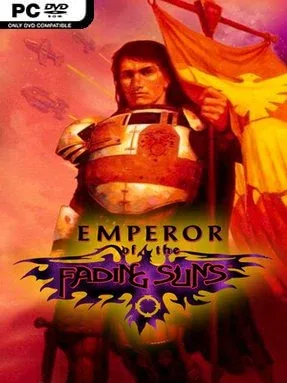
Game Overview
A dying interstellar empire provides the stage for a dense, old-school 4X strategy campaign built around conquest, intrigue, and survival. Emperor of the Fading Suns Enhanced puts you in command of one of five rival Royal Houses as the Known Worlds fracture beneath religious pressure, alien hostility, and a contested imperial throne. Its universe feels closer to feudal science fiction than clean futuristic space opera: nobles bargain for power, scarce worlds require careful development, and even trusted allies can become enemies. The mood is deliberately grim and political, rewarding players who enjoy thinking several turns ahead rather than rushing toward a simple military victory.
Each campaign asks you to expand across planetary maps, establish settlements, develop resources, research technologies, recruit troops, and move fleets between worlds. Battles use combined forces across land, sea, air, and orbital space, with unusual units including psychics, theurgists, warbeasts, and altered soldiers adding character to otherwise methodical warfare. Military strength alone rarely settles a campaign, since diplomacy lets you barter knowledge, goods, offices, favors, and votes needed to claim the crown. Economic management matters just as much, with dozens of tradable materials and relationships to cultivate or exploit among the Church, Merchant League, and alien factions.
The Enhanced edition preserves the depth and uncompromising scale that make the original a cult favorite while improving presentation and usability for modern systems, including Linux. Its greatest strength is the way politics, logistics, religion, commerce, and conquest constantly overlap; a profitable trade deal or carefully secured vote can matter as much as taking a city. The five Houses offer distinct personalities and strategic angles, while the long-running modding community adds further longevity for players willing to learn its systems. Fans of Master of Orion, Sid Meier’s Alpha Centauri, or Crusader Kings-style political maneuvering find plenty to admire, though newcomers should expect a demanding interface and a slower, more cerebral pace than modern streamlined 4X games.
Installation
- Click the green button below to be redirected to UploadHaven.
- Wait 15 seconds, then hit “Free Download.” (Free downloads may be slower — upgrade to UploadHaven Pro for faster speeds.)
- Once downloaded, right-click the .zip file and choose “Extract to Emperor of the Fading Suns Enhanced.” (You’ll need 7-Zip for this.)
- Open the extracted folder and run the game as administrator.
- Enjoy! 🎮 If you see missing DLL errors, check the <strong>_Redist</strong> folder inside and install what’s needed.
System Requirements
- Requires a 64-bit processor and operating system
- OS: 10
- Processor: 1 GHz
- Memory: 2 GB RAM
- Graphics: DirectX 9 graphics device with WDDM 1.0 or higher driver
- DirectX: Version 9.0
- Storage: 300 MB available space
Setup Guide & Troubleshooting
How do I fix missing DLL errors for Emperor of the Fading Suns Enhanced (v1.52)?
After extracting Emperor of the Fading Suns Enhanced (v1.52), navigate to the _Redist or _CommonRedist folder inside the game directory and install DirectX, Vcredist, and any other dependencies included.
What should I do if the downloaded file is corrupted?
The full archive is 165.47 MB — make sure your download completed fully before extracting. Use 7-Zip to extract the files. If you still see a "file corrupted" error, re-download and try again.
Why should I run the game as administrator?
Right-click the game executable and select "Run as Administrator" to avoid save file issues and permission errors. This is especially important on the first launch.
How do I update my GPU drivers for this game?
Emperor of the Fading Suns Enhanced (v1.52) requires a DirectX 9 graphics device with WDDM 1.0 or higher driver or equivalent. Update your NVIDIA or AMD drivers to the latest version for the best performance.
The game won't launch — what should I try?
This game requires Version 9.0. Try running in compatibility mode, install the latest DirectX runtime, or install the All-in-One VC Redist Package.
My antivirus is blocking the game — is it safe?
Antivirus false positives are common with pre-installed games. Temporarily pause your antivirus during extraction to prevent it from quarantining game files. You can re-enable it after the extraction completes.