
Game Overview
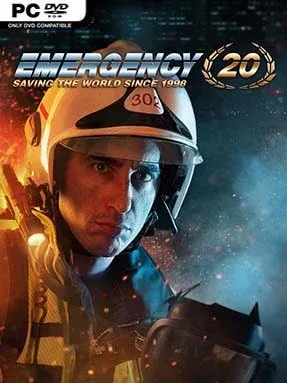
Sirens, collapsing structures, spreading fires, and panicked civilians turn every scenario into a real-time command problem where fast decisions matter as much as careful planning. EMERGENCY 20 celebrates two decades of the long-running rescue-management series by combining remastered anniversary missions with the campaigns and modes from EMERGENCY 5, EMERGENCY 2016, and EMERGENCY 2017. Its disasters range from street-racing pileups and industrial blazes to meteor strikes and nuclear emergencies, giving the package a broad, often spectacular disaster-movie tone. Rather than playing a hero on the ground, you direct the people and vehicles responsible for keeping a catastrophe from becoming a tragedy.
Each mission begins with assessing hazards, dispatching the right units, and establishing control before fires, injuries, traffic jams, or secondary explosions spiral outward. Police secure danger zones and manage crowds, firefighters extinguish flames and rescue trapped victims, medics triage and transport the injured, and technical teams handle specialized threats. Vehicles and personnel need room to work, so positioning ambulances, clearing wrecks, cutting through obstacles, and keeping routes open are as important as reacting quickly. Campaign missions provide authored challenges, while Freeplay lets players handle more open-ended incidents, and multiplayer maps add cooperative or competitive emergency coordination.
The appeal lies in its unusual blend of strategy, logistics, and controlled chaos: success rarely comes from brute force, but from recognizing priorities under pressure. Anniversary scenarios give veteran players a nostalgic tour through memorable cases rebuilt with newer technology, while the included later entries make this feel more like a substantial series collection than a simple remaster. Its presentation can be a little stiff and the interface demands patience, particularly when several emergencies erupt at once, but that tension is part of the appeal. Fans of command-focused strategy games such as 911 Operator or city-management titles with a crisis-response edge find plenty to enjoy, while newcomers who can tolerate a learning curve get an accessible route into EMERGENCY’s distinctive rescue-sim formula.
Installation
- Click the green button below to be redirected to UploadHaven.
- Wait 15 seconds, then hit “Free Download.” (Free downloads may be slower — upgrade to UploadHaven Pro for faster speeds.)
- Once downloaded, right-click the .zip file and choose “Extract to EMERGENCY 20.” (You’ll need 7-Zip for this.)
- Open the extracted folder and run the game as administrator.
- Enjoy! 🎮 If you see missing DLL errors, check the <strong>_Redist</strong> folder inside and install what’s needed.
System Requirements
- Requires a 64-bit processor and operating system
- OS: Windows 7 SP1 64-bit / Windows 8.1 64-bit / Windows 10 64-bit
- Processor: Intel quad core 2.6GHz or AMD quad core 2.6GHz
- Memory: 8 GB RAM
- Graphics: Video Card with 1 GB VRAM, NVIDIA GeForce 550 Ti, AMD Radeon HD 6670
- DirectX: Version 11
- Storage: 20 GB available space
- Sound Card: DirectX 9.0c compatible Sound Card
Setup Guide & Troubleshooting
How do I fix missing DLL errors for EMERGENCY 20 (v4.2.0)?
After extracting EMERGENCY 20 (v4.2.0), navigate to the _Redist or _CommonRedist folder inside the game directory and install DirectX, Vcredist, and any other dependencies included.
What should I do if the downloaded file is corrupted?
The full archive is 9.01 GB — make sure your download completed fully before extracting. Use 7-Zip to extract the files. If you still see a "file corrupted" error, re-download and try again.
Why should I run the game as administrator?
Right-click the game executable and select "Run as Administrator" to avoid save file issues and permission errors. This is especially important on the first launch.
How do I update my GPU drivers for this game?
EMERGENCY 20 (v4.2.0) requires a Video Card with 1 GB VRAM, NVIDIA GeForce 550 Ti, AMD Radeon HD 6670 or equivalent. Update your NVIDIA or AMD drivers to the latest version for the best performance.
The game won't launch — what should I try?
This game requires Version 11. Try running in compatibility mode, install the latest DirectX runtime, or install the All-in-One VC Redist Package.
My antivirus is blocking the game — is it safe?
Antivirus false positives are common with pre-installed games. Temporarily pause your antivirus during extraction to prevent it from quarantining game files. You can re-enable it after the extraction completes.