
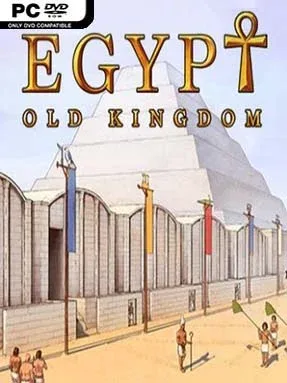
Game Overview
Ancient Egypt rises or falls on the strength of its rulers, and every flood, famine, invasion, and religious dispute can reshape the kingdom. Egypt: Old Kingdom is a historical strategy game that casts you as Horus, guiding successive pharaohs through the formative centuries of the Old Kingdom, from the early unification of Upper and Lower Egypt to the instability that follows its greatest age. Rather than focusing on a single ruler, it follows a long national story across generations, with Memphis as the political heart of an expanding state. Its atmosphere is serious and methodical, balancing reverence for Egyptian history with the constant pressure of keeping a fragile civilization alive.
Each turn asks you to manage food, labor, wealth, faith, military strength, and political stability while responding to changing events. You develop settlements, claim territory, fight neighboring tribes, commission monumental construction, and select technologies or policies that shape how effectively the state functions. Pharaohs bring their own reigns and challenges, while divine favor matters enough that neglecting the gods can be as dangerous as an enemy force. Progress is less about rapid conquest than creating a sustainable economy capable of supporting armies, administration, and ambitious projects such as the pyramids. Crises can derail even careful plans, so success depends on anticipating shortages and making difficult trade-offs before disaster arrives.
What separates it from many civilization games is its narrow but unusually detailed historical focus. The campaign does not use Egypt merely as decoration; dynasties, religious traditions, social pressures, and the realities of Nile-dependent agriculture drive its mechanics and events. Its clean map-based presentation and turn-based structure make it approachable, but the interconnected systems reward players who enjoy studying consequences over several reigns. Fans of Civilization, The Great Pharaoh, or slower grand-strategy management games should find plenty to appreciate, especially if they want a focused historical campaign rather than an open-ended sandbox.
Installation
- Click the green button below to be redirected to UploadHaven.
- Wait 15 seconds, then hit “Free Download.” (Free downloads may be slower — upgrade to UploadHaven Pro for faster speeds.)
- Once downloaded, right-click the .zip file and choose “Extract to Egypt: Old Kingdom.” (You’ll need 7-Zip for this.)
- Open the extracted folder and run the game as administrator.
- Enjoy! 🎮 If you see missing DLL errors, check the <strong>_Redist</strong> folder inside and install what’s needed.
System Requirements
- OS: Windows Vista SP2
- Processor: Intel Core 2 Duo 1.8 Ghz or AMD Athlon X2 64 2.0 Ghz
- Memory: 4 GB RAM
- Graphics: 1024х768, 1 GB VRAM
- DirectX: Version 9.0c
- Storage: 2 GB available space
Setup Guide & Troubleshooting
How do I fix missing DLL errors for Egypt: Old Kingdom (v2.0 & ALL DLC’s)?
After extracting Egypt: Old Kingdom (v2.0 & ALL DLC’s), navigate to the _Redist or _CommonRedist folder inside the game directory and install DirectX, Vcredist, and any other dependencies included.
What should I do if the downloaded file is corrupted?
The full archive is 673.33 MB — make sure your download completed fully before extracting. Use 7-Zip to extract the files. If you still see a "file corrupted" error, re-download and try again.
Why should I run the game as administrator?
Right-click the game executable and select "Run as Administrator" to avoid save file issues and permission errors. This is especially important on the first launch.
How do I update my GPU drivers for this game?
Egypt: Old Kingdom (v2.0 & ALL DLC’s) requires a 1024х768, 1 GB VRAM or equivalent. Update your NVIDIA or AMD drivers to the latest version for the best performance.
The game won't launch — what should I try?
This game requires Version 9.0c. Try running in compatibility mode, install the latest DirectX runtime, or install the All-in-One VC Redist Package.
My antivirus is blocking the game — is it safe?
Antivirus false positives are common with pre-installed games. Temporarily pause your antivirus during extraction to prevent it from quarantining game files. You can re-enable it after the extraction completes.