
Game Overview
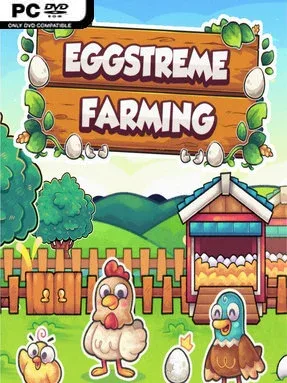
A handful of birds, a few empty pens, and a vending machine form the humble beginning of a surprisingly hands-on agricultural business. Eggstreme Farming is a management simulator focused on building a profitable egg-production operation one tray at a time, with chickens, ducks, geese, and turkeys all contributing to the growing enterprise. Its tone is relaxed and colorful, but the underlying challenge comes from balancing animal care, storage space, expansion costs, and the steady demands of a working farm. Rather than chasing huge harvests immediately, you gradually turn a modest setup into a specialized rural machine.
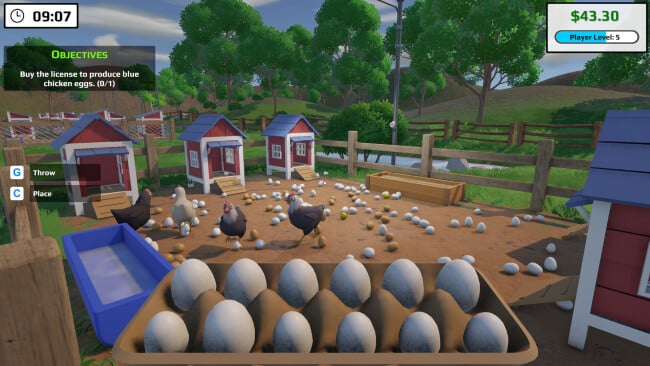
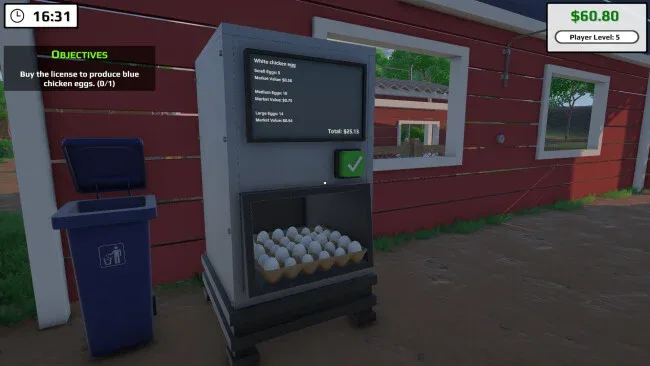
Daily work revolves around unpacking newly purchased animals, assigning them to suitable enclosures, keeping food and water topped up, and gathering the eggs they produce. Each species has its own requirements, while feed quality affects welfare and productivity, giving routine maintenance more purpose than simply clicking through chores. Eggs are placed into trays and sold through a vending machine for money and experience, which feeds into a progression loop built around levels, licenses, daily objectives, and access to more production capacity. Medicines and vaccines add another layer of responsibility, particularly when a neglected flock threatens to slow down the entire operation.
What separates it from broader farming games such as Stardew Valley or Farming Simulator is its narrow focus: nearly every decision serves the egg business, from choosing birds to organizing shelves and renting additional pens. Furniture, plants, and storage items help keep the farm functional as inventory and output increase, while recurring water, electricity, and internet bills prevent unchecked expansion. The day-and-night cycle and daily task system give the farm a dependable rhythm, making it well suited to players who enjoy incremental growth, tidy organization, and optimization over fast action. Newcomers to management sims can ease into its straightforward routine, while genre veterans may appreciate the challenge of maximizing a diverse, carefully maintained production line.
Screenshots
Installation
- Click the green button below to be redirected to UploadHaven.
- Wait 15 seconds, then hit “Free Download.” (Free downloads may be slower — upgrade to UploadHaven Pro for faster speeds.)
- Once downloaded, right-click the .zip file and choose “Extract to Eggstreme Farming.” (You’ll need 7-Zip for this.)
- Open the extracted folder and run the game as administrator.
- Enjoy! 🎮 If you see missing DLL errors, check the <strong>_Redist</strong> folder inside and install what’s needed.
System Requirements
- OS: Windows 10/11 (64-bit)
- Processor: i5 3550 / RYZEN 5 1600
- Memory: 8 GB RAM
- Graphics: NVIDIA GTX 1050 / AMD R9 270X
- DirectX: Version 12
- Storage: 2 GB available space
- Sound Card: Any
- VR Support: No VR Support
- Additional Notes: None
Setup Guide & Troubleshooting
How do I fix missing DLL errors for Eggstreme Farming?
After extracting Eggstreme Farming, navigate to the _Redist or _CommonRedist folder inside the game directory and install DirectX, Vcredist, and any other dependencies included.
What should I do if the downloaded file is corrupted?
The full archive is 847.77 MB — make sure your download completed fully before extracting. Use 7-Zip to extract the files. If you still see a "file corrupted" error, re-download and try again.
Why should I run the game as administrator?
Right-click the game executable and select "Run as Administrator" to avoid save file issues and permission errors. This is especially important on the first launch.
How do I update my GPU drivers for this game?
Eggstreme Farming requires a NVIDIA GTX 1050 / AMD R9 270X or equivalent. Update your NVIDIA or AMD drivers to the latest version for the best performance.
The game won't launch — what should I try?
This game requires Version 12. Try running in compatibility mode, install the latest DirectX runtime, or install the All-in-One VC Redist Package.
My antivirus is blocking the game — is it safe?
Antivirus false positives are common with pre-installed games. Temporarily pause your antivirus during extraction to prevent it from quarantining game files. You can re-enable it after the extraction completes.