
Game Overview
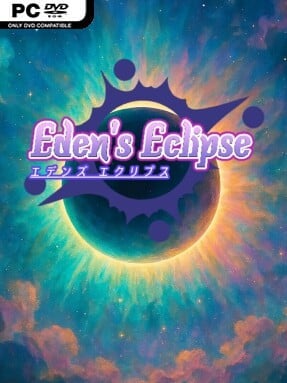
A lone girl cuts through hostile skies in a tightly focused vertical shooter built around the sharp reflexes and screen-filling patterns of arcade bullet hell classics. Eden’s Eclipse favors immediate action over story-heavy detours, sending players through five escalating stages where mechanical precision matters more than brute force. Its tone is colorful but demanding: enemy formations crowd the screen, bullets carve narrow safe lanes, and every boss serves as a concentrated test of pattern recognition. The result feels rooted in the era of coin-op shooters while keeping the presentation clean and accessible for modern score chasers.
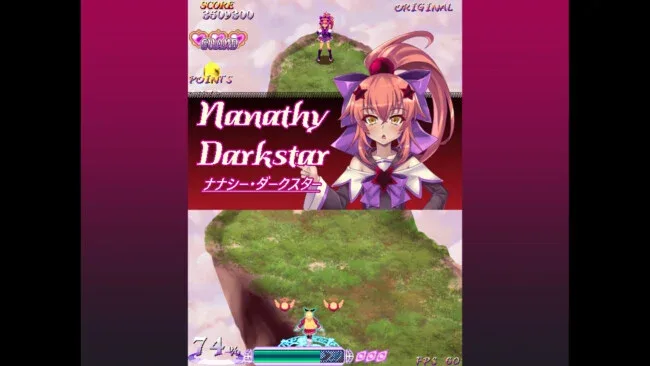
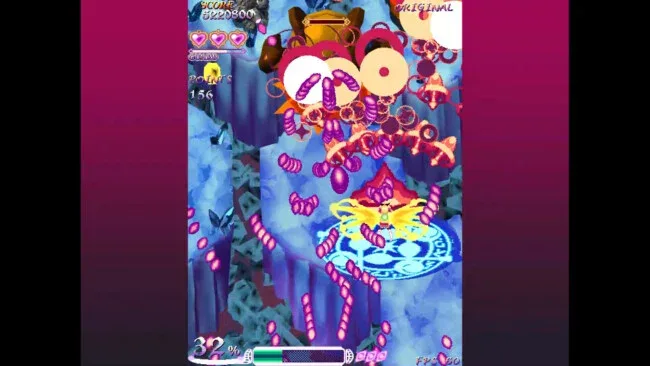
Combat revolves around a dependable standard shot, a stronger special attack, and limited-use bombs that provide an emergency escape when the screen becomes unreadable. Special shots do more than inflict extra damage, since they can transform enemy projectiles into collectible items, rewarding aggressive play near dangerous bullet streams instead of passive survival. Each stage ends with a boss encounter designed around increasingly elaborate attack patterns, encouraging repeated runs as players learn where to position themselves and when to spend resources. ORIGINAL mode offers the intended baseline challenge, while CLASSIC speeds up incoming fire and HELL greatly intensifies enemy assaults for players who want a harsher arcade test. Online rankings give high-score runs a clear competitive purpose, even after the five-stage campaign becomes familiar.
What stands out is the risk-reward use of special attacks: turning a seemingly impossible barrage into items gives the action a satisfying tactical twist beyond simply dodging. The compact structure also works in its favor, making Eden’s Eclipse easy to pick up for a quick run while leaving plenty of room to improve routes, survival consistency, and score performance. Fans of Touhou-style bullet patterns, classic Cave shooters, and vertically scrolling arcade games should find its focused design appealing. Newcomers can begin in ORIGINAL and rely on bombs while learning the basics, whereas genre veterans are likely to spend their time pushing CLASSIC, HELL, and the online leaderboard.
Screenshots
Installation
- Click the green button below to be redirected to UploadHaven.
- Wait 15 seconds, then hit “Free Download.” (Free downloads may be slower — upgrade to UploadHaven Pro for faster speeds.)
- Once downloaded, right-click the .zip file and choose “Extract to Eden's Eclipse.” (You’ll need 7-Zip for this.)
- Open the extracted folder and run the game as administrator.
- Enjoy! 🎮 If you see missing DLL errors, check the <strong>_Redist</strong> folder inside and install what’s needed.
System Requirements
- OS: Windows 11
- Storage: 150 MB available space
Setup Guide & Troubleshooting
How do I fix missing DLL errors for Eden’s Eclipse (v1.1.3)?
After extracting Eden’s Eclipse (v1.1.3), navigate to the _Redist or _CommonRedist folder inside the game directory and install DirectX, Vcredist, and any other dependencies included.
What should I do if the downloaded file is corrupted?
The full archive is 172.27 MB — make sure your download completed fully before extracting. Use 7-Zip to extract the files. If you still see a "file corrupted" error, re-download and try again.
Why should I run the game as administrator?
Right-click the game executable and select "Run as Administrator" to avoid save file issues and permission errors. This is especially important on the first launch.
How do I update my GPU drivers for this game?
Update your NVIDIA or AMD drivers to the latest version for the best performance and compatibility.
The game won't launch — what should I try?
Try running in compatibility mode, install the latest DirectX runtime, or install the All-in-One VC Redist Package.
My antivirus is blocking the game — is it safe?
Antivirus false positives are common with pre-installed games. Temporarily pause your antivirus during extraction to prevent it from quarantining game files. You can re-enable it after the extraction completes.