
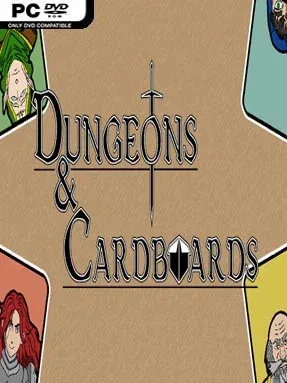
Game Overview
A cardboard-fantasy dungeon crawl turns everyday craft materials into a surprisingly hostile adventure, sending you through varied labyrinths packed with monsters, traps, loot, and a looming master of the realm. The tone sits somewhere between playful tabletop imagination and straightforward action challenge: paper-and-cardboard visuals give the world charm, but its enemies are built to put up a real fight. Each descent is driven by the promise of better gear and the need to survive long enough to confront the force ruling these handmade halls. Dungeons & Cardboards keeps its premise simple, making its appeal easy to understand for players who enjoy compact fantasy quests without heavy narrative baggage.
Progress comes from pushing farther into distinct dungeon environments, battling crafty foes and collecting weapons and armor that improve your chances against tougher encounters. Combat is the center of the loop, asking you to manage threats, capitalize on stronger equipment, and stay alive through escalating opposition rather than merely racing to the exit. Loot provides the main incentive to keep clearing rooms, while new enemy types and dungeon layouts aim to prevent every expedition from feeling identical. The ultimate goal is to reach and defeat the major boss, the Cardboard Master, so preparation matters as much as persistence when the game starts increasing the pressure.
Its biggest strength is the contrast between a whimsical arts-and-crafts presentation and a traditional dungeon-crawling structure built around danger, rewards, and boss hunting. Rather than trying to reinvent the genre with an enormous open world or elaborate systems, it focuses on the satisfying fundamentals of exploring, fighting, upgrading, and conquering successive challenges. The cardboard aesthetic gives it a personality that recalls the imaginative side of tabletop fantasy, while the emphasis on equipment and hostile dungeon runs speaks to fans of accessible action RPGs. It suits newcomers who want a direct, readable indie crawl, as well as veterans looking for a lighter, stylized break between more demanding loot-driven adventures.
Installation
- Click the green button below to be redirected to UploadHaven.
- Wait 15 seconds, then hit “Free Download.” (Free downloads may be slower — upgrade to UploadHaven Pro for faster speeds.)
- Once downloaded, right-click the .zip file and choose “Extract to Dungeons & Cardboards.” (You’ll need 7-Zip for this.)
- Open the extracted folder and run the game as administrator.
- Enjoy! 🎮 If you see missing DLL errors, check the <strong>_Redist</strong> folder inside and install what’s needed.
System Requirements
- OS: Windows 10
- Processor: Intel I5 4450
- Memory: 4 GB RAM
- Graphics: NVIDIA GTX 1650
- Storage: 3 GB available space
Setup Guide & Troubleshooting
How do I fix missing DLL errors for Dungeons & Cardboards?
After extracting Dungeons & Cardboards, navigate to the _Redist or _CommonRedist folder inside the game directory and install DirectX, Vcredist, and any other dependencies included.
What should I do if the downloaded file is corrupted?
The full archive is 805.65 MB — make sure your download completed fully before extracting. Use 7-Zip to extract the files. If you still see a "file corrupted" error, re-download and try again.
Why should I run the game as administrator?
Right-click the game executable and select "Run as Administrator" to avoid save file issues and permission errors. This is especially important on the first launch.
How do I update my GPU drivers for this game?
Dungeons & Cardboards requires a NVIDIA GTX 1650 or equivalent. Update your NVIDIA or AMD drivers to the latest version for the best performance.
The game won't launch — what should I try?
Try running in compatibility mode, install the latest DirectX runtime, or install the All-in-One VC Redist Package.
My antivirus is blocking the game — is it safe?
Antivirus false positives are common with pre-installed games. Temporarily pause your antivirus during extraction to prevent it from quarantining game files. You can re-enable it after the extraction completes.