
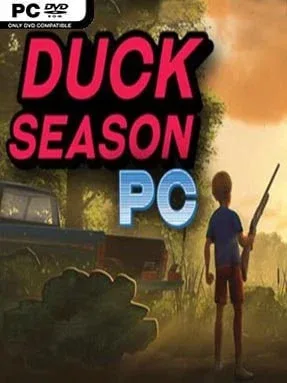
Game Overview
A summer afternoon in 1988 turns unnervingly strange when a simple duck-hunting cartridge begins to bleed into the real world. Duck Season blends a nostalgic light-gun shooter with an intimate first-person horror story set inside a convincingly ordinary suburban home, complete with old televisions, VHS tapes, toys, and the uneasy quiet of a house after dark. Its warm, Spielberg-like childhood atmosphere gradually gives way to dread, making every cheerful arcade sound and familiar household object feel suspicious. The result is short, focused, and far more disturbing than its cartoon dog and pixel ducks initially suggest.
Most of the action revolves around playing the in-universe Duck Season cartridge on a Kingbit Entertainment console, aiming at flying ducks and dealing with the consequences of missed shots. Several hunting variations and additional light-gun-style minigames keep the shooting from becoming a one-note novelty, while the real objective is to investigate the changing house between sessions. Players inspect rooms, watch strange VHS recordings, uncover environmental clues, and test unusual interactions that can alter how the day unfolds. The story branches into seven distinct endings, so attention, curiosity, and a willingness to replay matter more than raw shooting skill.
What makes Duck Season memorable is the way it uses a small domestic space as a narrative puzzle box. The home feels tangible rather than merely decorative, and hidden gags, secrets, films, and odd side stories reward players who poke at everything instead of rushing through the cartridge. Horror here relies less on constant jump scares than on mounting uncertainty, surreal imagery, and the fear that the game in the television is watching back. Fans of Five Nights at Freddy’s-style hidden lore, retro media horror, and experimental VR-adjacent storytelling find plenty to unpack, while newcomers should expect a brief but replayable narrative experience rather than a traditional hunting game.
Installation
- Click the green button below to be redirected to UploadHaven.
- Wait 15 seconds, then hit “Free Download.” (Free downloads may be slower — upgrade to UploadHaven Pro for faster speeds.)
- Once downloaded, right-click the .zip file and choose “Extract to Duck Season PC.” (You’ll need 7-Zip for this.)
- Open the extracted folder and run the game as administrator.
- Enjoy! 🎮 If you see missing DLL errors, check the <strong>_Redist</strong> folder inside and install what’s needed.
System Requirements
- OS: Windows 7 64bit
- Processor: Dual Core 2.0ghz or equivalent
- Memory: 4 GB RAM
- Graphics: GTX 260 or newer
- Storage: 8 GB available space
Setup Guide & Troubleshooting
How do I fix missing DLL errors for Duck Season PC (v20190619)?
After extracting Duck Season PC (v20190619), navigate to the _Redist or _CommonRedist folder inside the game directory and install DirectX, Vcredist, and any other dependencies included.
What should I do if the downloaded file is corrupted?
The full archive is 2.26 GB — make sure your download completed fully before extracting. Use 7-Zip to extract the files. If you still see a "file corrupted" error, re-download and try again.
Why should I run the game as administrator?
Right-click the game executable and select "Run as Administrator" to avoid save file issues and permission errors. This is especially important on the first launch.
How do I update my GPU drivers for this game?
Duck Season PC (v20190619) requires a GTX 260 or newer or equivalent. Update your NVIDIA or AMD drivers to the latest version for the best performance.
The game won't launch — what should I try?
Try running in compatibility mode, install the latest DirectX runtime, or install the All-in-One VC Redist Package.
My antivirus is blocking the game — is it safe?
Antivirus false positives are common with pre-installed games. Temporarily pause your antivirus during extraction to prevent it from quarantining game files. You can re-enable it after the extraction completes.