
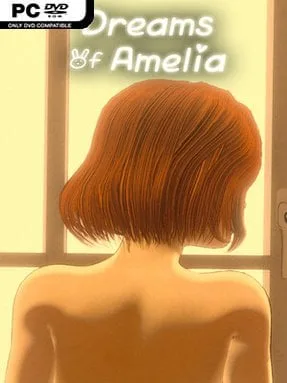
Game Overview
A lonely young 3D artist finds an enchanted book at a flea market, accidentally binding herself to a low-ranking servant demon with a talent for domestic help rather than grand displays of infernal power. Dreams of Amelia frames its mature fantasy around an unusual relationship: the player is the demon, charged with easing Amelia’s isolated, work-heavy life and eventually earning freedom through her satisfaction. The mood is intimate and lightly supernatural rather than horrific, balancing everyday apartment life with the awkward complications of a magical servant/master arrangement. Its premise leans into companionship, temptation, and the question of whether a deal made by magic can become something more personal.
Most of the experience centers on guided narrative scenes and player-driven interactions with Amelia in her home. You take care of minor tasks, respond to her needs, and steer the tone of the relationship through choices that shape how quickly trust and affection develop. Rather than offering action combat or open-world exploration, the game focuses on character moments, dialogue, and adult-oriented scenarios built around the servant demon’s limited abilities. Progression comes from learning what Amelia wants, making the right decisions in key scenes, and advancing through a story where your promised release remains the central incentive.
The role reversal gives the setup its main hook: instead of controlling a human summoned into a demon realm, you play the supernatural helper trying to understand an ordinary person’s loneliness. Amelia’s work in digital art also gives the story a grounded modern backdrop, contrasting nicely with the strange magic that disrupts her routine. Players looking for a mature visual novel with a domestic, relationship-focused fantasy angle will likely get the most from it, especially if they prefer slower character development over gameplay-heavy systems. Fans of choice-led adult stories and light supernatural romances should find its compact premise more appealing than those seeking the branching scale of major dating sims or the challenge of traditional RPGs.
Installation
- Click the green button below to be redirected to UploadHaven.
- Wait 15 seconds, then hit “Free Download.” (Free downloads may be slower — upgrade to UploadHaven Pro for faster speeds.)
- Once downloaded, right-click the .zip file and choose “Extract to Dreams of Amelia.” (You’ll need 7-Zip for this.)
- Open the extracted folder and run the game as administrator.
- Enjoy! 🎮 If you see missing DLL errors, check the <strong>_Redist</strong> folder inside and install what’s needed.
System Requirements
- OS: Microsoft® Windows® 10
- Processor: Intel or AMD Dual Core CPU
- Memory: 4 GB RAM
- Graphics: Integrated Graphics
- DirectX: Version 9.0a
- Storage: 2 GB available space
- Sound Card: DirectX 9c compatible sound card
Setup Guide & Troubleshooting
How do I fix missing DLL errors for Dreams of Amelia (v90.0 & Uncensored)?
After extracting Dreams of Amelia (v90.0 & Uncensored), navigate to the _Redist or _CommonRedist folder inside the game directory and install DirectX, Vcredist, and any other dependencies included.
What should I do if the downloaded file is corrupted?
The full archive is 0.99 GB — make sure your download completed fully before extracting. Use 7-Zip to extract the files. If you still see a "file corrupted" error, re-download and try again.
Why should I run the game as administrator?
Right-click the game executable and select "Run as Administrator" to avoid save file issues and permission errors. This is especially important on the first launch.
How do I update my GPU drivers for this game?
Dreams of Amelia (v90.0 & Uncensored) requires a Integrated Graphics or equivalent. Update your NVIDIA or AMD drivers to the latest version for the best performance.
The game won't launch — what should I try?
This game requires Version 9.0a. Try running in compatibility mode, install the latest DirectX runtime, or install the All-in-One VC Redist Package.
My antivirus is blocking the game — is it safe?
Antivirus false positives are common with pre-installed games. Temporarily pause your antivirus during extraction to prevent it from quarantining game files. You can re-enable it after the extraction completes.