
Game Overview
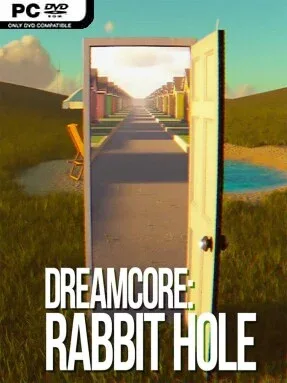
Familiar suburban rooms, empty corridors, and softly lit public spaces become quietly unnerving in this atmospheric first-person adventure. Dreamcore: Rabbit Hole draws on the hazy nostalgia of 1980s idealized America, then twists it into a sequence of liminal places that feel remembered rather than visited. Its mood shifts between comforting and disorienting: one moment feels like a peaceful childhood memory, while the next suggests that something is subtly wrong behind the wallpaper. Rather than relying on conventional horror shocks, it creates unease through silence, scale, architecture, and the persistent feeling of déjà vu.
Story Mode gives the wandering a purpose, following someone trying to navigate these unreal spaces and return to reality. Progress centers on observing environments, moving through connected dreamlike locations, and following the visual and atmospheric clues that lead further down the rabbit hole. The pace is deliberately slow, with sound design and environmental detail doing much of the storytelling instead of combat, resource management, or action-heavy set pieces. Relax Mode removes the pressure of a defined objective and lets players roam freely, making it better suited to a late-night session where the goal is simply to absorb the scenery and switch off.
What makes the experience stand out is its commitment to dreamcore’s specific emotional texture: the strange comfort of an empty place that somehow feels deeply personal. Every area has its own architecture, color palette, and soundscape, so the game avoids feeling like a single repeated maze despite its restrained approach. Planned additions to Relax Mode give it room to grow with more spaces to revisit, while the base concept already works as an interactive ambient piece as much as an adventure. Fans of liminal-space explorations, analog nostalgia, and the quieter stretches of games such as The Stanley Parable or Pools are likely to appreciate it most; players seeking puzzles, scares, or fast-paced gameplay may find its meditative design too sparse.
Installation
- Click the green button below to be redirected to UploadHaven.
- Wait 15 seconds, then hit “Free Download.” (Free downloads may be slower — upgrade to UploadHaven Pro for faster speeds.)
- Once downloaded, right-click the .zip file and choose “Extract to Dreamcore: Rabbit Hole.” (You’ll need 7-Zip for this.)
- Open the extracted folder and run the game as administrator.
- Enjoy! 🎮 If you see missing DLL errors, check the <strong>_Redist</strong> folder inside and install what’s needed.
System Requirements
- OS: Windows 10/11 64-bit
- Processor: Intel Core i5 (7th generation) or AMD equivalent
- Memory: 12 GB RAM
- Graphics: NVIDIA GeForce GTX 1060 or AMD equivalent
- DirectX: Version 12
- Storage: 10 GB available space
Setup Guide & Troubleshooting
How do I fix missing DLL errors for Dreamcore: Rabbit Hole (v1.5.0)?
After extracting Dreamcore: Rabbit Hole (v1.5.0), navigate to the _Redist or _CommonRedist folder inside the game directory and install DirectX, Vcredist, and any other dependencies included.
What should I do if the downloaded file is corrupted?
The full archive is 6.37 GB — make sure your download completed fully before extracting. Use 7-Zip to extract the files. If you still see a "file corrupted" error, re-download and try again.
Why should I run the game as administrator?
Right-click the game executable and select "Run as Administrator" to avoid save file issues and permission errors. This is especially important on the first launch.
How do I update my GPU drivers for this game?
Dreamcore: Rabbit Hole (v1.5.0) requires a NVIDIA GeForce GTX 1060 or AMD equivalent or equivalent. Update your NVIDIA or AMD drivers to the latest version for the best performance.
The game won't launch — what should I try?
This game requires Version 12. Try running in compatibility mode, install the latest DirectX runtime, or install the All-in-One VC Redist Package.
My antivirus is blocking the game — is it safe?
Antivirus false positives are common with pre-installed games. Temporarily pause your antivirus during extraction to prevent it from quarantining game files. You can re-enable it after the extraction completes.