
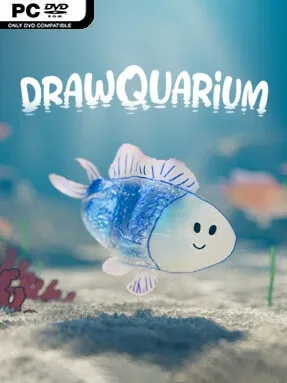
Game Overview
A hand-drawn fish tank becomes a living little desk companion, turning doodles, children’s artwork, and simple shapes into swimming creatures with their own behavior. Drawquarium is a relaxed sandbox built around making an aquarium feel personal rather than mastering complex systems, with a warm, playful tone that suits a quiet break between work or study. Instead of chasing scores or surviving threats, players create a cozy underwater space and watch it gradually gain character.
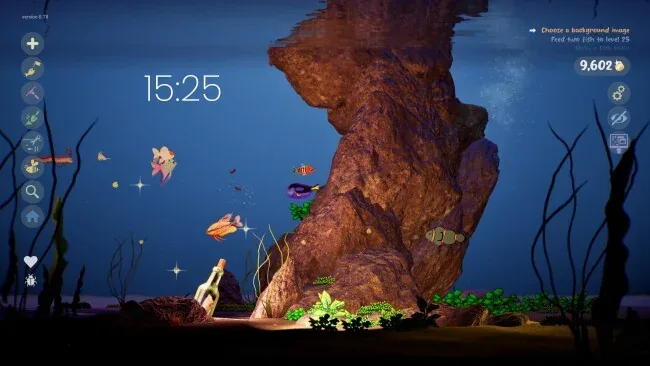
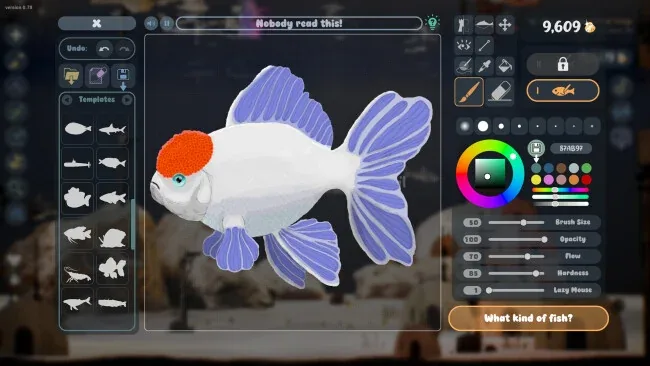
The main loop starts with drawing or importing PNG images to use as fish and plants, then placing them into the tank and caring for its inhabitants. Fish need feeding, grow over time, and interact with one another; the simulation can produce friendships, squabbles, pairs, and baby fish, giving even deliberately silly designs a sense of life. Golden scales earned through play open additional decorations and creative tools, while sand styles, lighting, rocks, driftwood, and other items let players reshape the tank’s mood. Ready-made fish and templates make the experience accessible for people who want the charm of custom creations without needing confidence in their art skills.
Desktop Wallpaper Mode is the feature that gives the concept its strongest identity: the aquarium can remain active behind everyday windows, with fish available to observe, feed, and play with while using the PC. Built-in journaling, task planning, timers, and clock customization also position it as a gentle focus tool as much as a toy. Its appeal sits somewhere between a virtual pet game, a digital sketchbook, and the low-pressure satisfaction of arranging a small Animal Crossing-style space. Drawquarium is best for creative players, parents sharing a project with children, and anyone who wants a calming animated aquarium rather than a demanding management sim.
Screenshots
Installation
- Select the <strong>Download</strong> button at the top of this page to open UploadHaven.
- On UploadHaven, wait for any countdown, then select <strong>Free Download</strong>. Optional: UploadHaven Pro for faster downloads.
- When complete, extract the archive to a <strong>Drawquarium</strong> folder using 7-Zip.
- Open the extracted folder and start the game normally.
- For errors, check <strong>Setup Guide & Troubleshooting</strong> below. Keep your security software enabled.
System Requirements
- Requires a 64-bit processor and operating system
- OS: Windows 10 64bit
- Processor: Quad-core Intel i5-8400 / AMD Ryzen 5 1600 (or equivalent)
- Memory: 8 GB RAM
- Graphics: NVIDIA GTX 1060 / AMD RX 580 (6 GB VRAM)
- DirectX: Version 12
- Storage: 700 MB available space
- Sound Card: DirectX compatible sound card