
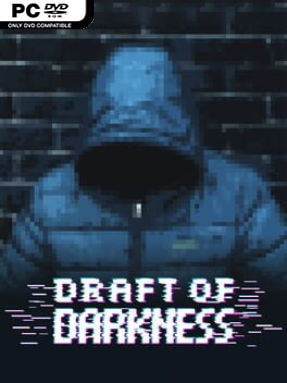
Game Overview
A ruined city swallowed by darkness provides the tense backdrop for Draft of Darkness, a roguelike deckbuilder that treats every expedition as a fight for survival. Rather than leaning on fantasy duels or flashy superhero powers, it pits vulnerable survivors against infected horrors, militarized machines, and desperate people competing for the same scraps. The mood is oppressive and uncertain, with dwindling resources and hard choices carrying as much weight as a winning hand. Each run begins by choosing a hero and shaping an initial deck, then asks how far you are willing to push into the blackened streets.
Turn-based card battles form the heart of the experience, with abilities drawn from each survivor’s personal deck and played to attack, defend, manipulate enemies, or keep the group alive. Procedurally assembled maps make routes, encounters, loot, and threats feel less predictable from run to run, while exploration constantly forces a balance between risk and reward. New survivors can join the party, expanding tactical options but also requiring better gear and card upgrades to keep everyone effective. Trading helps turn scavenged supplies into stronger equipment, and story decisions can alter the direction of a run instead of functioning as empty flavor text.
What separates Draft of Darkness from a straightforward Slay the Spire-style climb is its emphasis on a small group trying to endure a hostile urban wasteland rather than a lone champion clearing a dungeon. Party composition matters because every recruit brings a different pool of abilities, encouraging experiments with synergies and making losses sting. Its survival-horror framing should appeal to players who enjoy Darkest Dungeon’s pressure, FTL’s resource-minded decision-making, and deckbuilders where improvisation matters more than memorizing one perfect build. It suits genre newcomers who can accept a learning curve, but roguelike veterans will get the most from mastering its risks, recruits, and evolving decks.
Installation
- Click the green button below to be redirected to UploadHaven.
- Wait 15 seconds, then hit “Free Download.” (Free downloads may be slower — upgrade to UploadHaven Pro for faster speeds.)
- Once downloaded, right-click the .zip file and choose “Extract to Draft of Darkness.” (You’ll need 7-Zip for this.)
- Open the extracted folder and run the game as administrator.
- Enjoy! 🎮 If you see missing DLL errors, check the <strong>_Redist</strong> folder inside and install what’s needed.
System Requirements
- OS: Windows 10
- Processor: Core i5
- Memory: 4 GB RAM
- Graphics: Graphics Card with 2GB RAM
- Storage: 1 GB available space
Setup Guide & Troubleshooting
How do I fix missing DLL errors for Draft of Darkness (v1.2.15)?
After extracting Draft of Darkness (v1.2.15), navigate to the _Redist or _CommonRedist folder inside the game directory and install DirectX, Vcredist, and any other dependencies included.
What should I do if the downloaded file is corrupted?
The full archive is 346.49 MB — make sure your download completed fully before extracting. Use 7-Zip to extract the files. If you still see a "file corrupted" error, re-download and try again.
Why should I run the game as administrator?
Right-click the game executable and select "Run as Administrator" to avoid save file issues and permission errors. This is especially important on the first launch.
How do I update my GPU drivers for this game?
Draft of Darkness (v1.2.15) requires a Graphics Card with 2GB RAM or equivalent. Update your NVIDIA or AMD drivers to the latest version for the best performance.
The game won't launch — what should I try?
Try running in compatibility mode, install the latest DirectX runtime, or install the All-in-One VC Redist Package.
My antivirus is blocking the game — is it safe?
Antivirus false positives are common with pre-installed games. Temporarily pause your antivirus during extraction to prevent it from quarantining game files. You can re-enable it after the extraction completes.