

Screenshots
Installation
- Select the Download button at the top of this page to open UploadHaven, wait for any countdown, then select Free Download.
- When the download completes, extract the archive to a folder named Kingdom Inc. using 7-Zip.
- Open the extracted folder and start the game normally. If you encounter missing DLL errors, install the dependencies from the _Redist or _CommonRedist folder inside the game directory.
System Requirements
- Requires a 64-bit processor and operating system
- OS: Windows 10/11
- Processor: x64 architecture with SSE2 instruction set support
- Memory: 8 GB RAM
- Graphics: DX11, DX12 capable integrated graphics
- Additional Notes: Should run fine on most laptops built in the last 5+ years
Setup Guide & Troubleshooting
Is Kingdom Inc. (v1.0.8) completely free?
Yes, Kingdom Inc. (v1.0.8) is listed as a free download on this page. The file is 221.07 MB and is provided as a pre-installed package for Windows.
How do I install Kingdom Inc. (v1.0.8)?
Download the archive from the button on this page, extract it to a folder named Kingdom Inc. using 7-Zip, then open the extracted folder and start the game normally. If you see missing DLL errors, install the dependencies from the _Redist or _CommonRedist folder inside the game directory.
What are the system requirements for Kingdom Inc.?
You need a 64-bit processor and operating system, Windows 10 or 11, an x64 processor with SSE2 support, 8 GB of RAM, and DX11 or DX12 capable integrated graphics. The game should run fine on most laptops built in the last 5+ years.
What kind of game is Kingdom Inc.?
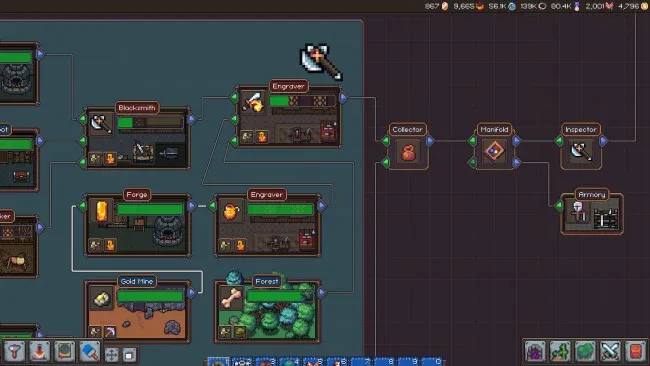
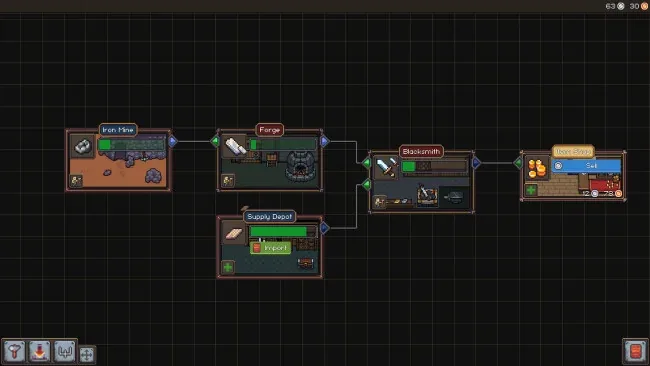
Kingdom Inc. is a fantasy automation adventure in the idle and incremental category. You rebuild a dying kingdom's economy through automated production chains, trading, equipment crafting, and military campaigns, all tied to a narrative about King Alistair's suspicious death.
Is the download safe?
The download source alone cannot confirm that a file is safe. Keep your security software enabled and review any detection details. Do not run or restore a flagged file unless you have verified it is a false positive. If you are unsure, leave it quarantined.